

Ester_Valorio
May 29, 2024
Question

What happened to the "Can view prototypes only" permission?

  • May 29, 2024
  • 27 replies
  • 4423 views

Hello dear Community,

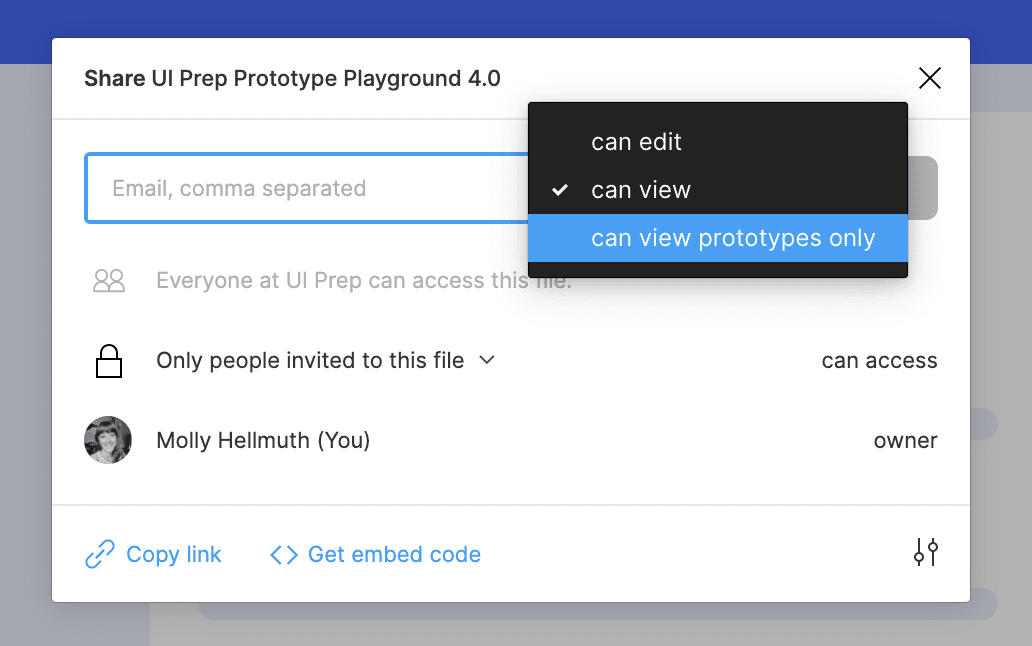
As we’re continuously working with clients, our team was really fond of the setting “can view prototypes only”: sometimes we would invite specific people to view a prototype, other times we would allow anyone with the link and password to view the prototypes. This allowed us to be sure not to share the actual design file with the client (sometimes because they wouldn’t need it, or because we would prepare a specific file for the client).

Here is a screenshot I found online for reference:
We recently figured out that Figma updated the Share modal:
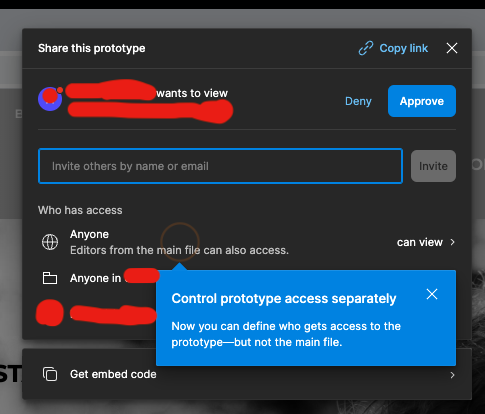
image

So, the text in the bubble seemed clear, but then the settings texts just got me a bit confused, I guess it’s because they use similar wording which might seem contradicting at a first glance (keep in mind my team and I are not native English speakers):
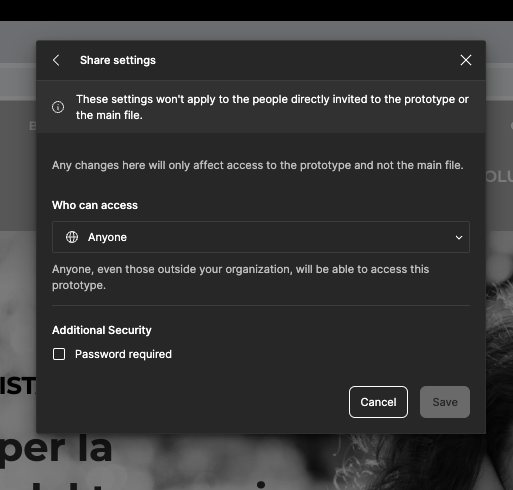
Screenshot 2024-05-23 at 16.23.47

Furthermore, we got quite overwhelmed as we’re working with files which are 2+ years old and those are shared with clients, therefore we wanted to check if any settings changed. Some files have this message over the share settings:
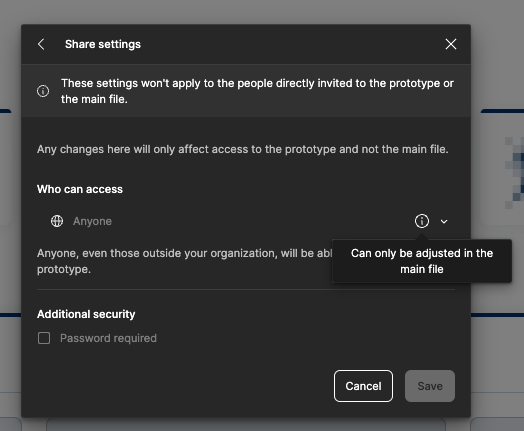
Screenshot 2024-05-29 at 10.49.57

Do you have any recommendations to follow? Am I the only one who got disoriented from this update? I also looked up on the Figma help platform, the forums and anywhere on the Internet but haven’t found anything specific.

PS: I really hope Figma will create a Best Practice guide page which could be really helpful and inspiring on this matter!

This topic has been closed for replies.

27 replies

Bree Sloan
New Member
March 27, 2025

The fact that the feature to share the prototype code on a website is behind a paywall is extremely frustrating. Having to send out my website portfolio and knowing that whoever is looking at it, has to create Figma account before they can play with the prototype, will definitely be detrimental to my ability to gain clients or get a job with a company. I am super disappointed in this.

Alejo
New Member
May 8, 2025
Hello, I have a Professional account and have followed all the steps outlined here. But the Open in editor option is still displayed when I view the prototype with another user.


Tom Reem
Figmate
Figmate
May 22, 2025

Hey ​@Alejo — I see what you mean. Thanks for flagging this and providing the screenshots of the steps you followed to reach that can view result.


I just tried replicating this with my test account and, in my case, it worked as expected — the guest viewer could only access the prototype and didn’t have access to the design file (no dropdown option with “Open in editor”). The quickest path to getting this sorted might be having someone take a closer look at the account settings.


If this is still happening on your end, I’d recommend reaching out to our Support team so they can take a deeper look at the account settings you mentioned. If everything looks correct on their end, they’ll be able to escalate the issue to Engineering for further investigation.

When you submit a ticket, be sure to include:

  • a full-size screen recording showing the issue
  • a link to the file
  • file access granted to support-share@figma.com.


Let me know how things go — appreciate you taking the time to document this.

Luca Pulvirenti
New Member
September 22, 2025

I have the paid plan, I followed the same steps of ​@Alejo .
I have the same issue of him: the Open in editor option is still displayed when I view the prototype with another user.

Hello, I have a Professional account and have followed all the steps outlined here. But the Open in editor option is still displayed when I view the prototype with another user.


What can I do ?


djv
Figmate
Community Support
September 22, 2025

Hi ​@Luca Pulvirenti, thanks for chiming in here! 

May I ask if this user with view only access is actually able to open the file if they try to Open in editor? 

We had a similar bug in the past where the Open in editor button would incorrectly show to views, but when attempting to open the file in the editor, the user would be shown an error message or given a notification that they don’t have access. It sounds like this may be a similar regression to what we’ve seen in the past. 

Please let me know at your earliest convenience, and I’ll have our team investigate further. 

Luca Pulvirenti
New Member
October 6, 2025

Hi ​@Luca Pulvirenti, thanks for chiming in here! 

May I ask if this user with view only access is actually able to open the file if they try to Open in editor? 

We had a similar bug in the past where the Open in editor button would incorrectly show to views, but when attempting to open the file in the editor, the user would be shown an error message or given a notification that they don’t have access. It sounds like this may be a similar regression to what we’ve seen in the past. 

Please let me know at your earliest convenience, and I’ll have our team investigate further. 

I solved it, thank you. From my perspective, it’s not very intuitive.

I’ve understood that when you’re in the prototype environment and click the Share button, it shares a link to the prototype only, but this works only if you have at least the Professional plan.

If you don’t have the Professional plan and click the same button, the link gives access to the entire project, including the editing area.

This was very frustrating. Before I upgraded to the Professional plan, the same button didn’t share only the prototype, so for a few days, after the upgrade to the Professional plan, I was worried the link would still expose the editor. I ran some tests on my own to make sure the link now shows only the prototype.

djv
Figmate
Community Support
October 6, 2025

Thanks for the feedback, ​@Luca Pulvirenti! 


I hear you and completely understand your frustration. I’ll pass this feedback onto the team to hopefully make this feature feel more frictionless in the future.