Variables.... Is this possible?
Hi there guys I’m pretty new to using variables & I’m busy doing a Google course for UI/UX though Coursera.
I’m currently working on a Hi-Fidelity prototype for a movie ticketing app that I’ve created.
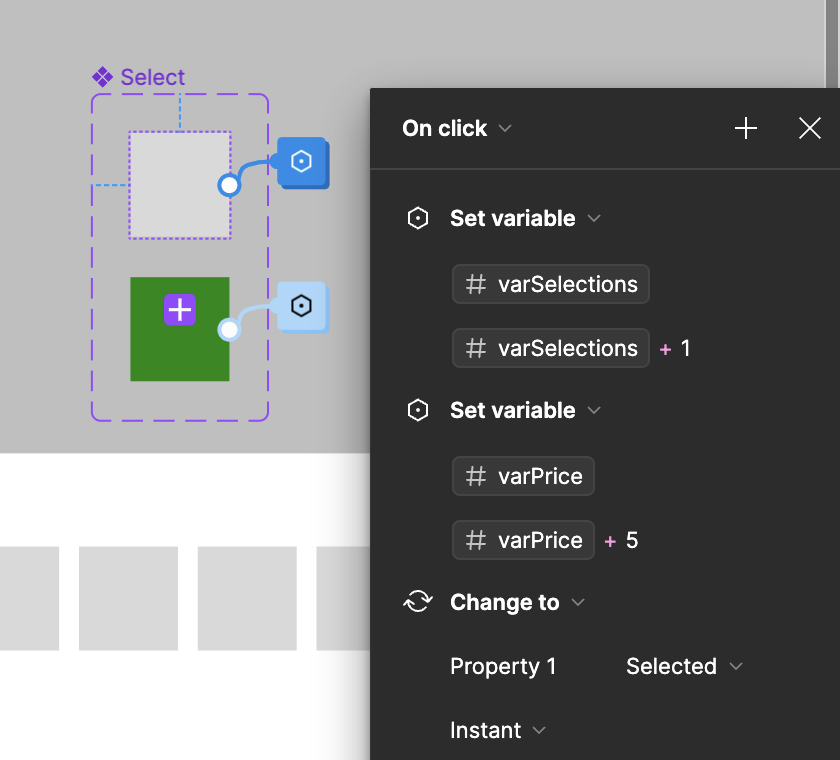
If created a Seat selection component for a chair that when changed from its default state it changes to a different colour with a tick. Simple enough it’s working but here is where it gets complicated…
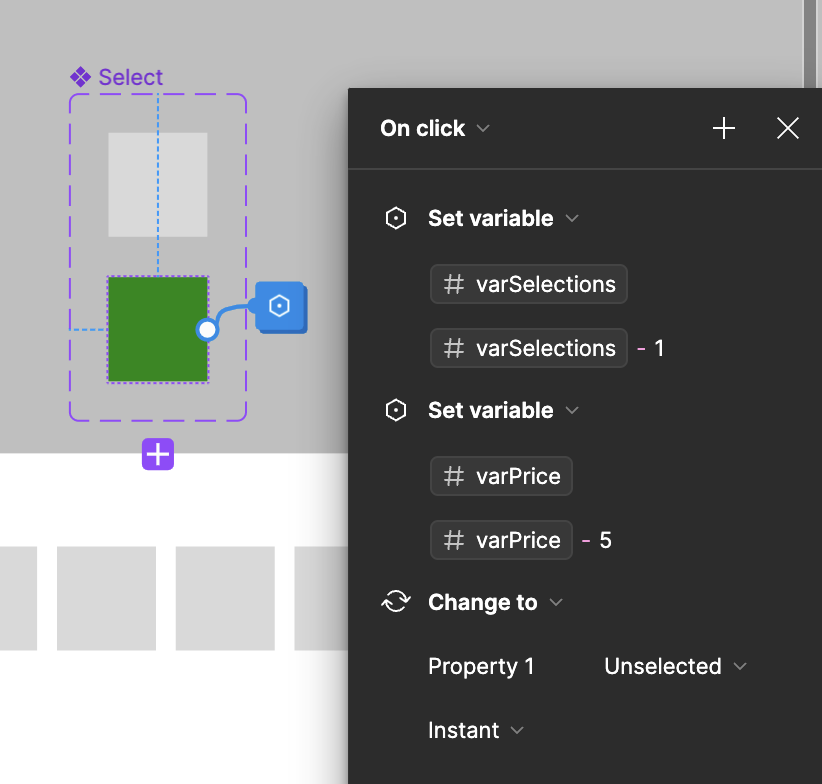
When the seat is selected & changes to the active state I’d like it to then using a number variable reflect the selection in an amount/cost. I did sort of manage to get this far but the problem is, when I click the seat again to make it inactive it stays in its active state and the amount/cost stays there. Then further more I’d like the selected seats to reflect in a number as well.
So as each seat is selected it should change to it’s “Active State” then add a Dollar amount upon selection in the app screen then also display a 1/2/3/4 in terms of how many seats are selected. Then upon deselection it should minus from what is elected and revert back to its default state.
Is this possible? Is anyone able to please help?
Thank you for taking the time to read this!