Lance_Le_Goff
April 18, 2024
Solved

Variables.... Is this possible?

  • April 18, 2024
  • 12 replies
  • 598 views

Hi there guys I’m pretty new to using variables & I’m busy doing a Google course for UI/UX though Coursera.

I’m currently working on a Hi-Fidelity prototype for a movie ticketing app that I’ve created.

If created a Seat selection component for a chair that when changed from its default state it changes to a different colour with a tick. Simple enough it’s working but here is where it gets complicated…

When the seat is selected & changes to the active state I’d like it to then using a number variable reflect the selection in an amount/cost. I did sort of manage to get this far but the problem is, when I click the seat again to make it inactive it stays in its active state and the amount/cost stays there. Then further more I’d like the selected seats to reflect in a number as well.

So as each seat is selected it should change to it’s “Active State” then add a Dollar amount upon selection in the app screen then also display a 1/2/3/4 in terms of how many seats are selected. Then upon deselection it should minus from what is elected and revert back to its default state.

Is this possible? Is anyone able to please help?

Thank you for taking the time to read this!

This topic has been closed for replies.
Best answer by Vishal_Ramawat

I think you can do this, with changes as needed:
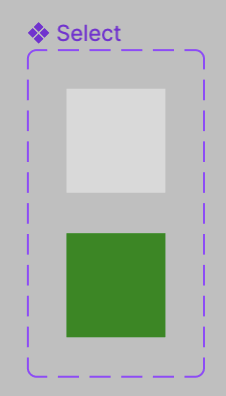
Create a component for Seat selector (which you have already done)
image
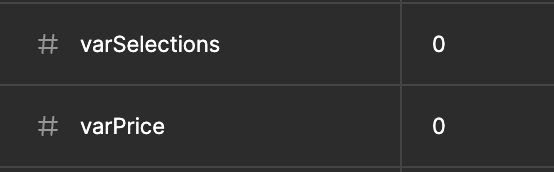
Create two Number Variables:
image
Assign these to respective text fields:


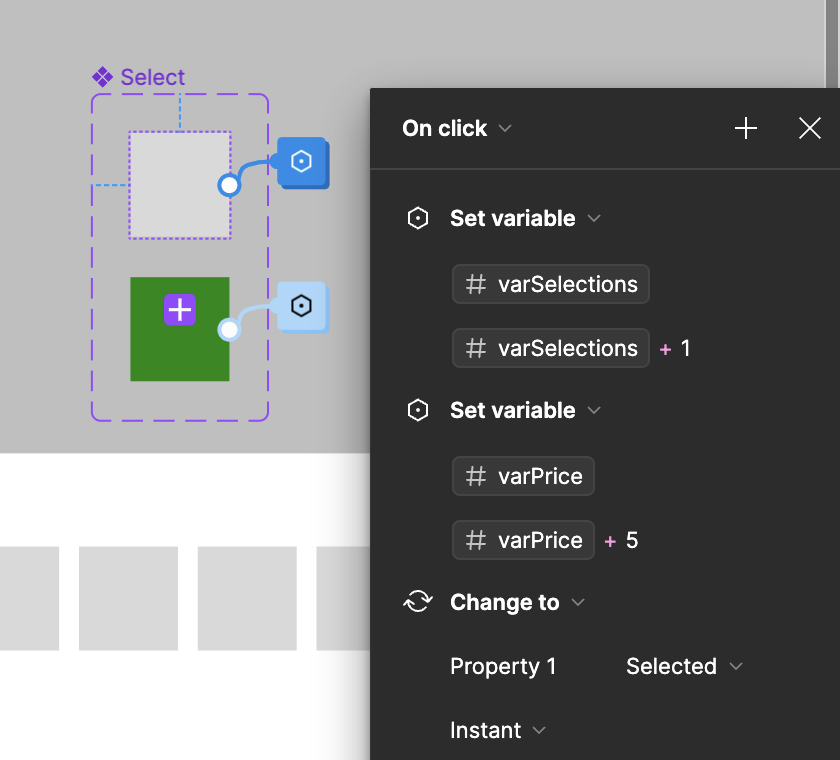
To the unselected variant of Seat selector assign interaction:

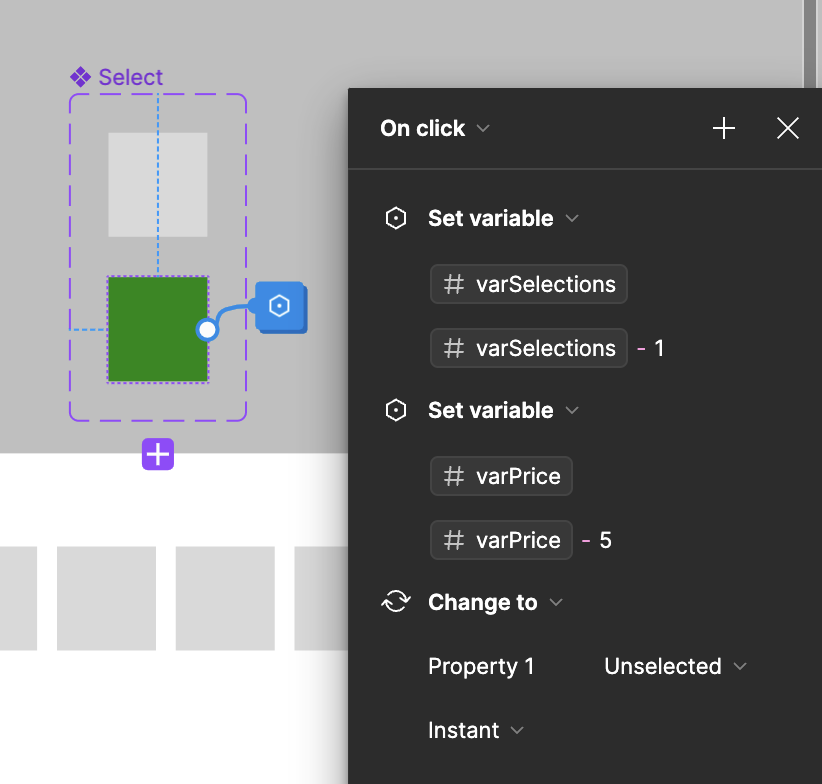
And to Selected Variant:

Put the instance of Seat Selector on frame and duplicate it as needed.

Test it!
image

12 replies

Gleb
Power Member
April 18, 2024

What you are trying to achieve is too complicated for a prototype. This will need to be implemented in the code, there is no need to try to recreate this logic in the prototype. A prototype is a prototype, not a fully functioning app.

Lance_Le_Goff
April 18, 2024

Okay, thank you for the feedback. I was just trying to challenge myself that’s all but I appreciate it.

Nate_G
Power Member
April 18, 2024

I set up an interactive booking calendar example using variables that has similar functionality as your seat selector idea. So feel free to take a look and see if that helps.

Figma
Nate G
Lance_Le_Goff
April 19, 2024

Awesome @Nate_G appreciate it, will definitely check it out! Thank you!

Vishal_Ramawat
April 20, 2024

I think you can do this, with changes as needed:
Create a component for Seat selector (which you have already done)
image
Create two Number Variables:
image
Assign these to respective text fields:


To the unselected variant of Seat selector assign interaction:

And to Selected Variant:

Put the instance of Seat Selector on frame and duplicate it as needed.

Test it!
image

StLa1
April 20, 2024

To create such high-fidelity protos (which is not useful in an actual company), you can use Protopie or Axure

Lance_Le_Goff
April 21, 2024

@Vishal_Ramawat Wow, amazing thanks so much! ⭐

Lance_Le_Goff
April 21, 2024

@Vishal_Ramawat Everything works great thank you, really appreciate your help!

Is there a way I can get the amounts to reset to 0 if the the user goes back a page?

Vishal_Ramawat
April 21, 2024

On the page you have these components:
Add interaction After Delay 1ms
Set Variable varSelections = 0
varPrice= 0
So whenever this page is loaded, you start with 0.

Lance_Le_Goff
April 21, 2024

@Vishal_Ramawat 🤯 Thank you, you’re a genius! Really appreciate it.