November 17, 2023
Solved

Undo function is not working on keyboard or using Edit menu

  • November 17, 2023
  • 38 replies
  • 19485 views

I thought it was just my bluetooth keyboard glitching out, but cmd + z is not undoing any action, nor is going to the Edit menu > Undo. Has anyone encountered this issue before? And if so, how did you resolve it?

Best answer by Celine_

Hi Russell, Vero,
Sorry to hear you are still having issues! Is it happening in browser, desktop app or both?
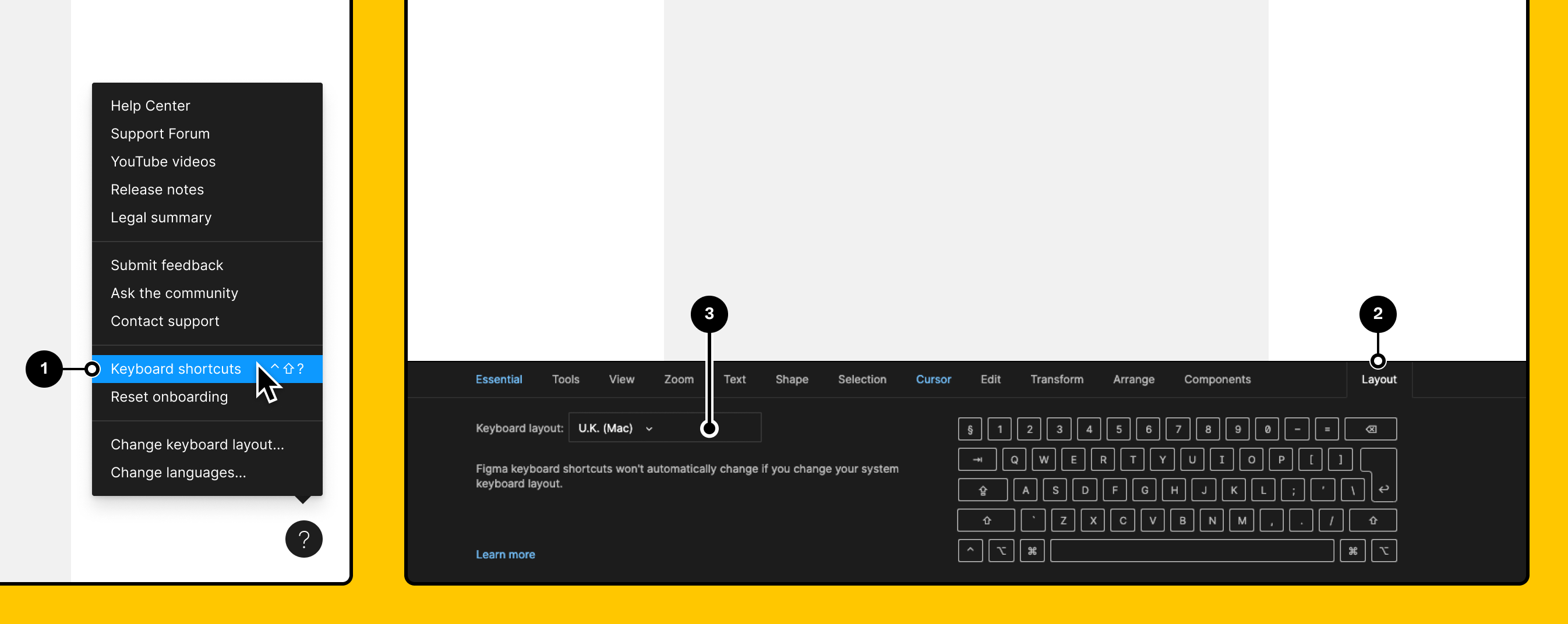
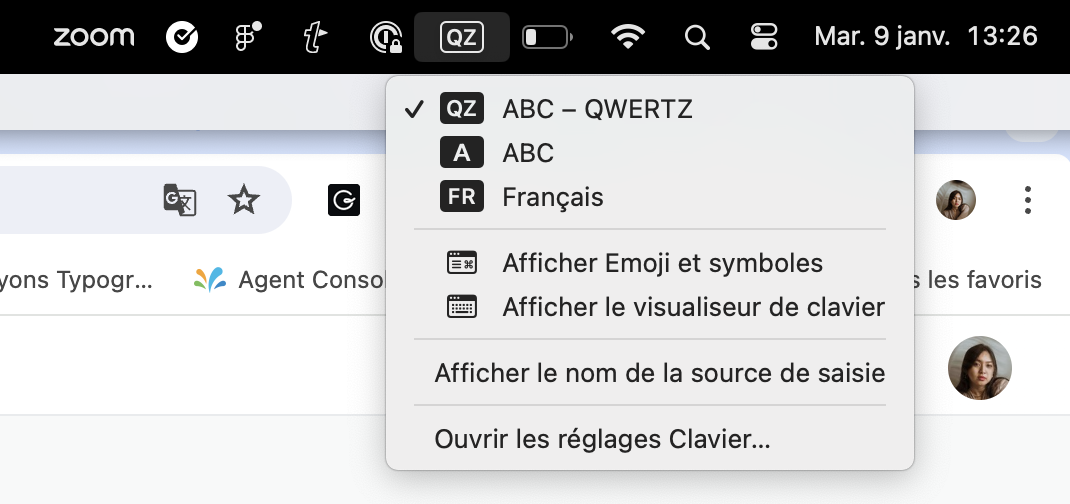
Can you also make sure you select the same keyboard layout on Figma and in your laptop?

On Figma:

On Mac:

Vero, I can’t see your ticket in our back end. Which email have you used? (I’ll remove it in this topic right after checking it in order to protect your privacy). If you haven’t yet, please reach out directly to the support team by filling this form so our team can have a deeper look into your issue: https://help.figma.com/hc/en-us/requests/new Thank you!


38 replies

Maurice1
September 25, 2024

I am a hardcore keyboard user, this bug is still there, it comes randomly.
Fist time i explore it was few weeks ago. Never happen befor.
One a way to fix it is to complete restart figmaApp.

What a annoying bug guys!!!

Please Guys, dont change permanent Keyboard Shortcuts, that is total annoying too, mabye this is a reason i find the bug cause the old Keyboard Combinations dose not work anymore and i hit a combination that is disabled and create the effect.

😦

Hugo_Mallinger
December 10, 2024

Hello

I had the same issue and went to help>keyboard shortcut>Layout only to see that Figma somehow selected an incorrect keyboard which was not matching with my laptop keyboard configuration. I changed the value to the detected keyboard and it worked.

Not sure why a random keyboard was selected instead of my actual detected keyboard.

Mark_Steinruck
New Member
January 16, 2025

I’m having this same issue and it came about very suddenly. I’ve cleared the cache multiple times, checked to see if CMD + Z works in Safe Mode on a Mac (it does), and rebooted multiple times. I also checked my keyboards and they match. So according to this thread, it should be working but it’s not. 

y_toku
Figmate
Community Support
January 16, 2025

Hey ​@Mark_Steinruckthanks for flagging.


Could you submit a bug report detailing the steps that led to this issue? You can do so by following the link: https://help.figma.com/hc/en-us/articles/360041468234-Submit-a-bug-report


Thanks for your patience!

Toku

 
anni_
New Member
June 26, 2025

Hey there, I have had the same problem since today. It came out of nowhere. Neither the shortcut (Mac) works, nor can I select undo via the navigation. I can't work like this? Is there a workaround or a tip on how to make it work again?

Mark_Steinruck
New Member
June 26, 2025

Hey @anni_ , my issue ended up being Loom of all things. Somehow it suddenly hijacked a bunch of global keyboard shortcuts, including this one affecting Figma. If you don’t have Loom, it may be another application using the same shortcut. It’s kind of a game to figure it out, but someone recommended going through the apps in the top toolbar first and that’s how I landed on Loom. Hope you find where the issue is for you! 

New Member
December 3, 2025

I just got the same error, tried the above, and it didn't work, so I downloaded a plugin to have the undo option on my screen. After that, even my Cmd + Z started functioning again. So hopefully this can help someone else.
The plugin I used was:
https://www.figma.com/community/plugin/1044252084528589263/tablet

senem menes
New Member
April 30, 2026

I am having this issue right now