

Pinton
Feb 8, 2022 3:58 AM UTC
Solved

The Figma Mobile app shows large images very blurrily

For example, I took a screenshot on my phone and imported it into Figma. This screenshot can be clearly displayed in the Figma App for Mac, as well as on other Macs. It can be ruled out as a network problem.
But when I saw it in the Figma Mobile App, it was very blurry. It’s pretty fuzzy both in Prototype and Mirror.



So I tried to find the cause of the problem, and I found it through a series of experiments. When the long edge of the image is less than 1024px, the image will be clear. But when the size is larger than 1024px, the image becomes more blurry than the smaller image.
Maybe Figma made a size limit? Above this threshold, low-quality images will be displayed.
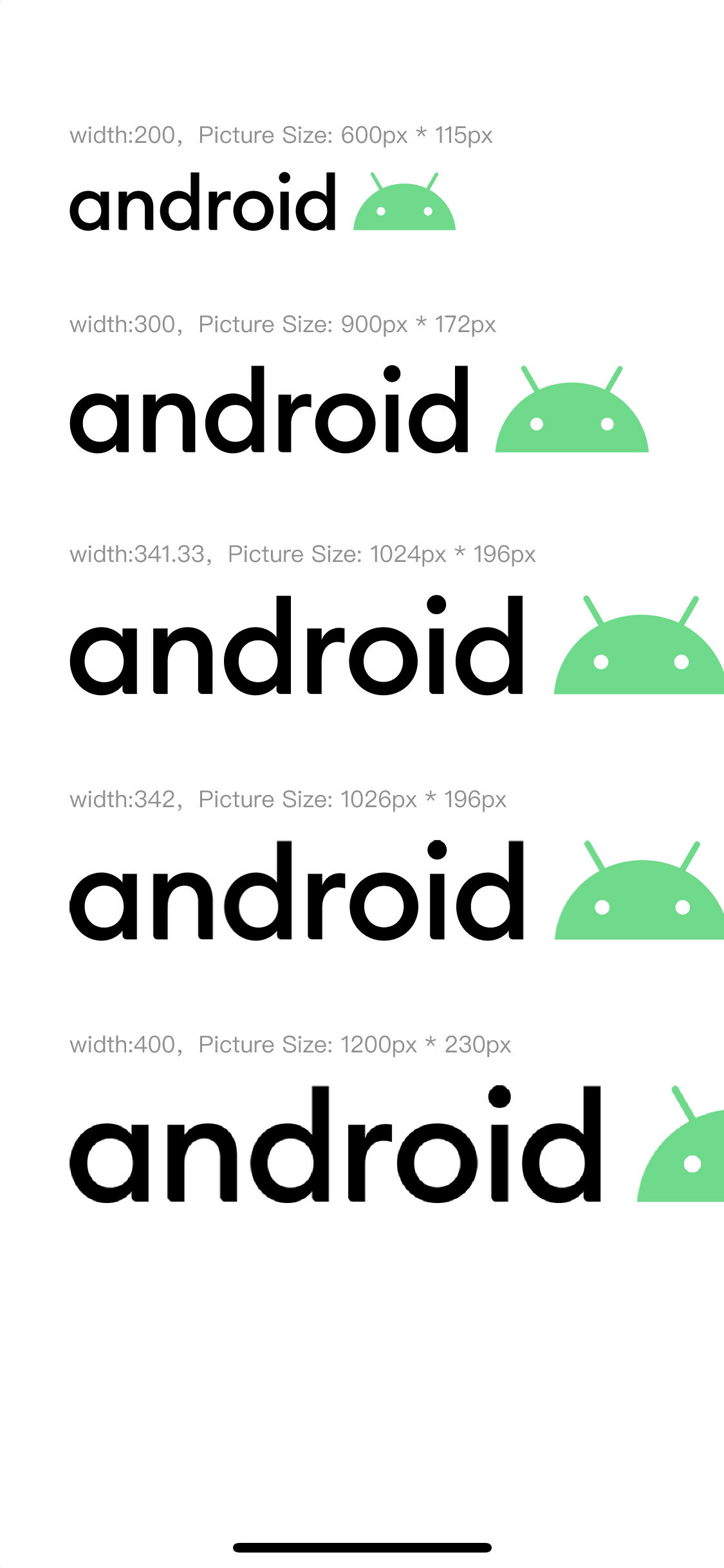
Although I write it in the Mobile Apps category, there may be an issue with the server. Because my iPhone uses the latest App, but Android phones have been using the old version of App, but they both have this problem.

This topic has been closed for replies.
Marcela_Hippe
Sep 12, 2022 8:56 PM UTC

I had the same annoying problem and solved it by using Insert Big Image plugin.

29 replies

Loic_VIEIRA
Oct 20, 2022 4:01 PM UTC

It’s working

Kieran_Kelly
Oct 28, 2022 8:27 AM UTC

Can confirm that, yeah this is broken for me too, PNG does not render correctly over a certain size, however JPG does. Kudos to @Alexey_Ivanovsky for the work around…

Please fix FIGMA 👍

Kieran_Kelly
Oct 28, 2022 8:28 AM UTC

Legend! thanks man

Maty
Active Member
Jan 30, 2023 12:12 PM UTC

This still happens.

Any response from Figma team?

Karttunen_Juha
New Member
Jan 30, 2023 12:35 PM UTC

It’s a file size issue on Figma mobile app. Convert all larger images to .jpg (or .webp, if Figma eats them), and it should work

May 9, 2023 7:10 PM UTC

awesome, Its work!

Carol_Mawusi
Aug 10, 2023 11:32 PM UTC

This works, thanks!

Oct 5, 2023 1:59 PM UTC

Same problem here. Please fix. It’s absolutely no solution for me to convert all screenshots to JPG before using them as I would lose too much time. XD does much better here. Learn from them. It’s the same company.

Ezra_Sandzer-Bell
Dec 30, 2023 8:19 AM UTC

Had the same issue with a 20mb png file loading blurry on desktop Figma macos. Used the “big image” plugin someone else in this thread recommended and it solved the problem immediately.