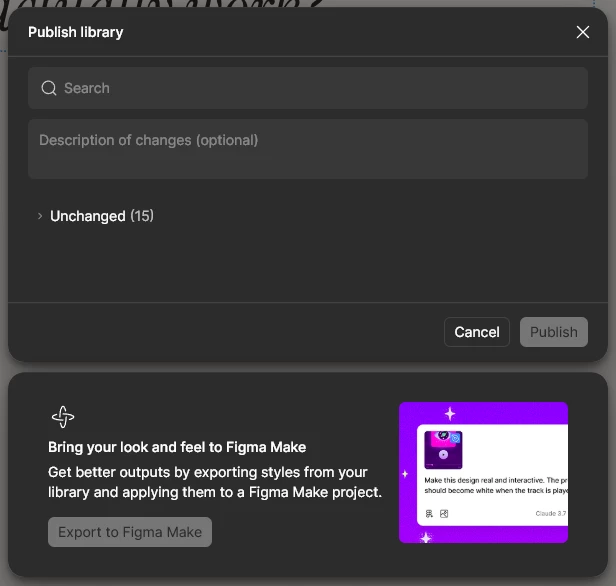
As you can see, I am unable to export a library I have made for a project to figma make and I am not able to select the library from figma make either since it’s not listed there.
Which is strange, since I also have a free tier team, and the library published from there is available to select from the figma make chat box, but the libraries published from my pro tier team are not there. Please help me understand this system. Also where do I check how many tokens I have left for this month?
This topic has been closed for replies.
Best answer by Gayani_S
Hey @NabPunk, thank you for reaching out!
Just to double-check, does this library file currently have any published components in it? The “Export to Make” option only appears when there’s at least one published component in the library.
Components are required because the export process uses them to understand how your styles and variables are applied in context. When exporting to Make, Figma extracts things like:
Color styles
Typography (fonts and hierarchy)
Variables
Borders and corner radius
If there aren’t any published components yet, try publishing at least one component in the library and then reopen the publish modal to see if the “Export to Make” button becomes available.
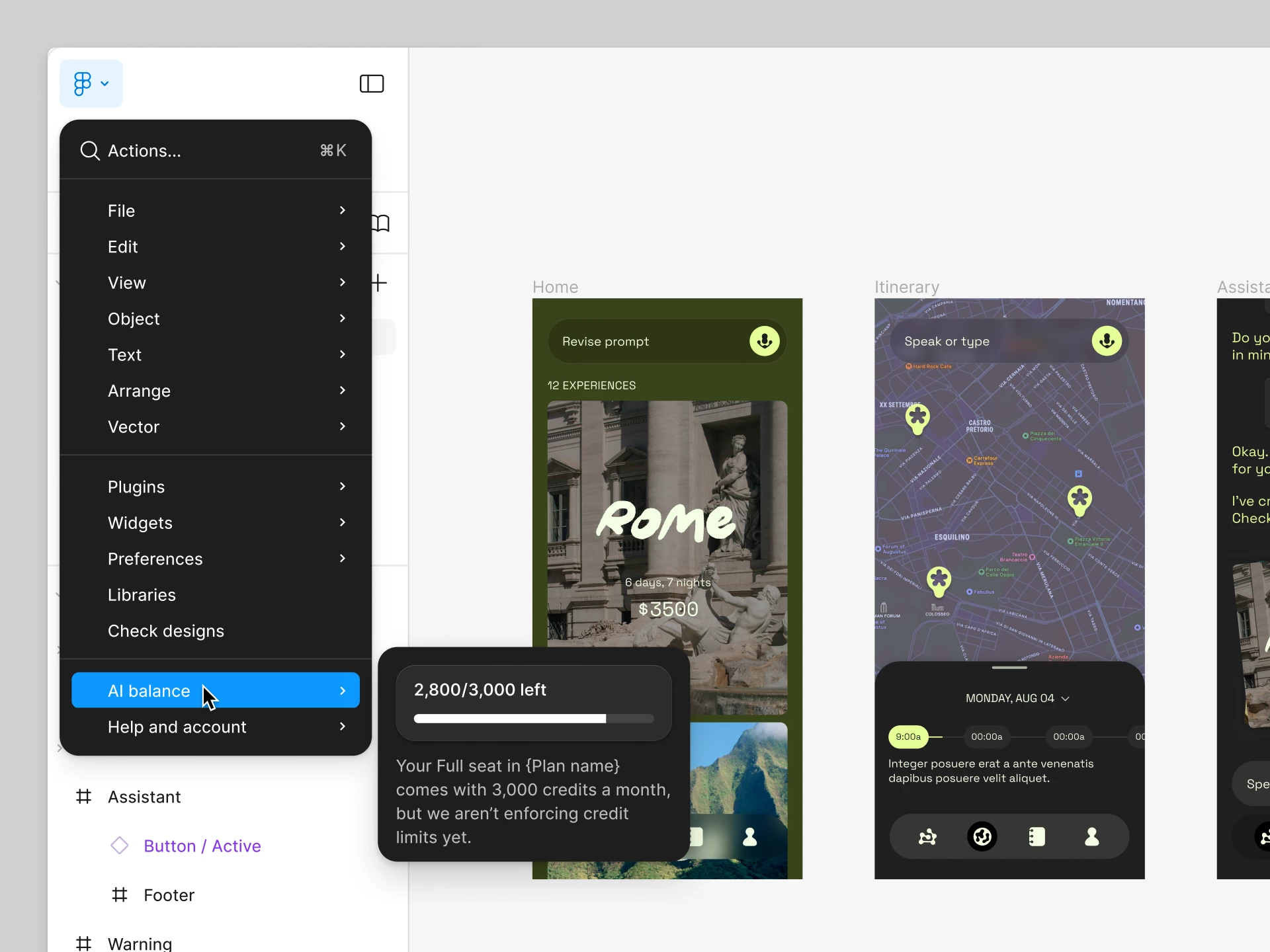
Regarding your question about tokens, are you asking about AI credits (seat credits)?
If so, you can check your balance anytime:
Open the Main menu in any file
Select AI balance There you’ll see how many credits you’ve used, how many remain, and when they reset.
Just to double-check, does this library file currently have any published components in it? The “Export to Make” option only appears when there’s at least one published component in the library.
Components are required because the export process uses them to understand how your styles and variables are applied in context. When exporting to Make, Figma extracts things like:
Color styles
Typography (fonts and hierarchy)
Variables
Borders and corner radius
If there aren’t any published components yet, try publishing at least one component in the library and then reopen the publish modal to see if the “Export to Make” button becomes available.
Regarding your question about tokens, are you asking about AI credits (seat credits)?
If so, you can check your balance anytime:
Open the Main menu in any file
Select AI balance There you’ll see how many credits you’ve used, how many remain, and when they reset.