

Jenny_L
May 19, 2023
Solved

Spell check not working? (underlining correct spelling )

  • May 19, 2023
  • 15 replies
  • 2505 views

Hello there,

I’ve noticed that the Figma app on my Mac is highlighting correct spellings. I have already set the language to English in my profile. Could anyone please let me know if there are any solutions to this issue?

This topic has been closed for replies.
Best answer by djv

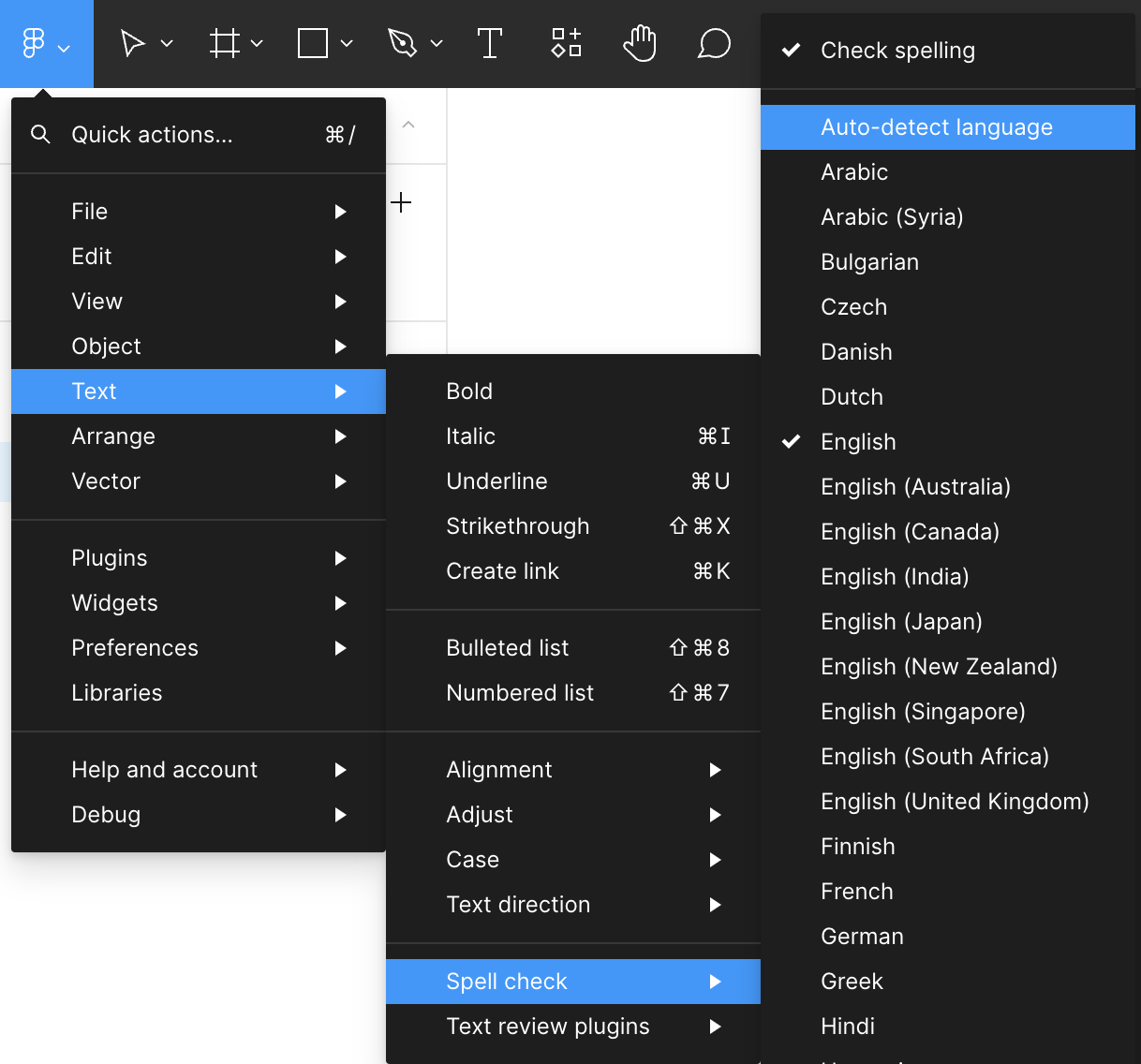
From the Main Menu via the Figma icon > Text > Spell check > Select langauge from available list

FYI - the spell check feature on the desktop app is dependent on the selected language in your Mac under System Settings > General > Language & Region

If your Mac has a preferred language other than English, it may be the cause of this issue. Glad to hear that it’s working as expected via the browser.

15 replies

djv
Figmate
Community Support
September 25, 2024

Thanks for confirming, @Kevin_SMITH2!

That is definitely odd then. Spell check is available in any language supported by your operating system. Is your desktop app up to date?

How recently did you install French to your Windows OS? Is it already set as your preferred language and have you restarted your computer since?

More info available here:

Figma Learn - Help Center
Kevin_SMITH2
September 26, 2024

Hi @dvaliao,
My Figma version is 124.4.7. I’ve cheched for updates but I was told that this was the latest version.

The french language pack was installed from the beginning so my computer has been turned off and on since.

Kevin_SMITH2
September 26, 2024

It works now !! What have I changed ? i’ve dowloaded and installed a second language pack (US english in my case) and restarted my computer.

djv
Figmate
Community Support
September 30, 2024

Glad to hear this, @Kevin_SMITH2! 🙂

Please let us know if you run into any further issues.

Daniel Nicholas
New Member
January 14, 2025

As an aside, I was running into this same issue using the browser version. My work computer only has "English (Australian)" and "English (United States)" installed on it (and requires admin permission to install anything else), so having “English (United Kingdom)” selected as my language of choice in Figmas spell checker seemed to cause the issue. 

Looks like I’ll have to put up with American english in my spell checker until Figma supports more languages in the browser, which down here in Australia we are pretty use to doing anyway.