

Ayako
September 13, 2023
Solved

Resize Text: long text does not stretch in Autolayout

  • September 13, 2023
  • 2 replies
  • 1107 views

Hi I’m Aya, beginner.
I tried to make an example from Figma education.
I can not resize text box.
The yellow one is what I want. The text stretch when you make the box wider.
But mine (red one) 's text stay the same. when I make it narrower , it works fine.
The setting looks the same as example.
What am I missing?

Thanks in advance for your help!
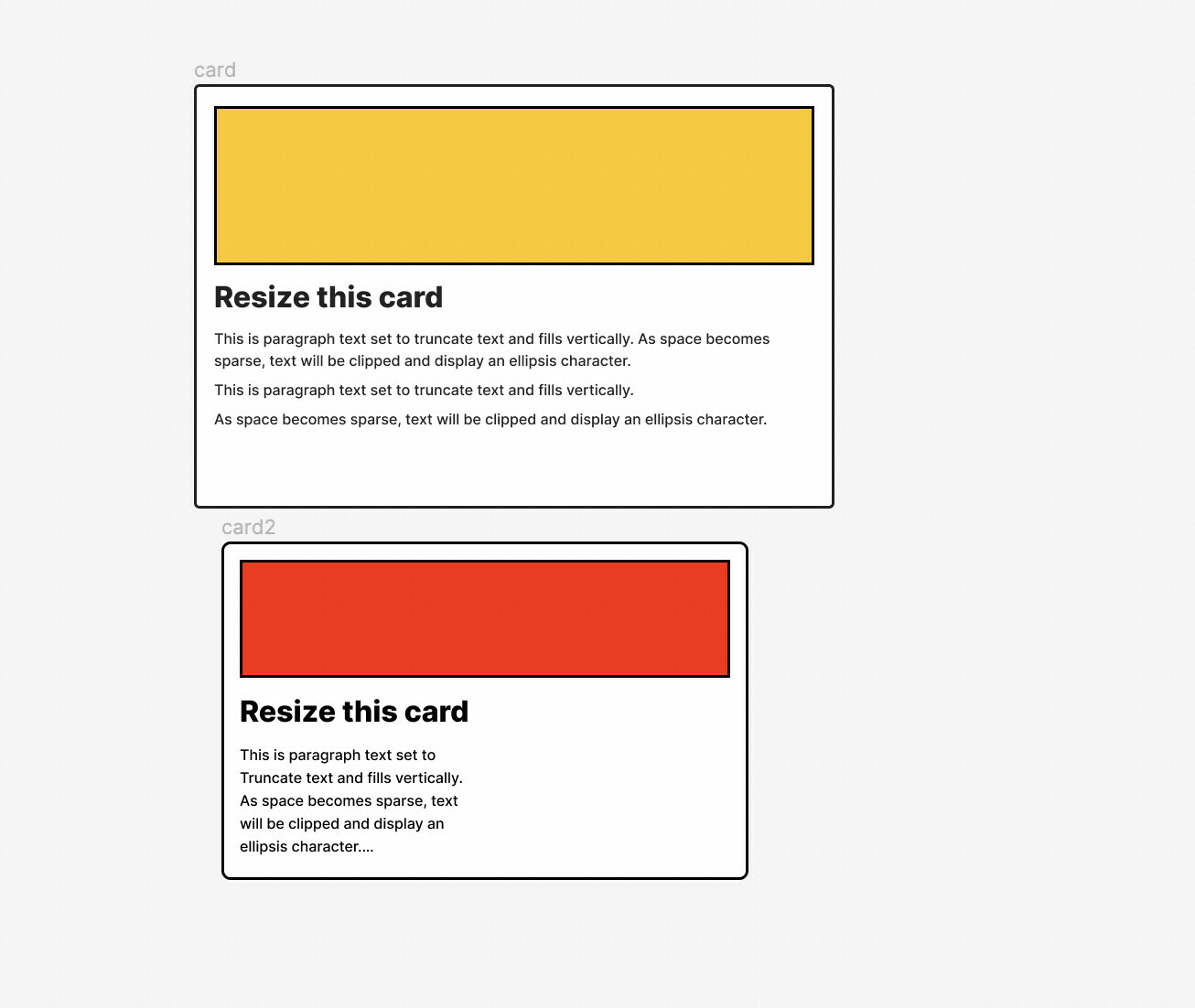
Figma – 13 Sep 23
This topic has been closed for replies.
Best answer by IraX

Its width is already set to Fill, but there are line breaks in the text, forcing what seems to be a fixed width, but isn’t. Remove the line breaks so the text flows.

2 replies

IraX
IraXAnswer
Power Member
September 13, 2023

Its width is already set to Fill, but there are line breaks in the text, forcing what seems to be a fixed width, but isn’t. Remove the line breaks so the text flows.

Ayako
AyakoAuthor
September 13, 2023

Thank you so much! I could fix it:)