Hey All, sorry for the trouble and confusion!
After removing a plugin from your Saves, the list of recent plugins is still stored in Local Storage, which is why you’ll still see it. Clearing this storage will clear out the list of recent plugins and other Figma settings.
Here’s how to clear the desktop app cache on a Mac:
- Quit the Figma desktop app
- Open Terminal.app and enter the following command:
rm -rf "$HOME/Library/Application Support/Figma"
- Try opening the desktop app again
And here’s how to clear the desktop app cache on Windows:
- Close the Figma desktop app
- Open the Start menu, and paste in this, followed by enter:
%APPDATA%\Figma
- In the window that opens, delete the
Desktop and DesktopProfile folders if they exist
- Launch the desktop app again
As for plugin subscriptions, if you subscribed to a plugin using a third-party payment site, you’ll need to contact the creator directly to manage your subscription.
If you purchased a plugin subscription using Figma’s payment platform, you can manage your subscriptions from your Stripe customer portal. From your Stripe customer portal, you can:
- Cancel or renew your subscriptions
- Update your payment method
- Change your billing information
- Review your purchase history
To access your Stripe customer portal:
- Open Figma in the file browser.
- Select your avatar in the top-right corner to open the account menu.
- Click Settings.
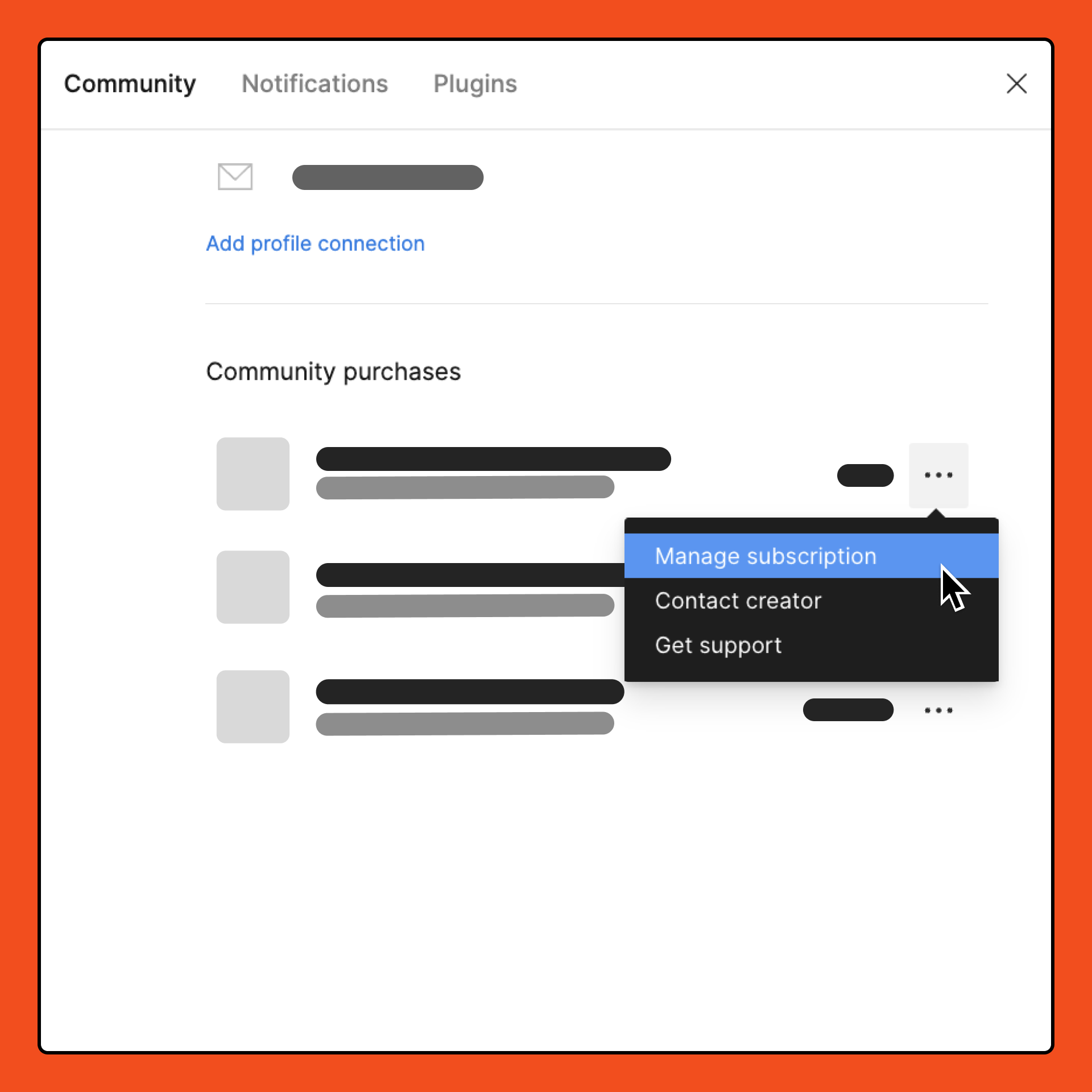
- Select the Community tab.
- Under Community purchases, locate the subscription you want to manage.
- From the dropdown, select Manage subscription. You are redirected to your Stripe customer portal. You can use the settings to manage your subscriptions.
Note: Plugin subscriptions are not refunded when canceled. You can cancel a plugin subscription to prevent it from being automatically renewed, so you will still be able to access the plugin until the end of your current billing cycle.