

Published plugin still serves old UI after update — Community plugin doesn’t match local manifest
Hi everyone,
I’m Lala — I made Pulpo for Figma (plugin ID: 1579196395853602242), a little plugin for mapping experiment flows on the canvas.
I’m stuck on something weird and would love any advice from folks who’ve been here before!
My issue
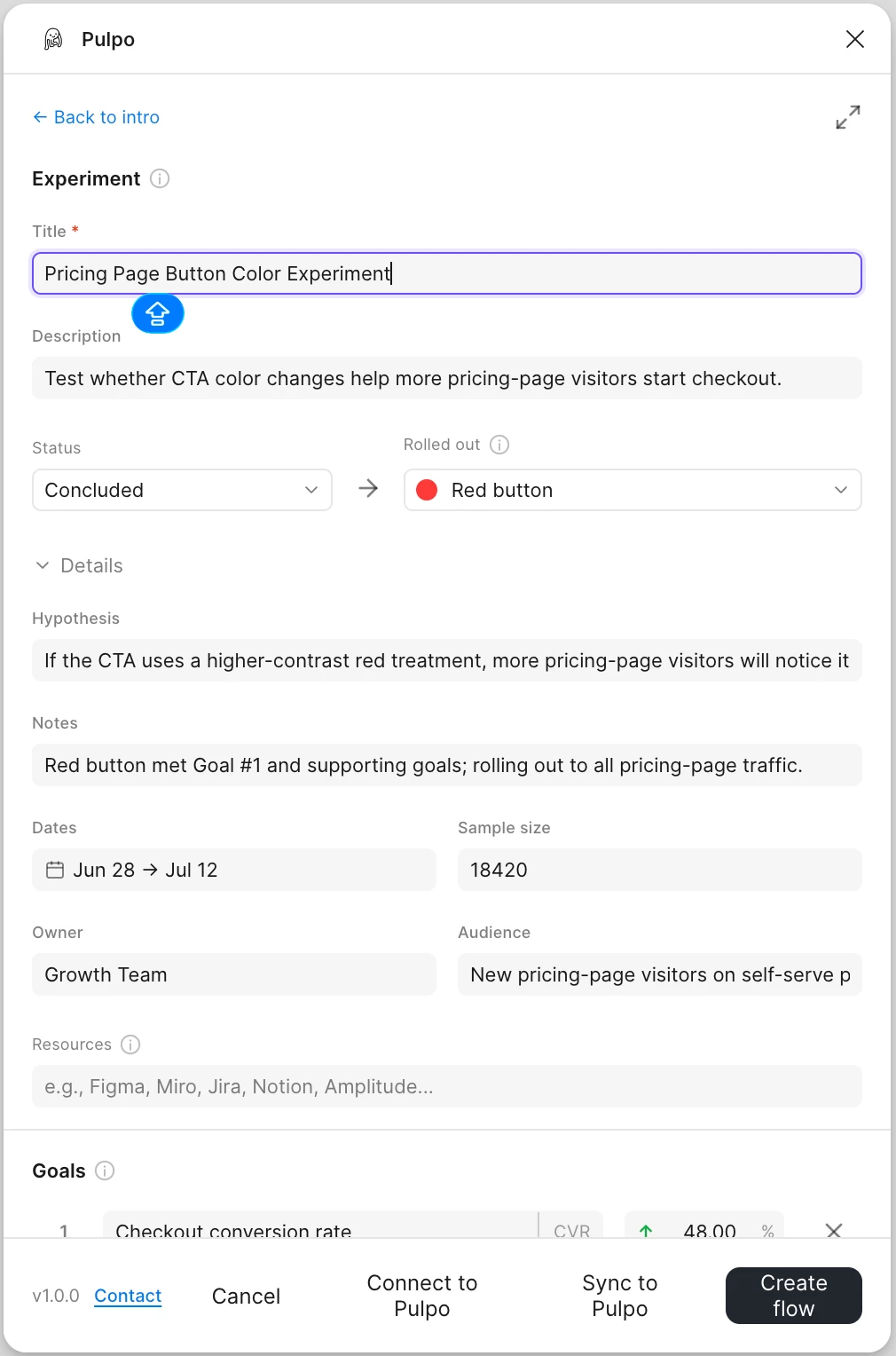
After publishing an update, the Community plugin still shows an intro screen with “Connect to Pulpo” and “Web sync enabled”. Those controls were from an internal experiment and were never meant for the published plugin.
What works on my end
When I import the plugin locally in Figma Desktop → Development using my manifest.json, everything looks right:
- Intro only has New experiment, Load example, docs, and contact
- No Connect/sync stuff
So the code on my machine seems fine, but the Community version still looks like it’s serving another bundle.
What I’ve tried so far
- Cleaned up the repo and removed all the experimental sync UI
- Fresh build → re-import → Publish update
- Unpublished → re-import → Publish update
- Hard refresh AND reset on Figma
- Also reached out to Figma support (still waiting to hear back)
Would really appreciate any tips!
- Has anyone seen Community keep showing old plugin UI after publishing an update?
- Is there a usual cache / delay before the new bundle shows up on the web?
- Anything else worth trying before going nuclear (unpublish or a new plugin ID)?
Screenshots below. Thanks so much for your help and any pointers would mean a lot! Thank you! 💜
| Version | Visual 1 | Visual 2 |
|---|---|---|
| Correct UI | 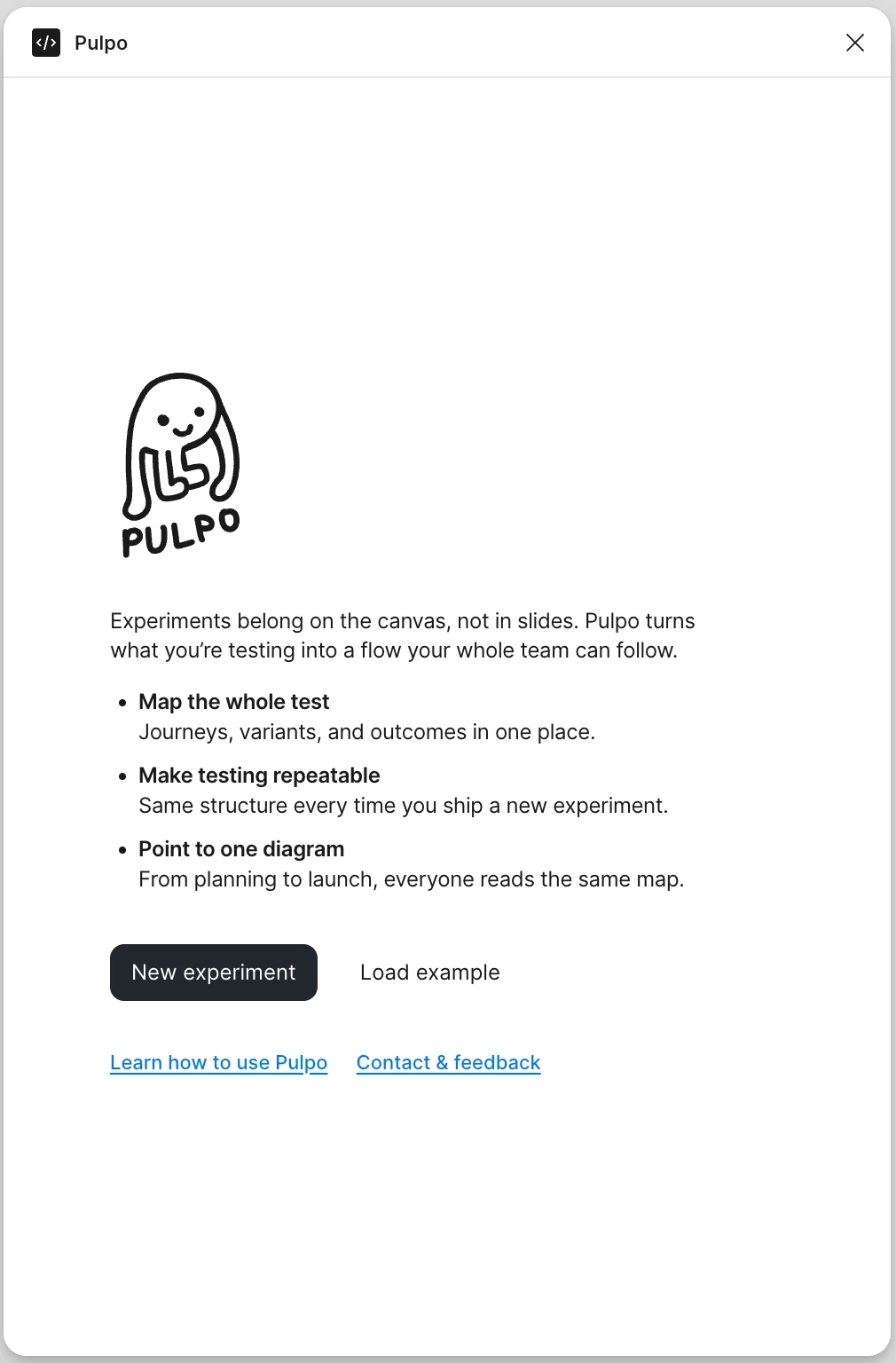
| 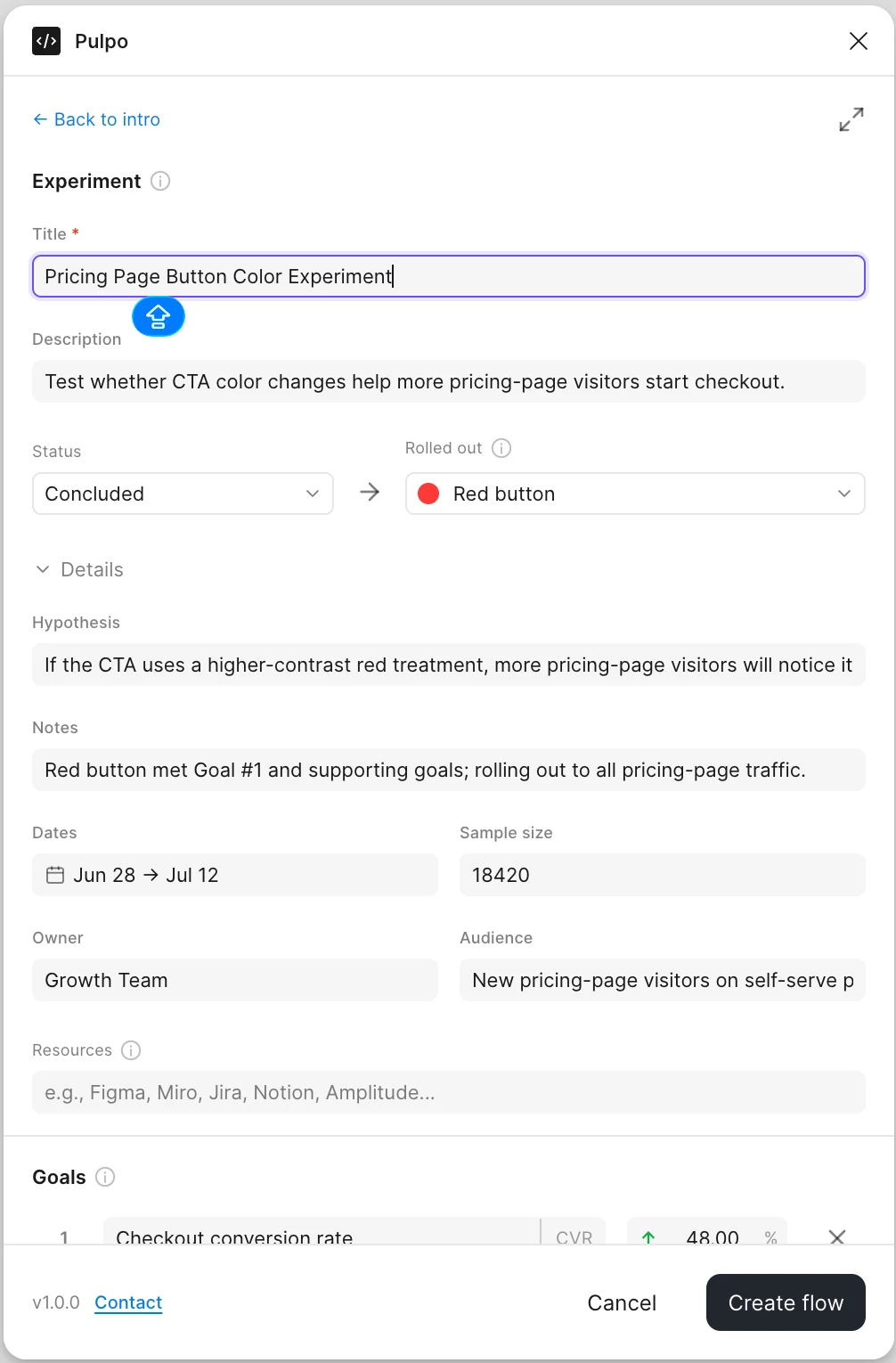 |
| Incorrect UI | 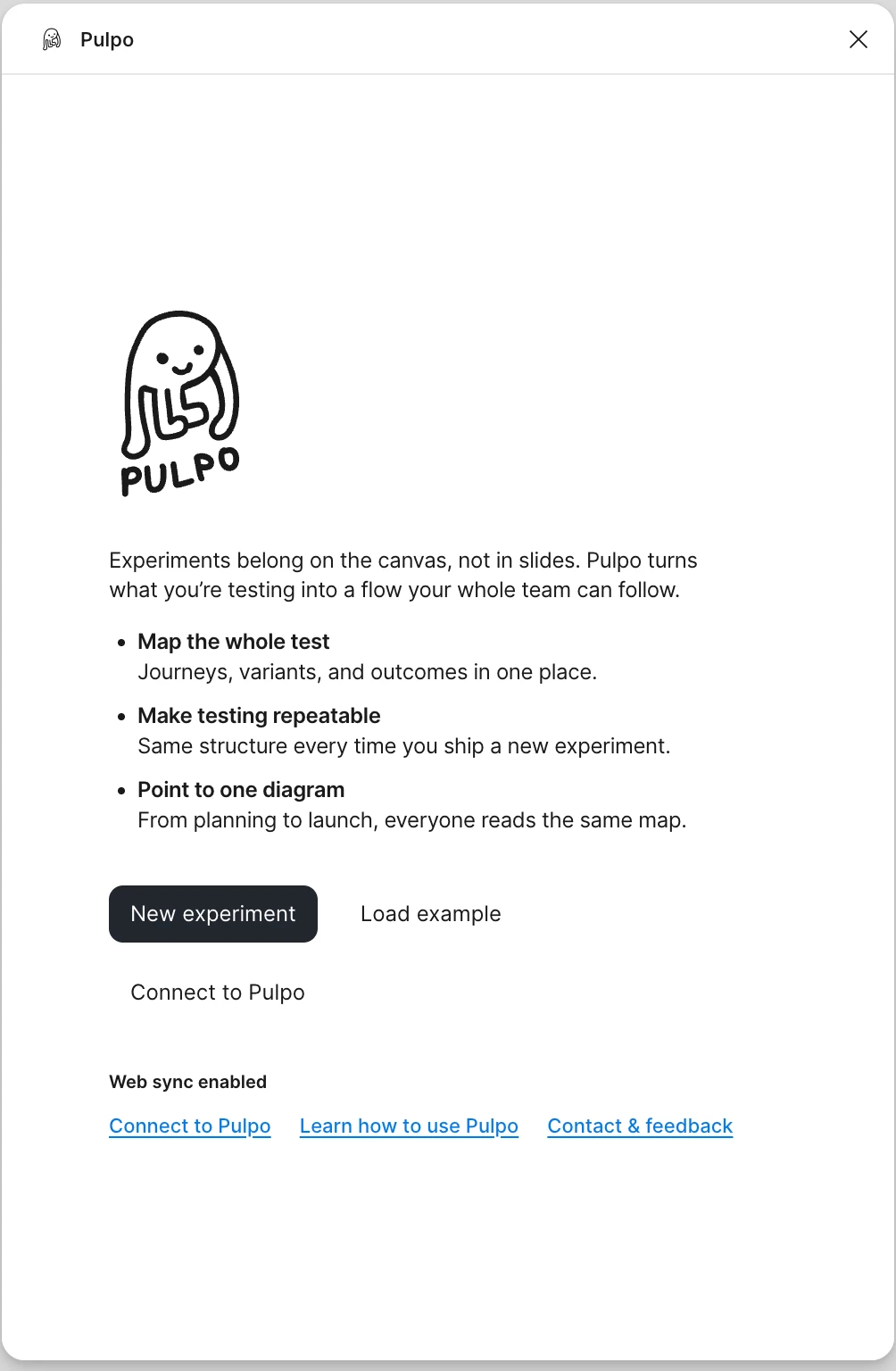
| 
|