
wc-xym
New Participant
February 16, 2024
Question

Prototyping with Variables Painfully Slow

  • February 16, 2024
  • 21 replies
  • 1760 views

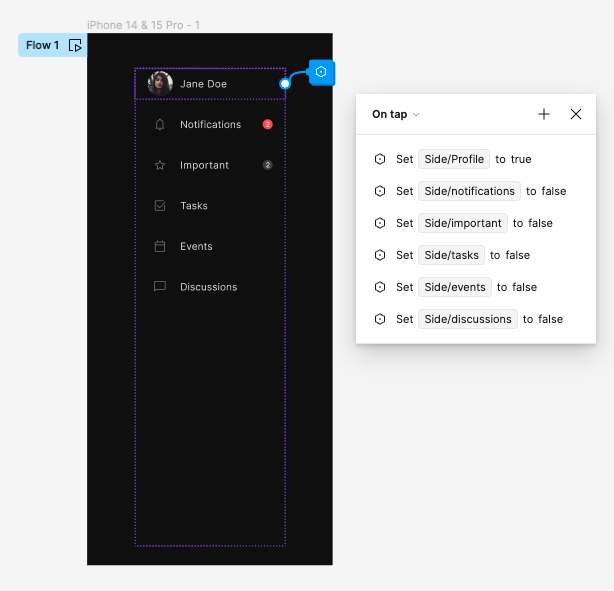
I have an extremely simple prototyping example that takes forever to click through when using variables to manage select/unselect state for a layer.

This topic has been closed for replies.

21 replies

y_toku
Figmate
Community Support
April 10, 2024

Thanks for flagging. Could you please submit a case to the support team so they can investigate more?

Thanks,
Toku

April 15, 2024

Just a note, I am seeing exactly this same issue. I have a number of variables inside components, and it really slows down all parts of the whole prototype. Experimenting, I have seen that it is a bit better if I run the prototype inside a web browser than in Figma’s app. In iOS I have seen Safari seems to run it faster than chrome, and on my PC Edge runs it faster than chrome. But even in the browser it is clearly running slower than it should.

Really hoping there is a fix for this soon - I love variables and everything you can do with them, but not being able to have them inside components really will limit their usefulness…

Lindsey_Leanne1
New Participant
April 23, 2024

This is also an issue for us. We’ve been encountering this for weeks. It makes conveying ideas to a global team of PMs, Stakeholders, and clients incredibly painful. Prototyping is basically unusable for us. Our team has submitted multiple tickets with no clear resolution.

May 24, 2024

For whatever reason, it feels faster now on my Laptop. Any use of variables on state only cause minor lags, it used to be seconds after every interaction.
On my android phone it feels decently fast, but on iPad nothing changed.

Oliver_Maw
New Participant
July 29, 2024

We have seen a huge improvement since the latest release on performance for prototypes using lots of variables, great work team Figma!

Tamara_Did_Design
New Participant
September 29, 2024

I’m still experiencing the issue. I’m on the latest version of Figma and it doesn’t look like my memory usage is too high (but I admit it’s not a simple prototype)

CleanShot 2024-09-29 at 14.57.04

y_toku
Figmate
Community Support
October 1, 2024

Hi there,

Do you know if this issue occurs only in your environment or if it’s happening for others as well? If it’s only happening with your file, could you try the following troubleshooting steps?

  • Close any Figma tabs you’re not using.
  • Browser: Force-quit and open Figma in a new browser window.
  • Desktop App: Force-quit the Figma Desktop app and restart it. If the issue persists, try clearing the cache.

If the issue occurs for others too, could you reach out directly to the support team with a copy of your file: https://help.figma.com/hc/en-us/requests/new?

Thanks,
Toku

Tamara_Did_Design
New Participant
October 15, 2024

Hi there,

I’m the only one working on the file, so I can’t test if it’s happening to anyone else. I can try sharing the file – it’s pretty complex, but switching variables is very slow even when I simplify it.

James89
October 25, 2024

An approach to no code using classic VMC. Id imagine this feature being forgotten in AI, and relinquished to dev-mode meta data. almost had it doing Procedures

Thomas_Klepl
New Participant
January 16, 2025

My colleague and I are both having this problem with our respective prototypes even though we are using different design systems. Interactions are snappy enough when clicking from frame to frame, but whenever variables and variant changes are used, the performance is horrific. Like 5 seconds to update the screen.