

Byambasuren
January 20, 2023
Question

Odd numbers appear every time I move object. Bug?

  • January 20, 2023
  • 7 replies
  • 1022 views

When I move objects in Figma using move tool and alignment either of them make my spacing to odd number.
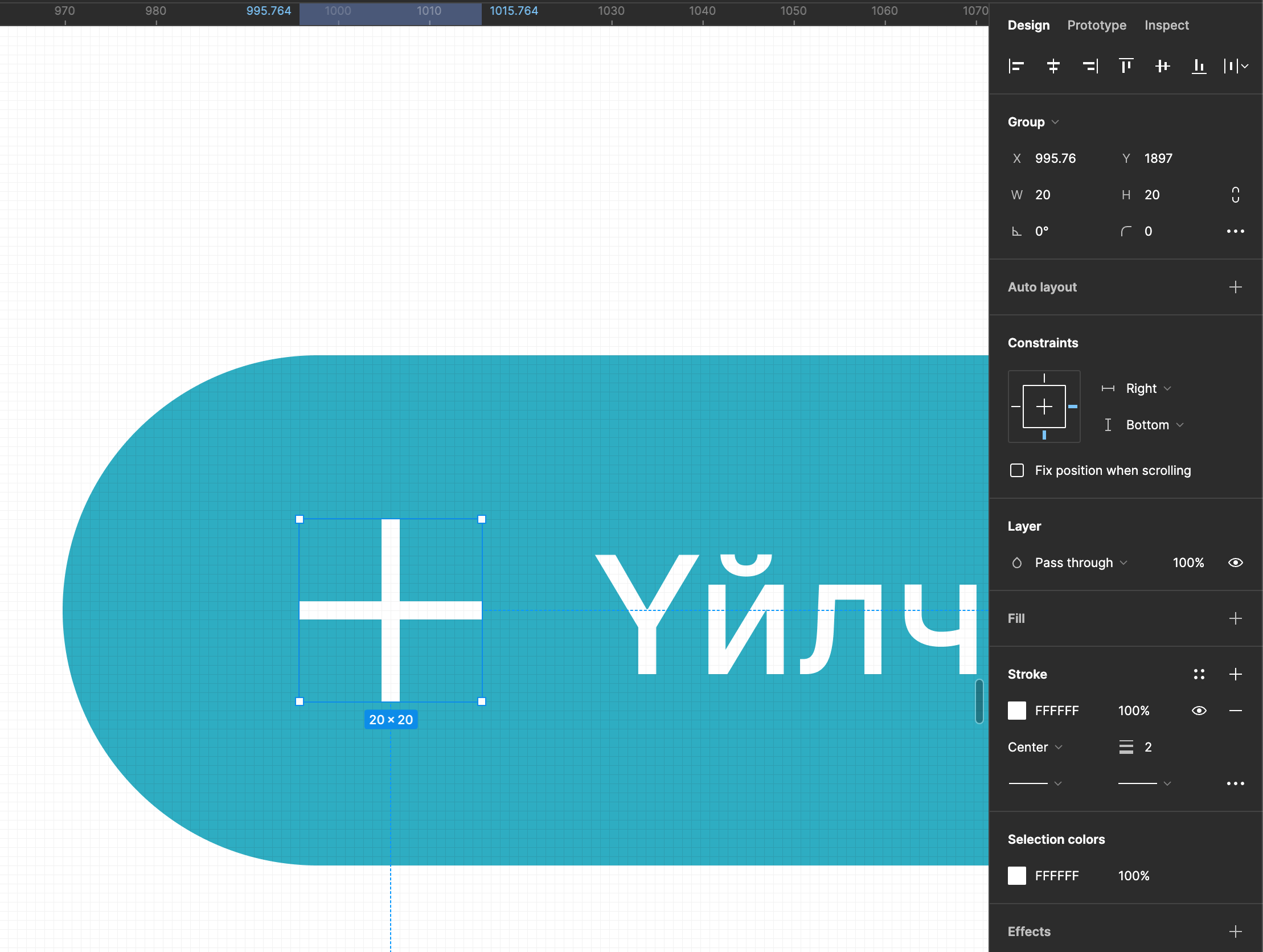

In this picture my X axis value always odd. I make it even using my arrows keys. But when I use mouse it became odd. Always 0.74 or 0.24

I thought I might did something to this happen but now every time I move something it became odd.
You guys encounter anything like that? It happened to me before but they go normal somehow.

This topic has been closed for replies.

7 replies

tank666
January 20, 2023
UX/UI designer. Figma expert. Creator and developer of plugins and widgets for Figma and FigJam. Check out my resources in Figma Community: figma.com/@tank
Byambasuren
January 20, 2023

Thank you for replying @tank666 but it is enabled already. It seems like when you working on big file during long duration of time this kind of thing appears it is just my guess.

Byambasuren
January 20, 2023

I only get .24 or .76 fractured odd number there is no other number happened to me.

Gleb
Power Member
January 20, 2023

The frame these objects are in is at odd coordinates.

Byambasuren
January 20, 2023

yes it is true frame’s X coordinate has value{ -26155.24 }, even after I set this coordinate to even number{ -26155 } it still happening …

Gleb
Power Member
January 20, 2023

Then nested frames have uneven coordinates. Use the plugin Pixel Perfect to fix all nested frames’ positions.

Byambasuren
January 20, 2023

Thank you for your response. I will try the solutions you provide. 🙂