

Migo33
December 20, 2023
Question

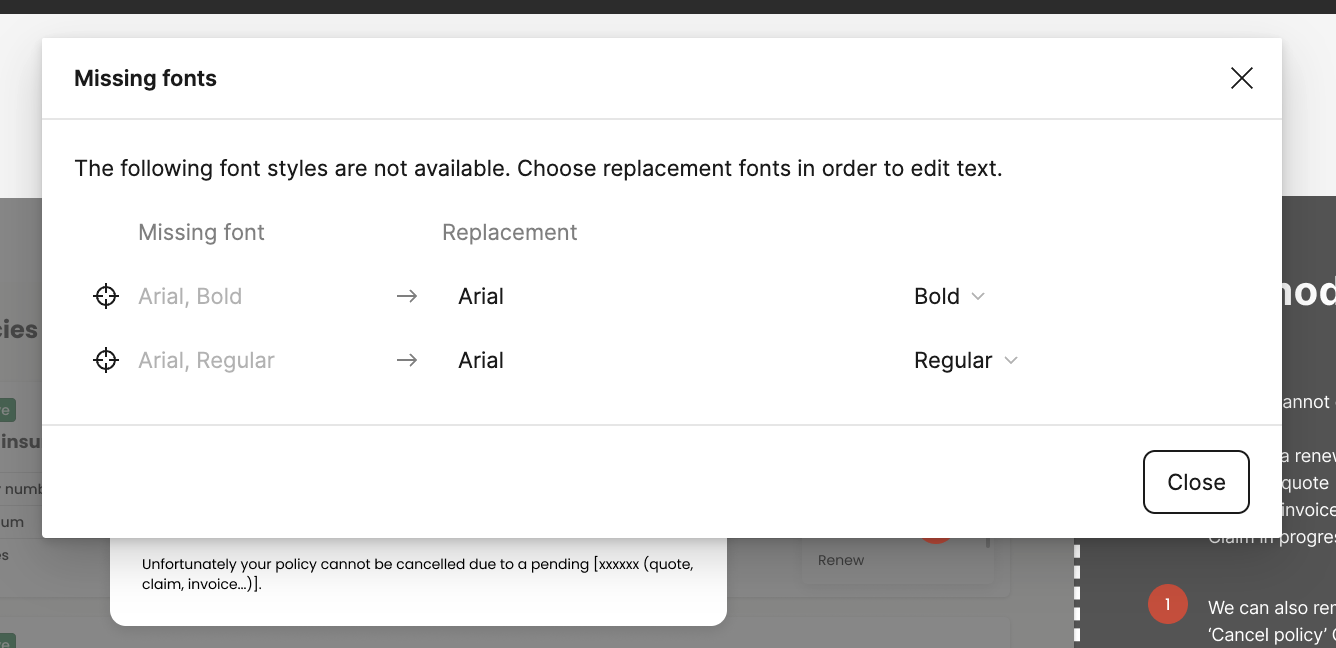
Missing fonts when I have all the fonts installed

  • December 20, 2023
  • 22 replies
  • 15015 views

I’ve seen other posts about this issue but nothing seems to help or work. I keep getting Missing font icon in the Figma app (not browser) for fonts I already use in other Figma files (that do not show the same missing font) and that I have installed on my Mac.
Also when opening the missing font dialogue window there is no option to ‘replace the fonts’. This is an example of a simple ‘Arial’ font which is installed and used across many apps on my Mac. It just says ‘close’ but no option to replace.
Thanks
This topic has been closed for replies.

22 replies

seec1111
New Member
February 24, 2025

I’ve got the same problem! 

I tested around, it is strange that even I uninstall a font, restart the figma, the uninstalled font is showing up in figma as “font installed by you”


Is it the problem related to font cache?


Wish this could be fixed, thanks!

OS: win10

y_toku
Figmate
Community Support
February 27, 2025

Hi ​@seec1111 , 


Do you still have any text layers that still use the uninstalled font? If so, could you try switching them to a new font?


Thanks!

Toku