

Migo33
December 20, 2023
Question

Missing fonts when I have all the fonts installed

  • December 20, 2023
  • 22 replies
  • 15015 views

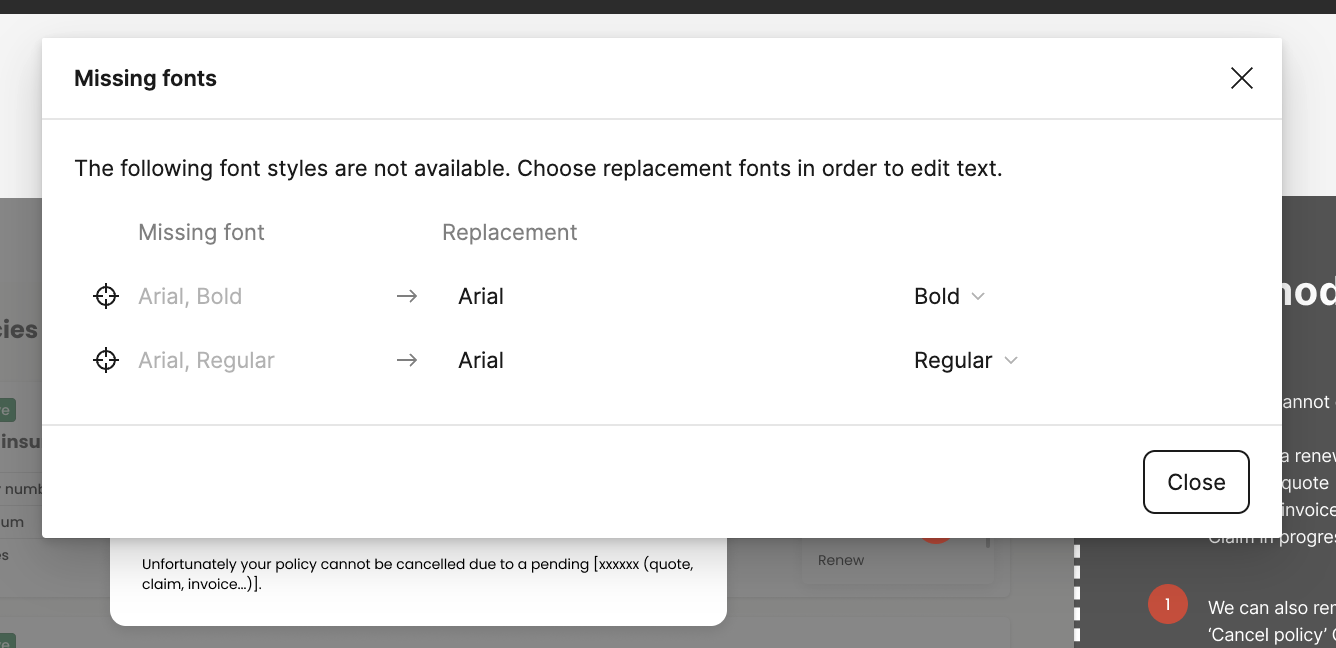
I’ve seen other posts about this issue but nothing seems to help or work. I keep getting Missing font icon in the Figma app (not browser) for fonts I already use in other Figma files (that do not show the same missing font) and that I have installed on my Mac.
Also when opening the missing font dialogue window there is no option to ‘replace the fonts’. This is an example of a simple ‘Arial’ font which is installed and used across many apps on my Mac. It just says ‘close’ but no option to replace.
Thanks
This topic has been closed for replies.

22 replies

j_mssnr
August 30, 2024

This really solved the issue. You should post this on all the community discussions about this topic. There are so many people suffering from that. Thsi immediatly helped! Thanks!!

Tibor1
September 16, 2024

Same issue here. None of the suggested solutions help. Only restarting the machine seems to solve the issue, but only for a day or so. Even if I don’t close the files and come back to them the next day, fonts show up as missing, despite they’re in the Fonts folder, properly installed, showing up in other applications.

djv
Figmate
Community Support
September 16, 2024

Hey @Tibor1, sorry to hear this!

What OS are you using? And is this happening in the desktop app or the browser?

There are different workarounds and solutions depending on your device’s OS.

Tibor1
September 17, 2024

Hello @dvaliao thank you for your response. I’m on MacOS Sonoma 14.3.1. and I am using the desktop app.

djv
Figmate
Community Support
September 17, 2024

Thanks, @Tibor1!

Since the fonts are already installed on your computer, you’ll want to check that you can see all of your fonts in your Font Book.

If you can see your fonts there, try clicking on the fonts that are missing in Figma then right-click to show the menu below:

From there, click “Validate Font” to see if this resolves your font issues. You can see more details in Apple’s Font Book User Guide below:

Apple Support
Tibor1
September 18, 2024

Thanks for the suggestion @dvaliao , I tried it but didn’t help. The fonts are validated but show up as missing in Figma (were available yesterday) and don’t show up in search within the app either.

djv
Figmate
Community Support
September 19, 2024

Thanks for following up, @Tibor1!

I’m going to connect you with our Technical Quality team to investigate further. I’ve create ticket #1126848 and included the information you’ve provided here. Feel free to add any additional details to support directly.

Someone will review and be in touch soon!

Lex5
October 31, 2024

Fixed this. Had same issue - worked one day and not the next. Local fonts were missing. Went to help and account>account settings>(scroll down)>Fonts

It said local fonts were not enabled and to enable it had a button to isnstall a Figma plugin which i did and the issue was immediately fixed.

Lex5
November 1, 2024

Had to do it again today. Not too much trouble but seems like a bug if it’s happening every day.

Michaela_Hakenova
November 12, 2024

Hi, I have the same problem.
Operating system: Windows 11
Figma desktop, current version
Font installed and showing everywhere, including Figma. After restarting the computer, the font is still installed, but Figma doesn’t see it. I have to reinstall the font for her to see it again.

The setting part from Lex5: Fonts - Download installer is not there at all.