

Jina
August 27, 2024
Question

Layer section to create Boolean Property not showing up under RIGHT design panel

  • August 27, 2024
  • 13 replies
  • 4823 views

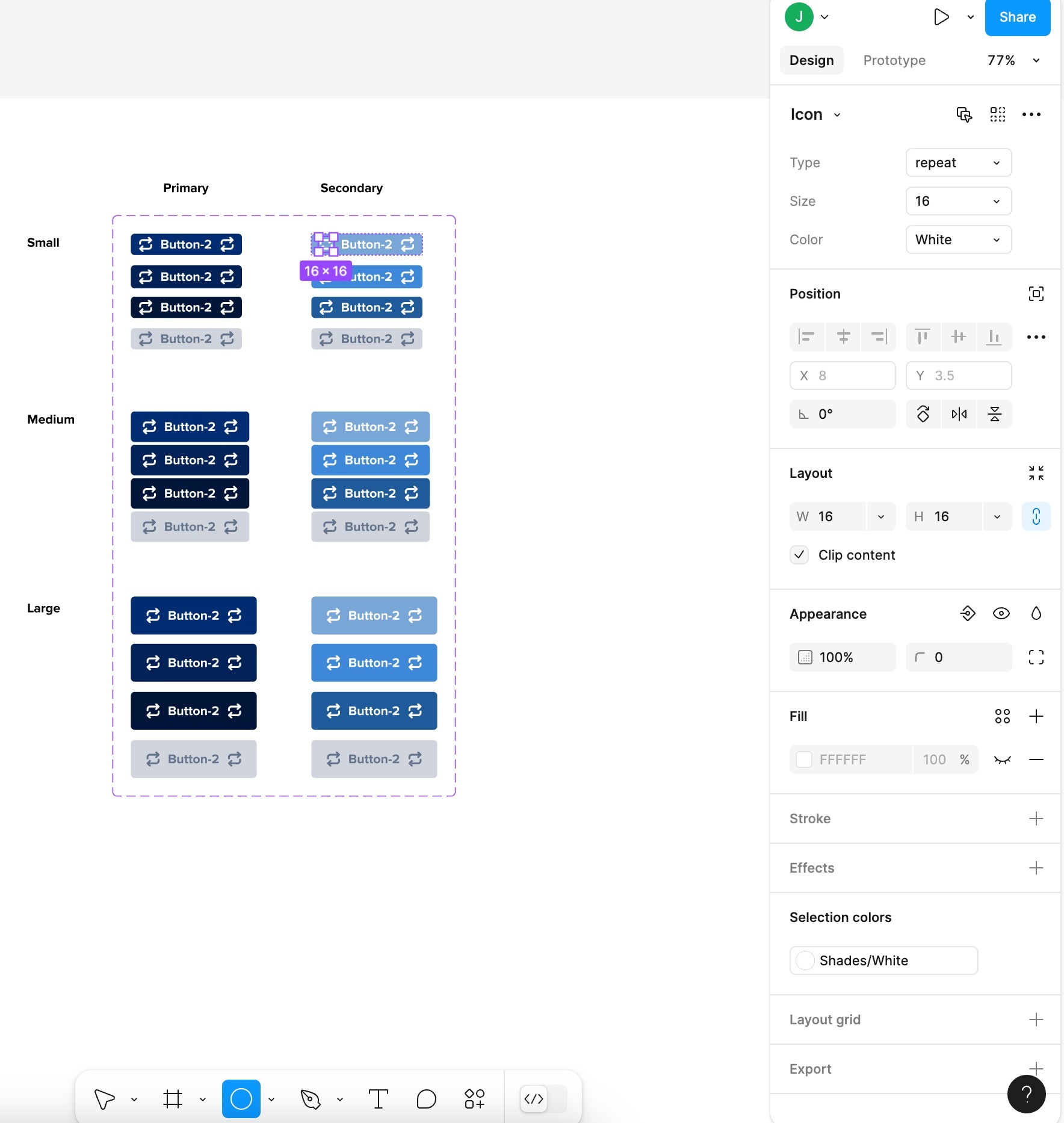
I’m trying to create a Boolean Property on my “Icon” layer inside a button Component, but when I click on the Icon layer, the Layer section in the RIGHT PANEL does not show up. (see screenshot). To be clear, I’m not talking about the left Layers panel. I mean the Layer: Passthrough section in the right panel.

When I even just create a basic shape (not a component) in my frame, I still don’t see the Layer section in the RIGHT PANEL, why??
This topic has been closed for replies.

13 replies

Emmanuel_Ohwoase
December 13, 2024

Thank you guys you made my day for this solution given

Joakim Nilsen
New Member
January 20, 2025

Thanks! Old UX for this was way faster and more intuitive when building components. Why change to this?

Steph H
New Member
July 4, 2025

Similar to ​@Joakim Nilsen, ​@Thyago and others above, I also find the new method for adding component properties significantly more inconvenient than the previous UX. Being forced to define properties at the top-level component, rather than directly on the nested layer you're already working on, breaks the natural flow of editing. It requires an unnecessary cognitive shift - from focusing on the granular, immediate task (e.g. toggling visibility of a specific layer) to thinking top-down at the component structure level. This disrupts the rhythm of designing and slows down workflows that were previously fluid and intuitive.

It’s been a few months of using it this way but I still miss the previous method.