

Jina
August 27, 2024
Question

Layer section to create Boolean Property not showing up under RIGHT design panel

  • August 27, 2024
  • 13 replies
  • 4823 views

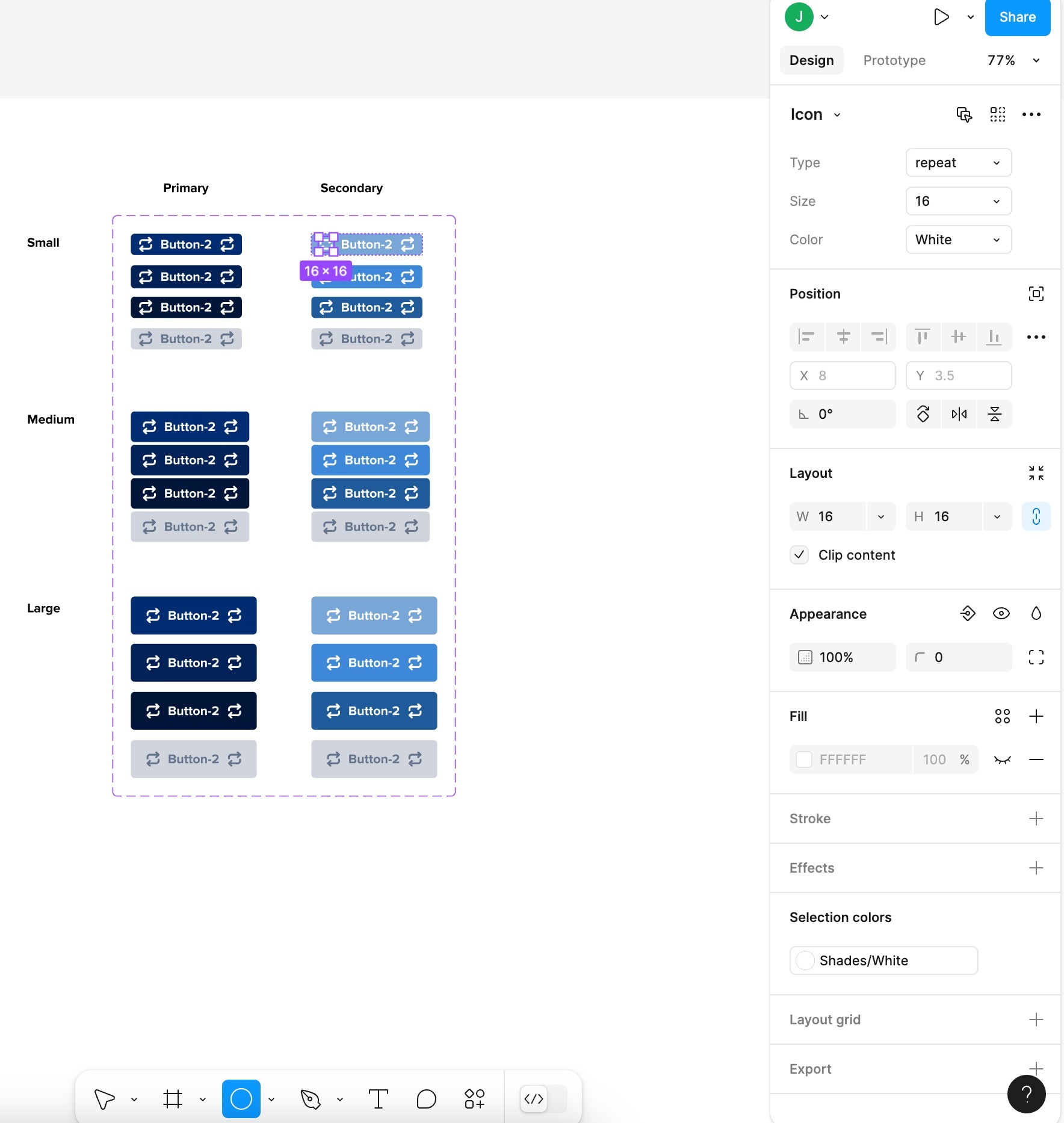
I’m trying to create a Boolean Property on my “Icon” layer inside a button Component, but when I click on the Icon layer, the Layer section in the RIGHT PANEL does not show up. (see screenshot). To be clear, I’m not talking about the left Layers panel. I mean the Layer: Passthrough section in the right panel.

When I even just create a basic shape (not a component) in my frame, I still don’t see the Layer section in the RIGHT PANEL, why??
This topic has been closed for replies.

13 replies

andreaszzz
September 12, 2024

I’m also looking for the ability to create a ‘boolean property’, but with the new UI, the button seems to have disappeared. Has this feature been renamed or moved somewhere else?

–
Edit:

Oh, never mind, I found it.


Edit 2:

Actually… I can’t find where to apply the boolean property to a layer. So I’m still stuck.

Nellya
Power Member
September 13, 2024

Layer panel is Appearance now. So the boolean property is here

ytytyt
New Member
September 19, 2024

@andreaszzz - You may be trying to add a property on an element within an instance of a component, instead of the component itself. In that case you won’t see the boolean property button on the layer/appearance (and you also shouldn’t have before the updated Figma UI).

Ash_Fielder1
November 13, 2024

I’m sure you might have already got to this, but I also was having a similar problem.

I figured out that for some files the boolean icon appears and in others it doesn’t (maybe something to do with the age or permissions of a file?) but I found that when the button wasn’t in the right appearance panel, it shows up as a different icon, where you can choose either a variable or a property option

Clicking on this lets you select from either the root component, or from other libraries.

paulguidowho
New Participant
November 14, 2024

This is what I was looking for. I must say the constant changes that keep coming from Figma are not always easy to keep up with especially for someone fairly new to it. Thank you for posting this!

G4_P1_Omar_Kchaichia
November 15, 2024


I have the same Issues only swap instance is showing

Haroon_Rasheed
New Member
November 18, 2024

I have the same issues

Ximena_Alejandra_Godinez
New Member
November 18, 2024

You saved me, thank you! 🤩

So weird that in the same file one component has it outside and another one in a second level like this.

Thyago
December 3, 2024

Non-issue, but just commenting that I was also thrown off by this change for a couple of minutes before looking up this thread. (The new way works, it’s just not as intuitive)

Yasong_Li
December 4, 2024

God saved my life - thanks for posting, it’s so hidden!