Anais_Moisy
January 25, 2024
Question

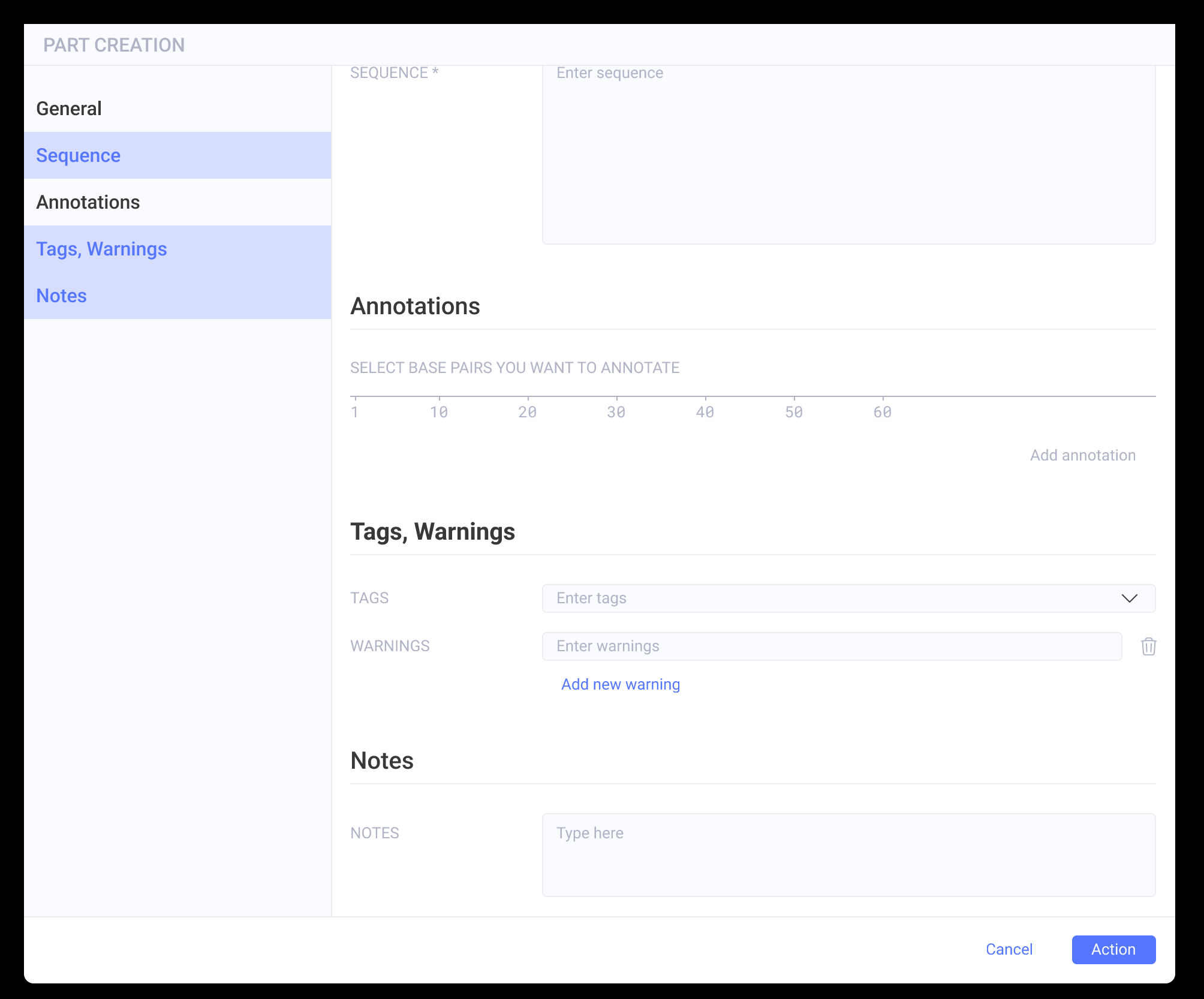
Is it possible to change a component state after clicking on another component?

  • January 25, 2024
  • 22 replies
  • 17898 views

Hi,

I have a side panel with buttons, and when clicking on one of the categories, the main screen slides to the correct categories. This works great.

The buttons are in variant components with three states (default, hover, and selected).

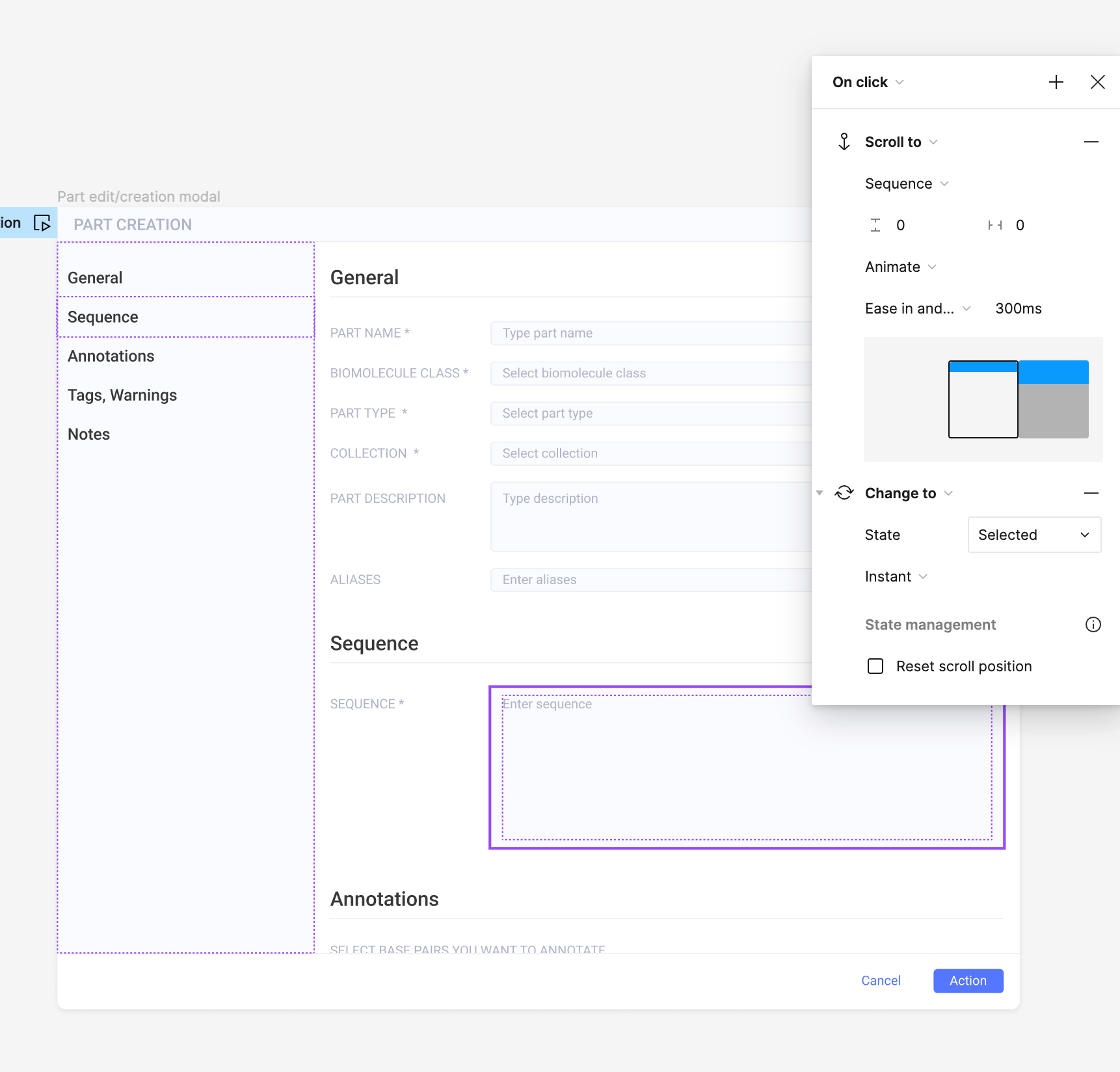
When I click on the button, I have two interactions set up in the prototype:

  • ‘scroll to’ (to scroll to the section)
  • ‘change to’ : state = selected

My issue is that I want the button to go back to the default state when I click on another one. Is there a way to do that? (for now, they all become selected when I click one after the other).

Thank you in advance,
Anaïs
This topic has been closed for replies.

22 replies

Daphnee Delisha
New Member
August 13, 2025

@Tamara_Did_Design 


Thanks for this! I have been following along and everything appears to be functioning correctly except for button 1 which keeps reverting to its default label. The other buttons are maintaining their labels without issue. I have reviewed all settings, and there seems to be no difference between button 1 and the others. What could be the cause of this problem?


Tamara_Did_Design
New Participant
September 1, 2025

@Daphnee Delisha

I’m not sure. I am not able to reproduce this… Can you describe the steps or share your file?