Anais_Moisy
January 25, 2024
Question

Is it possible to change a component state after clicking on another component?

  • January 25, 2024
  • 22 replies
  • 17898 views

Hi,

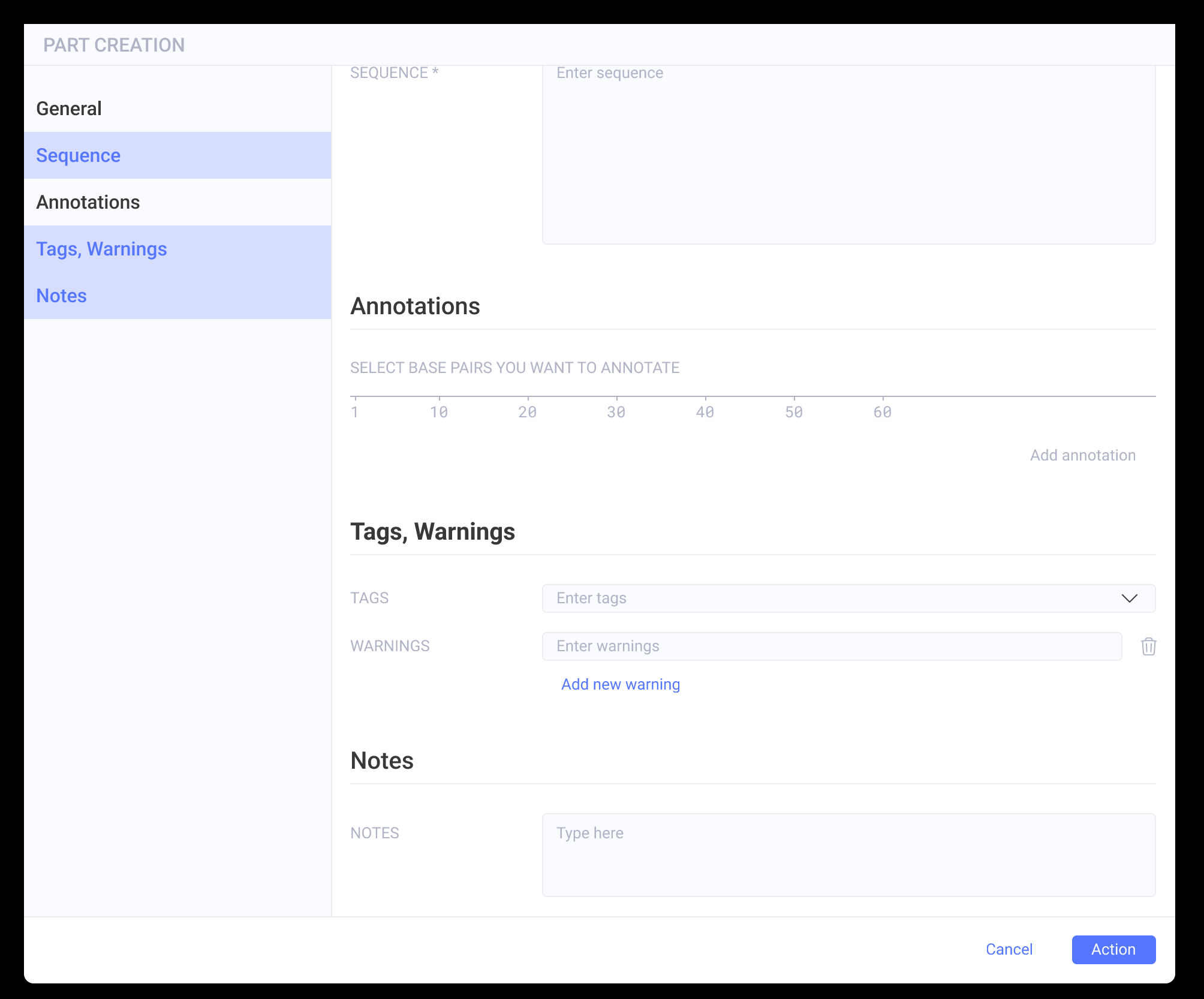
I have a side panel with buttons, and when clicking on one of the categories, the main screen slides to the correct categories. This works great.

The buttons are in variant components with three states (default, hover, and selected).

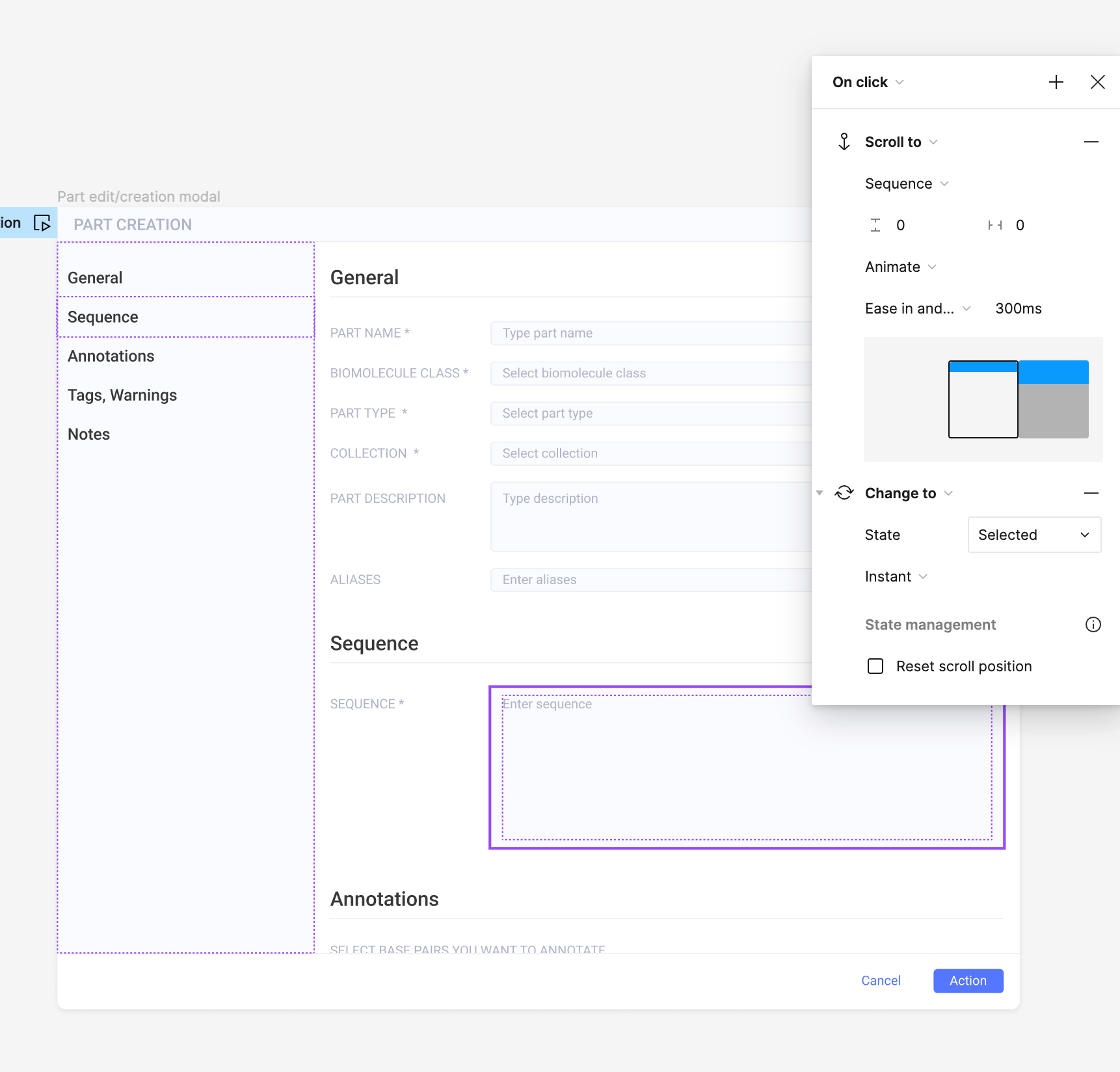
When I click on the button, I have two interactions set up in the prototype:

  • ‘scroll to’ (to scroll to the section)
  • ‘change to’ : state = selected

My issue is that I want the button to go back to the default state when I click on another one. Is there a way to do that? (for now, they all become selected when I click one after the other).

Thank you in advance,
Anaïs
This topic has been closed for replies.

22 replies

Tamara_Did_Design
New Participant
August 21, 2024

I made a quick prototype here. I tried to explain my thinking process the best I could. Let me know if you have any questions!
CleanShot 2024-08-21 at 16.22.45

Julie_Cochran
New Member
August 22, 2024

Thank you so much! This is so helpful!

dima16
December 2, 2024

This is great! I reproduced this pattern in my sidebar navigation and after selecting one item it deselects other items (desired behavior), however it also changes the selected item’s label text to its default (undesired behavior).

How did you achieve the behavior when you select “Button 2” it stays “Button 2” and doesn’t change to “Hover”?

Tamara_Did_Design
New Participant
December 2, 2024

Hi @dima16,

It looks like I added text property to my buttons and stored labels for my buttons in those properties.


Claudio_Rotunno
December 2, 2024

Ok, this is a huge pain in the ass. Lets be honest: a “on click” “show / hide” interaction (just like UX Pin have) would solve this really quick and easy, however, Figma doesn’t seem to care about this request from the community. Thank you so much!

dima16
December 3, 2024

Yeah I stored the labels in the text property as well but it still returned to the default. Perhaps I did something wrong at another level since I’m using this principle on a rather complex sidebar component or maybe it’s just a bug that doesn’t seem to resolve.

In any case, the workaround I used is I created variants for each of the list items in the sidebar with their own hover and selected states.

Tamara_Did_Design
New Participant
December 5, 2024

Yeah, those overrides can be quite pesky to work with… it’s hard to diagnose without seeing exactly what’s going on in your specific component. Would you be able to share it, perhaps? Maybe in a DM?

You may want to try and clear and recreate overrides…especially if you are working with a complex nested component. Sometimes tracing it back helps to find where the culprit is

Mr. Smith
New Member
March 6, 2025

Hi ​@Tamara_Did_Design 

Thanks a lot for sharing the knowledge. Love it.

I have a question. When I make the three buttons in to one component and play the frame they are in, it works just fine. But …. if I duplicate the frame the buttons changes to ‘Default’ when I click them.

It seems like the Original Component works as intended where ever it is placed, but an instance of the components kind of ‘resets’ when clicked.

Have you got an idea what could be causing this? A created a file trying to show what I mean.

LINK TO MY TEST FILE

Thanks in advance :-)


Tamara_Did_Design
New Participant
March 7, 2025

@Mr. Smith , 

I can’t see your setup in viewer/dev mode. I requested access (the email will look similar to my user name here)… but I was actually able to recreate in my own file. 

It looks like the culprit is that you’ve created a component wrapped around the original components. I suspect that it’s a bug where Figma doesn’t retain the Text override for nested components. Overrides are very tricky and finicky in my experience. I haven’t been able to crack it and understand fully how they work 😅 

Maybe it’s worth submitting a bug report? 

One workaround that seems to be working is assigning Text variable to labels on the original component level and creating different modes for different labels… but that seems clunky. I’ll send you a link in a DM.

I’ll keep thinking about it. 

Sinzandie
New Member
April 29, 2025

Hi @dima16,

It looks like I added text property to my buttons and stored labels for my buttons in those properties.


I am trying to achieve this as well but for some reason i don’t see the text property in my instance??


Does anyone know how i get to see the text property?