

Uria_Fassina
May 12, 2022
Question

Icon color changes on master component don't propagate to its instances that have icons swapped

  • May 12, 2022
  • 14 replies
  • 3185 views

Ok, sorry for the long title but let’s try to be straight to the point:
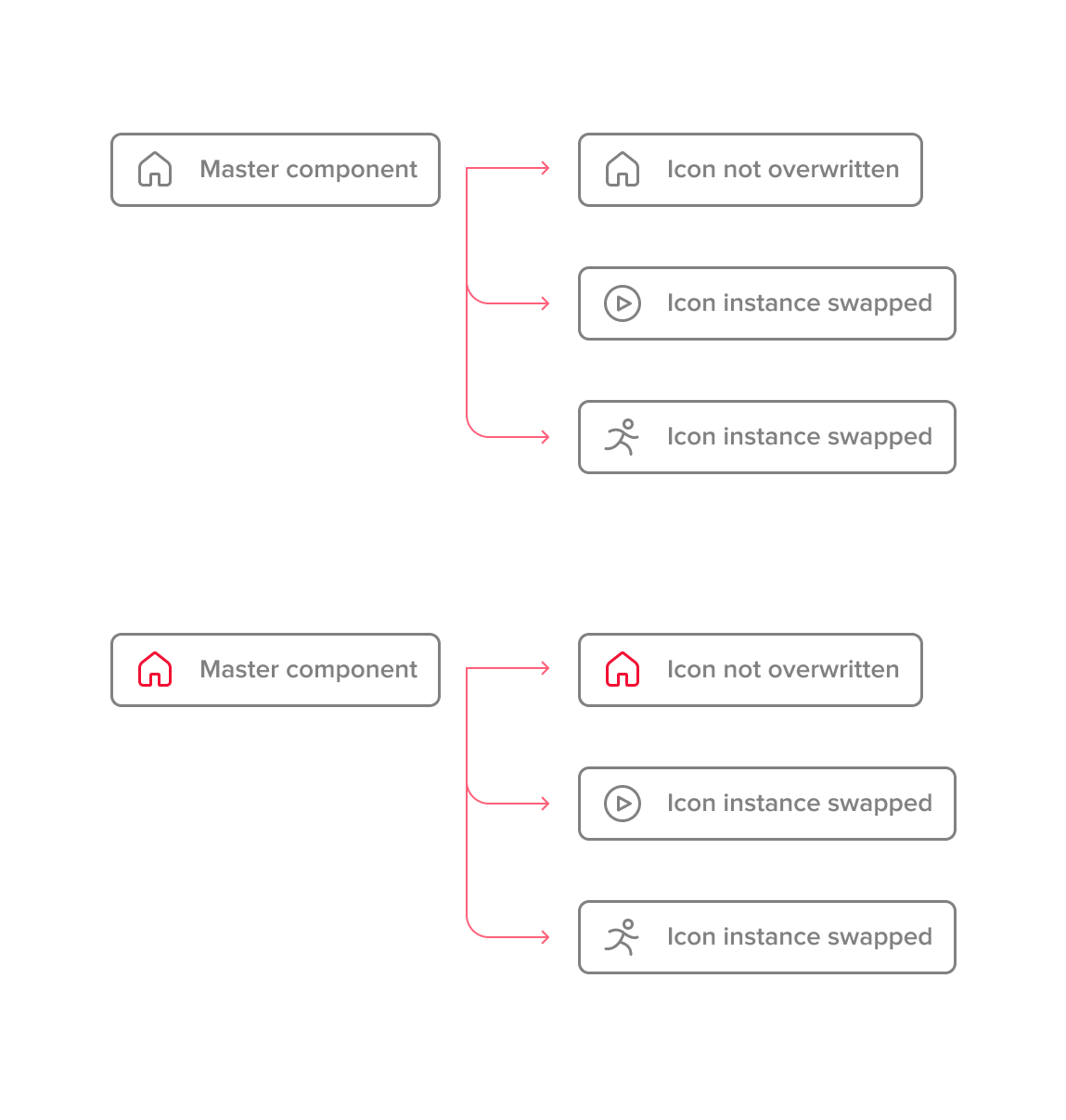
At the right-hand side you guys see instances that had its icons swapped. All the icons are also components.

Is there a way to change the icon color on the master in a way that propagates to all the instances including the ones that had its icons swapped?

Note that this is not the same issue addressed by Rogie here. It is kind of the other way around.

Thanks guys!

This topic has been closed for replies.

14 replies

ALDIYAR1
May 2, 2023

You should have the same naming for vector instances. Exp.:

[Icon name]
⌞Vector name

Arrows-up
⌞Icon
Plus
⌞Icon
Notification
⌞Icon

Hope this issue about that.

ahmadfawaid
New Participant
May 24, 2023
Uria_Fassina
July 11, 2023

That is spot on. It is the same solution that end up working for me.
In a summary: make you icons ONE layer only, all named the same.

mrthink
New Participant
May 20, 2024

This problem will lead me to give up on Figma 😮‍💨 After making a change in instances, If I make another change in the master component, this change does not reflect to the instances anymore. Of course, sometimes I may want the opposite, but most of the time, seeing that the change I made in the master component does not apply to instances is extremely frustrating. This problem is already well known. Many people have been reporting this issue for 3 years on forums, yet the fact that no solution has been provided makes me feel hopeless. I hope they take this very basic request into consideration.