

Slava_Bronevitskiy
Active Member
May 5, 2021
Question

How to persist color overrides between instance swaps?

  • May 5, 2021
  • 18 replies
  • 10308 views

User case:

Simple button that uses an icon of color, which I’d like to keep after swapping it with another icon. It’s very common use case and I have no idea how to achieve. Currently I’m messing up my designs by re-applying color in each and every instance in each and every design after each and every swap.
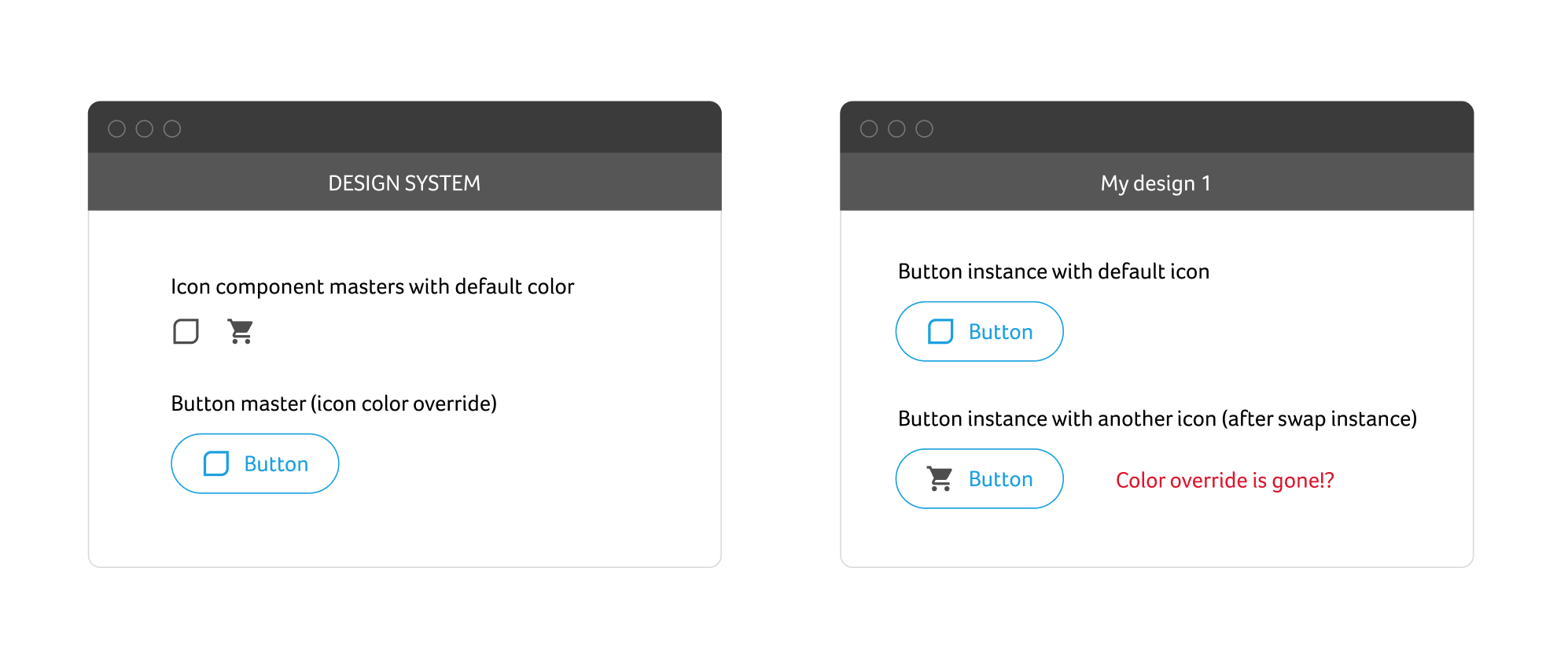
Design System loses it’s value if designs are not set up to follow it. So I really would like to know this.

This topic has been closed for replies.

18 replies

Michael_Lockwood
May 10, 2021

Here’s what I’ve learned about this: Color overrides, and in fact all overrides, only persist if the swapped components have the same layer structure. If your icons have a different number of “vector” layers, only the number of layers from the original icon will transfer their color overrides to the swapped-in icon. If you can merge/group any vector shapes in your icon using the “union” operation, they will look like one layer and the color override should persist when swapping. Hope this explanation made sense!

LFalaschini
December 2, 2021

I wish that was true, but it isn’t. I just tried it.

Adam_Schmid
May 9, 2022

After a ton of trial and error, here’s what I learned about preserving color between instance swapping and for me, it was specifically swapping icons.

Make sure the objects in which you want the color to be preserved on have the same layers names.

Daniel_Racca
May 25, 2022


Yes, you need to make sure the layer structure of all icons are the same.

On the example, I have two icons with two colors and I convert these two colors into white while hovering.

I named the icon shape-layers as primary and secondary, and then on the hover-able component I applied the color override on the layers secondary and primary.

That way If I swap this icon with an icon that also contains layers named primary/secondary, these layers will also receive the color-override.

Oliver_Schwaiger
New Participant
November 3, 2022

Hey there @Daniel_Racca. I am using an icon wrapper to manage the icon size within nested components. As I do also want to have the line thickness of the icons the same also when appearing in a different size, I have created them using a stroke. But when I want to add a variant control to switch to a filled version the layer structure can be the same but the color will be recognised as stroke and not fill and therefore the override breaks.
Do you have a solution for that too? Would be nice to have a solution for this issue @Figma_Support

Daniel_Racca
November 4, 2022

yeah maybe you’ll need two different iconWraps component variants and two different icon styles one for outline icons and another for filled icons and then change the colors override per icon type manually. Here’s a video and a screenshot


let me know if that helps, best

Oliver_Schwaiger
New Participant
November 5, 2022

Hey @Daniel_Racca That’s actually not the solution to my issue. Maybe I was not entirely clear about the topic. As you can see in your example when you change the instance to the outline version I want the color overrides to remain the same. And that is simply something that is not working yet properly.
See if I do not want to work with duo color icons but just need a single color for both the line version and the fill version of the icon (both already inctances of the master component) I can control both colors (line = stroke-prop and fill = fill-prop) to be overridden by just a single click on the parent frame’s color inheritance. When changing the icon within that (including the same layer structure) the inheritance does not work properly.

Maybe it is more clearer now. I am not sure, haha.

August 8, 2023

A little bit of magic with masks
2023-08-09_01-08-19_1691529199_220x206_scrot
And you can keep icons just b&w

August 30, 2023

Make sure that the layer that you are applying the color to has the same name and height and width across all the other swaps.

The screenshot below if from the Figma version: Aug 24, 2023

the color override works through the instance swap for me because the following two conditions:

  1. all of the 3000 shapes have same name (“vector” in my case) and
  2. I have directly overridden the colors of the shapes (which have the same name, height and width) and not on the frame of the icon (which has unique names).
Nathi
October 2, 2023

It doesn’t work here. I made a component with an icon and made all its states, but when I want to use that component in another frame and change de Icon it doesn’t go the color together