

Question
How to change the property of different components in prototyping.?
Hey 🙂
Currently I am working on a big project, that involves a lot of different state of different components.
Is it possible to change the property of an element/component through clicking on another object?
Given my screenshot below it should be, no?
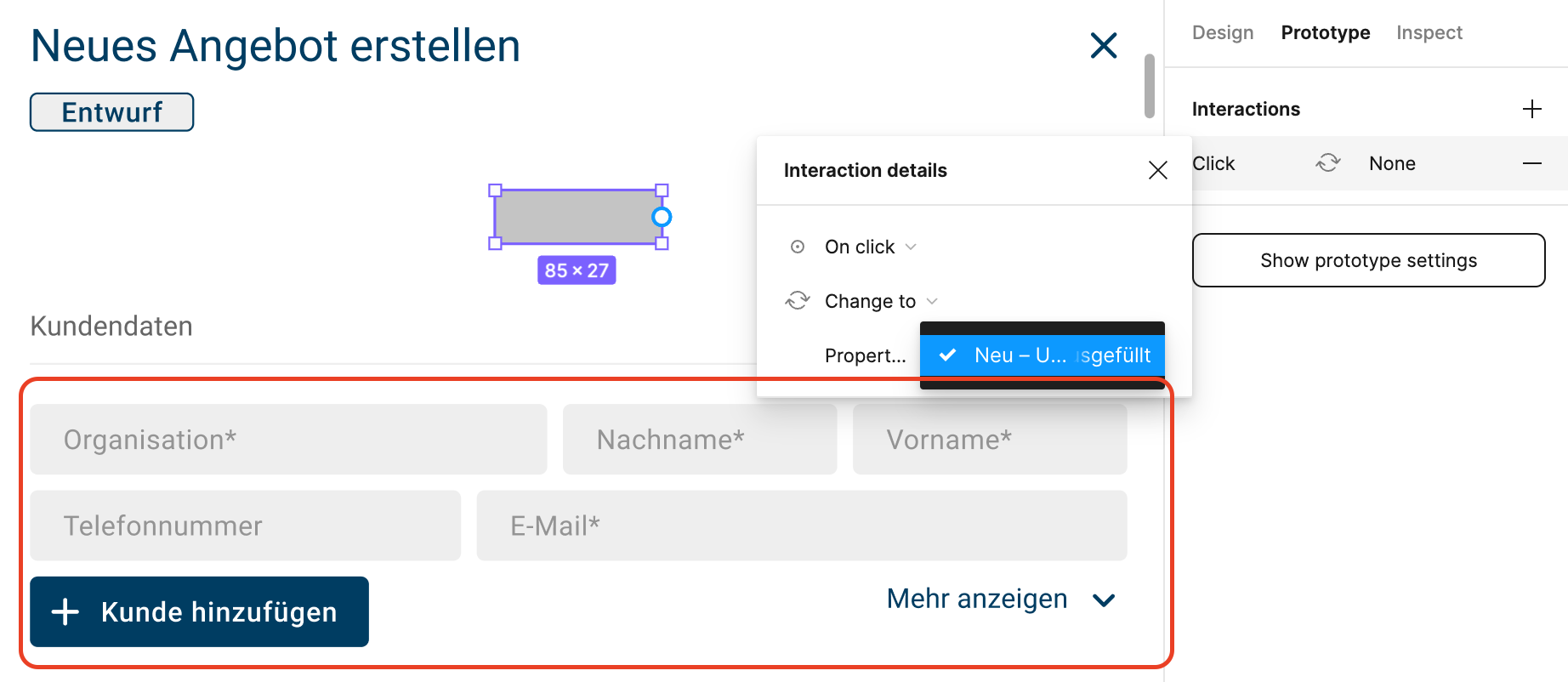
But linking this rectangle with the below component doesn’t work at all.
I would love to be able to switch the state of the linked object when I click this (example) rectangle in prototyping.
The linked object has different properties available, but I can’t select them tho.
Could you please explain my what I am doing wrong?
Thank you 🙂
Cheers