

Erik6
May 13, 2022
Question

How to change the property of different components in prototyping.?

  • May 13, 2022
  • 21 replies
  • 15978 views

Hey 🙂

Currently I am working on a big project, that involves a lot of different state of different components.

Is it possible to change the property of an element/component through clicking on another object?
Given my screenshot below it should be, no?
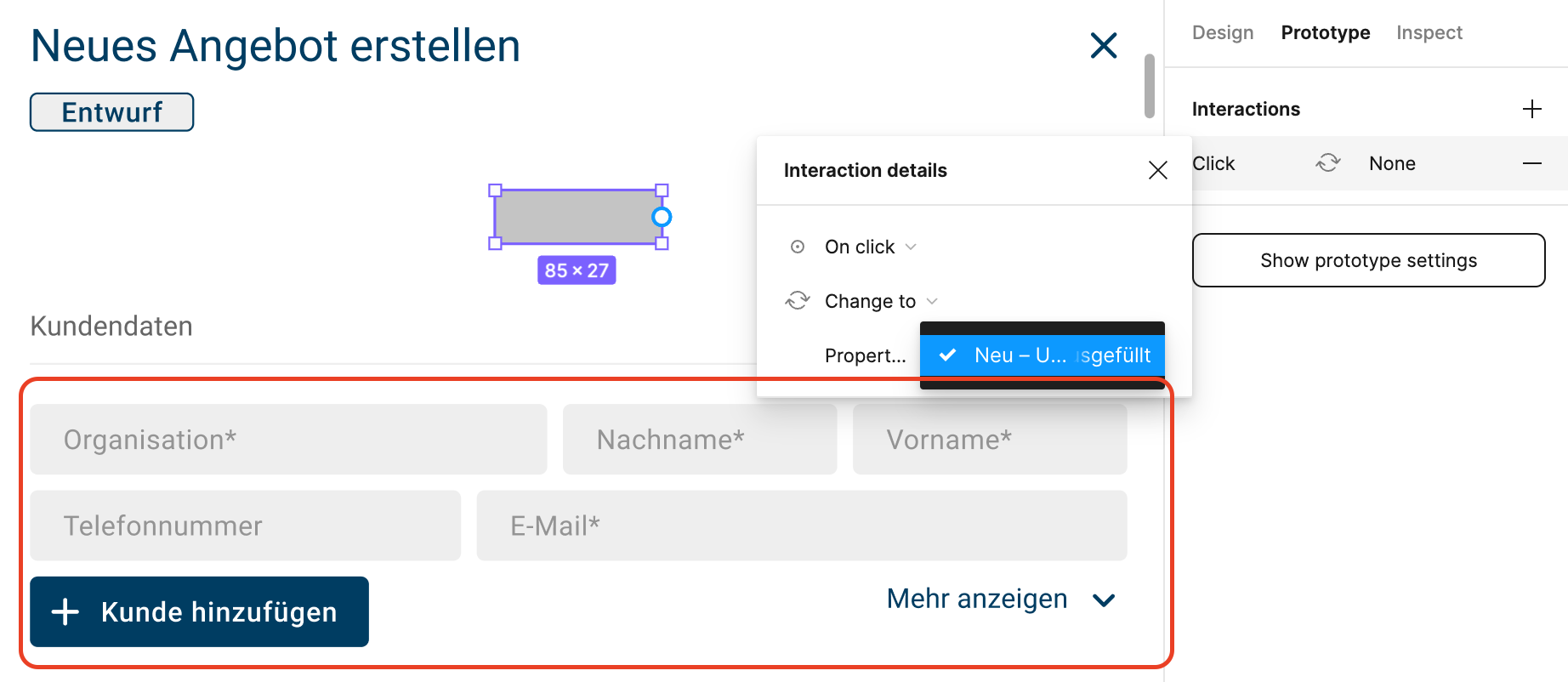
But linking this rectangle with the below component doesn’t work at all.
I would love to be able to switch the state of the linked object when I click this (example) rectangle in prototyping.
The linked object has different properties available, but I can’t select them tho.

Could you please explain my what I am doing wrong?

Thank you 🙂
Cheers

This topic has been closed for replies.

21 replies

September 25, 2023

Thank you so much! I had actually set something like this up but I was worried I was wasting my time and I could not find any good information on it. This was extremely helpful for me. Thanks again!

September 26, 2023

Thanks for this. I am working on this at the moment, following your guide but unfortunately it is not working.

Florian7
November 26, 2023

Hi, I don’t know if it’s because I have a different version of Figma as you @IanCox but I have created my component with 2 variants (View and Edit), a global variable Status set to View and I have a button with on-click interaction to set the variable Status to Edit. But impossible to set the property in my component to be driven by the string Status. In my component property I can only create Variant, Boolean, Instance swap and Text, and none of them have the option to be driven by another value (variable in this case). Could you tell me if I missed a step. Thanks.

Encina
November 27, 2023

It’s really stupid, the property is declared and you can’t use it, it will be very very very useful, it would reduce a lot of screens,

I am trying to make a tab component, I have created a symbol with all the properties I need, which are the different sections of the tabs content

1 I don’t want to repeat buttons in each tab.
2 I think it would be common sense when touching a button external to the symbol to change the property of the symbol.

The truth is I don’t really understand why it doesn’t work like that, please god of the Figma, I have a delivery on Friday, fix it

November 29, 2023

I was stumped on how to toggle visibility – setting visibility to mirror the value of the boolean variable 🫵 👍

Andrew_Abogado
November 30, 2023

Thank you Ian. I was able to reproduce your tutorial. Super helpful.

I was curious if this can be extended assuming if buttons will have various states that require click interactions.

Daniel_Leone
May 10, 2024

We have been struggling greatly to figure out how to change the state of a component if another object in the frame is selected. They are all select/unselect component objects that change state when selected.
In a nutshell, We have a “select all” component that we need to change the state of if one of the other options is unselected. We can change the object being selected, but the “select all” option we are trying to change the state of…well we cannot see anyway to perform that action.
anyone else able to pull this off? We are newish to this product, so we may be missing something, I am just unable to find anything other than lots of requests for this function since 2021.
Thanks.

Cristian_Banu
Active Member
June 14, 2024

This is pretty stupid, Figma is a design tool, why make some totally usual / common sense features so complicated to use? I’m not trying to turn into a developer, really. I don’t wanna learn Figma every time they decide a new update is needed, it should be easy and intuitive. Many times it isn’t. Great tool, but with shitty UX sometimes.

Cristian_Banu
Active Member
June 14, 2024

Either they’re drinking or I’m drinking, just tried it with a fresh start, and it works. WTF? The buttons are not even variants of the parent component. Why, Figma, WHY?

Cristian_Banu
Active Member
June 14, 2024

Ok, I understand the problem. The problem is when the parent component has its own variants. That’s when shit hits the fan. That’s when CHANGE TO of the button doesn’t show the button states, btu the parent component states. Again, WHY, FIGMA, WHY???

Just a recap:

  1. I have a parent component, which among other elements, contains an instance of a button, which has two states: normal and hover. If I want the button to CHANGE TO the hover state WHILE HOVERING, everything works.
    UNTIL
  2. The parent component has variants of its own. Now, if I want the button to change its state to HOVER, I can’t, beacuse when I apply the WHILE HOVERING interaction and I select CHANGE TO, instead of seeing the button variants (normal and hover), I acrually see the parent component’s variants.

Who in the world though this would make sense?