Emmy
October 5, 2023
Solved

Frames are not showing full width on prototype

  • October 5, 2023
  • 19 replies
  • 13102 views

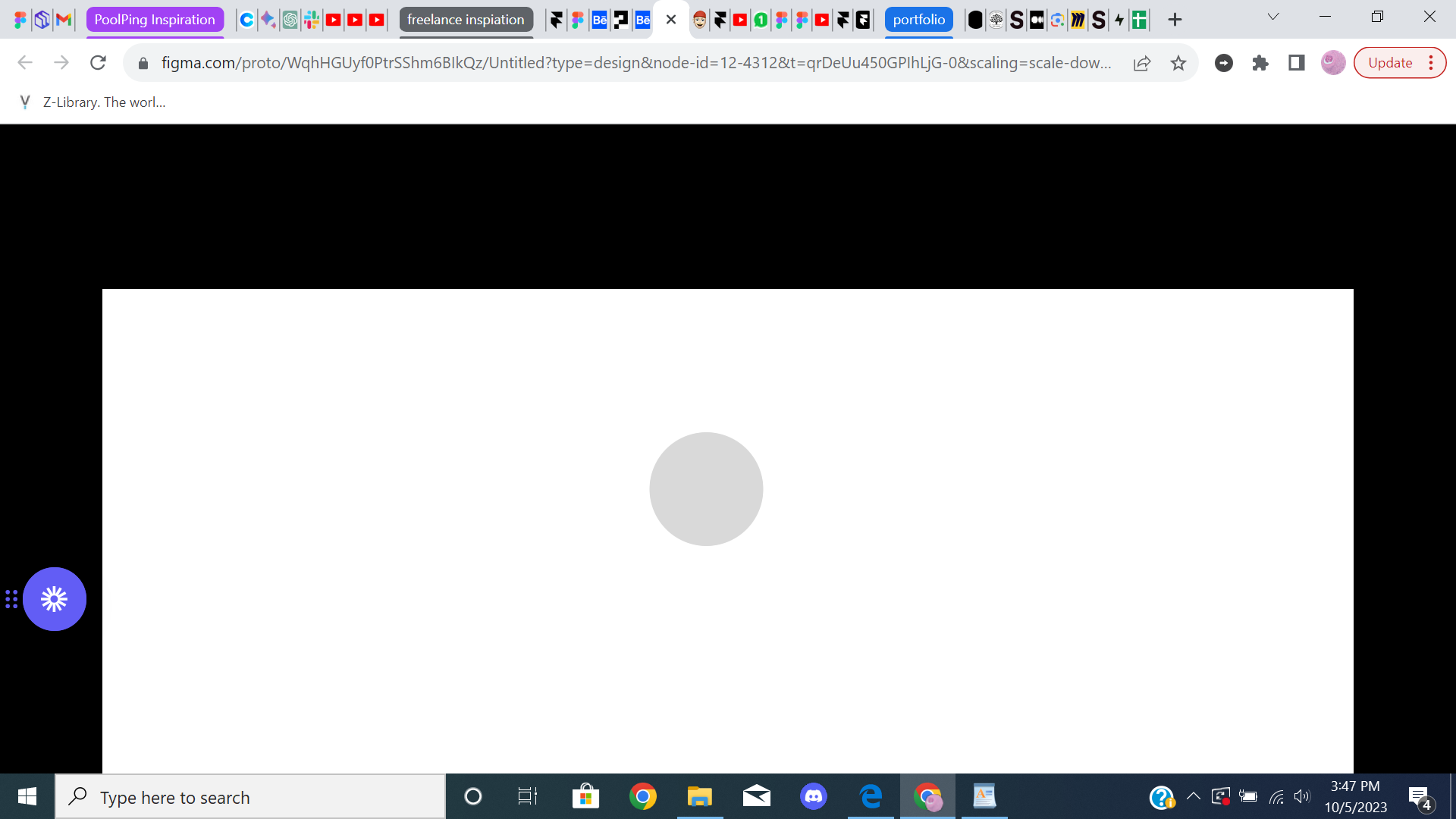
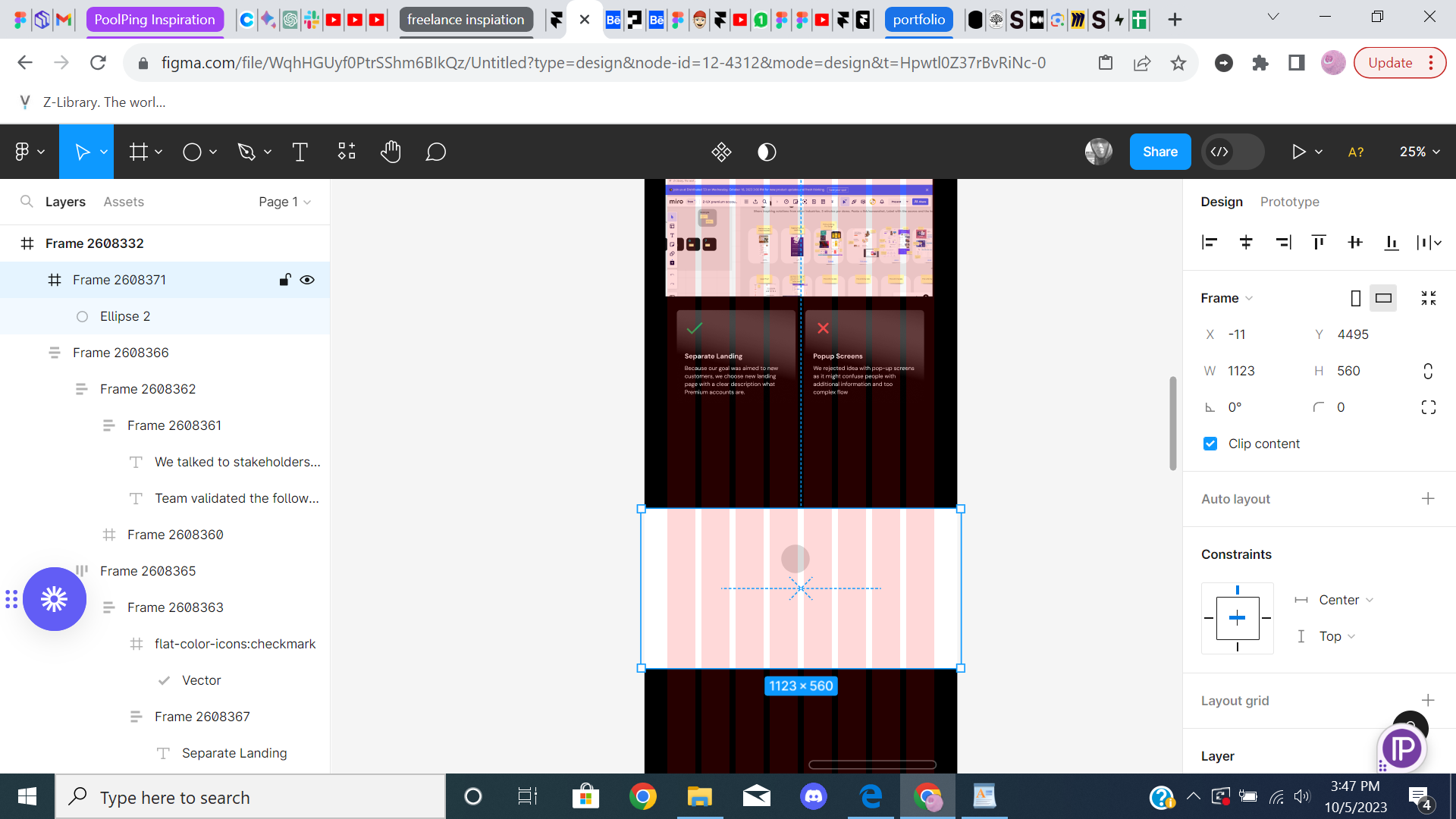
img 1: shows the frame at full width

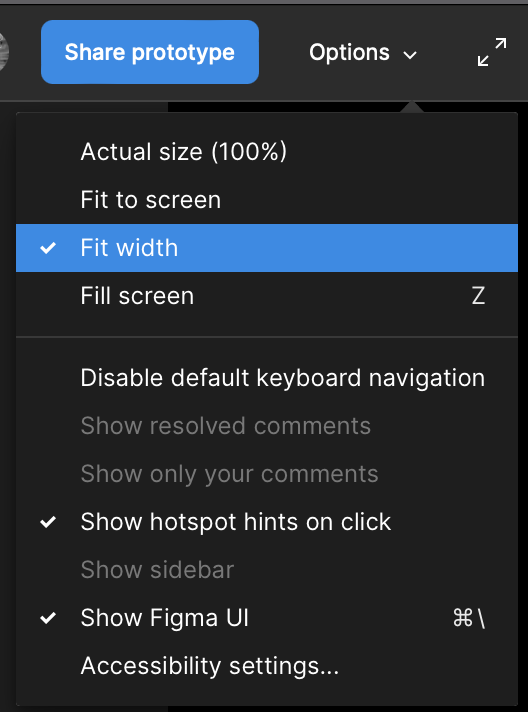
img2: shows the prototype but not the full width of frame

This topic has been closed for replies.
Best answer by Nate_G

@Emmy On the prototype options panel, try setting it to “Fit width” to see if that helps. But that will not make your design fill your browser screen until you start scaling down your browser width to be the same or less than your design’s frame width in Figma.

19 replies

Bright_Baiden
February 10, 2024

I have tried it all but still nothing. okay will send some screenshsots. what exactly do you want to see so I screenshot it and send it. screenshot when i go into preview mode?

y_toku
Figmate
Community Support
February 13, 2024

Thank you. Screenshots for the preview and present would be helpful.

Bright_Baiden
February 13, 2024


y_toku
Figmate
Community Support
February 14, 2024

@Bright_Baiden Thanks for your screenshots! As I checked them, it looks no problem. Could you reach out directly to the support team with a copy of your file: https://help.figma.com/hc/en-us/requests/new. They will give you further support. My apology that I can’t help much here.

Please make sure you use the email associated with your Figma account, include links to the file in question, and share access with support-share@figma.com. Don’t worry, inviting us to view your file won’t impact your billing.

Thanks,
Toku

KennLucas
May 2, 2024

Love that you posted this fix! It was a headache trying to get fit width back. Thank you.

However…this just proves how problematic Figma’s lack of understanding UX is! Why can I not demo to a client with the device frame where my prototype fills the device frame?

To me this is a huge fail. Thanks Figma.

August 1, 2024

this option was available on device recently not available again in seems

Anita Carroll
New Member
January 29, 2025

Does anyone know where these options are in the new Figma layout?

tomhoodjs
New Participant
February 6, 2025

Ah, the classic "my frames aren't filling the screen" problem in your prototype!  That's a common one.  It usually boils down to a few things.  First, double-check your constraints or auto-layout settings.  If you're using something like Figma or Sketch, make sure your frames are set to "stretch" or "fill" the available width.  Sometimes they're anchored to specific sides or have fixed widths, which can cause them to look wonky on different screen sizes.  Another thing to look at is the parent container.  If the parent frame isn't filling the screen, then its children won't be able to either.  So, make sure the whole hierarchy of frames is set up correctly.  Sometimes there's a rogue element somewhere that's messing things up, too.  It's worth zooming out and checking for any hidden layers or misplaced objects that might be influencing the layout.  And finally, if you're working with code, check your CSS.  Make sure you're using the correct width properties (like width: 100% or flex: 1) and that there are no conflicting styles. It's a bit of a detective game sometimes, but usually one of these things is the culprit.

Mando
New Member
April 22, 2025

I can see that this issue is from 1 year ago, and I still have the same problem.

When I share the prototype link with clients, I put it in the Macbook frame (because they asked me to do it that way, they like it, i dunno) but the screen gets chopped, they need to do horizontal scroll to see the rest of the screen. I cannot see any way to make the width of the screen fits in the prototype authomatically.

So easy to put a button on the prototype options that says “fit width”. But in the options before sharing the prototype. This shouldn’t be something that the client must fix. I have to be the one fixing this so the client only opens the prototype without worrying for fixing that. I cannot be telling clients “oh, you have to click here and then here.. in order to see it well”.