Emmy
Oct 5, 2023 2:51 PM UTC
Solved

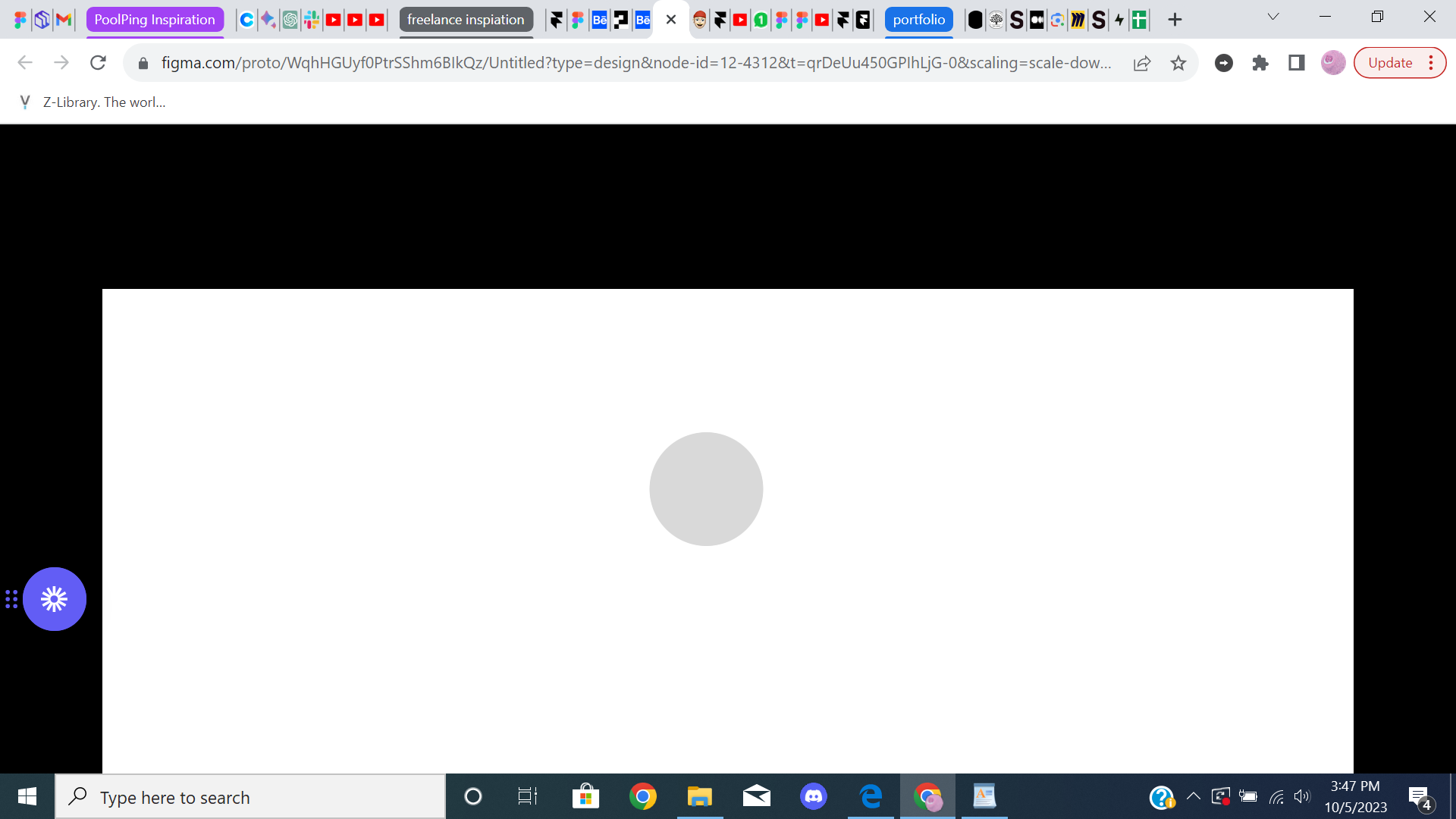
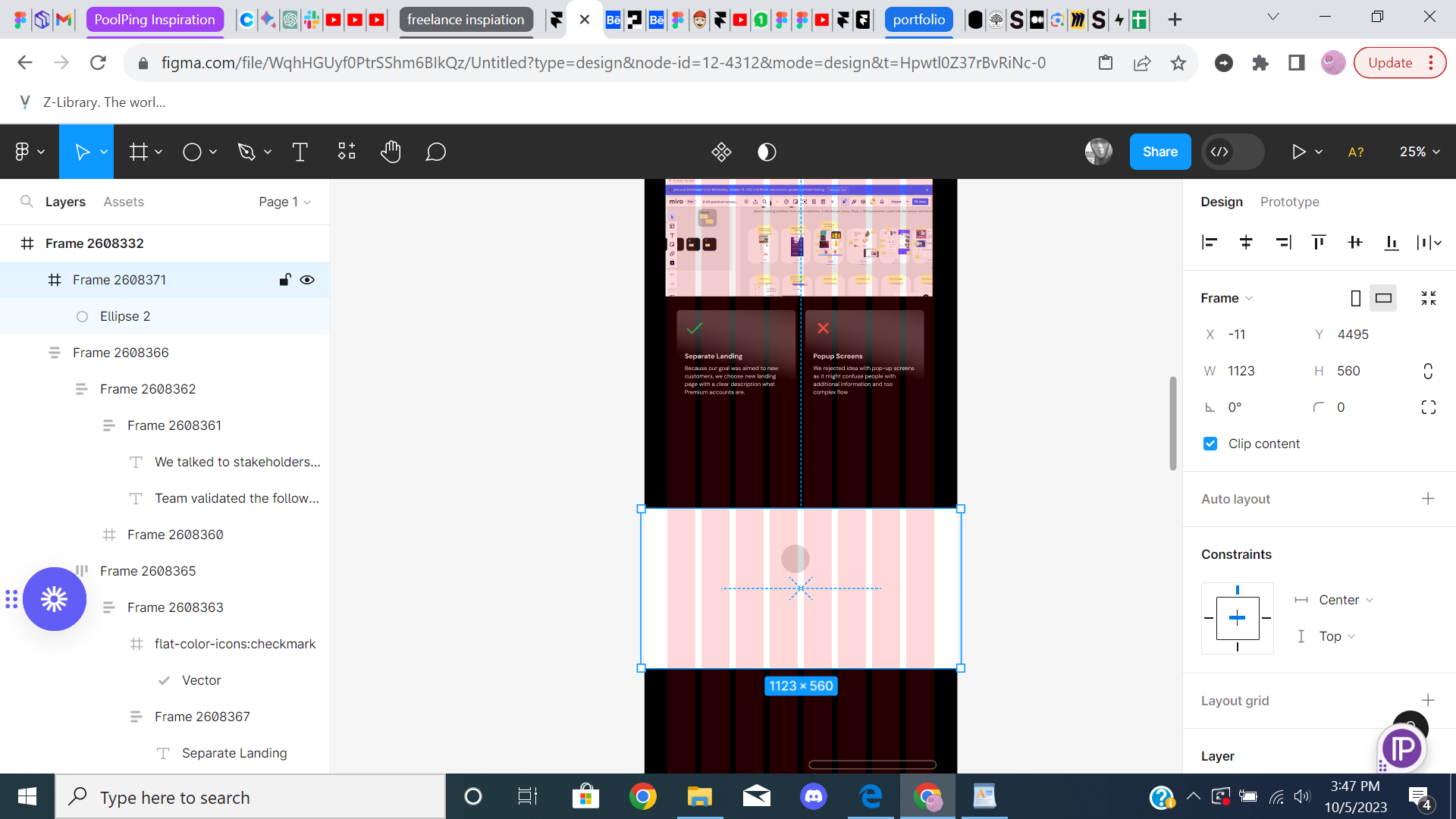
Frames are not showing full width on prototype

img 1: shows the frame at full width

img2: shows the prototype but not the full width of frame

This topic has been closed for replies.
Nate_G
Nate_GSolution
Power Member
Oct 5, 2023 3:30 PM UTC

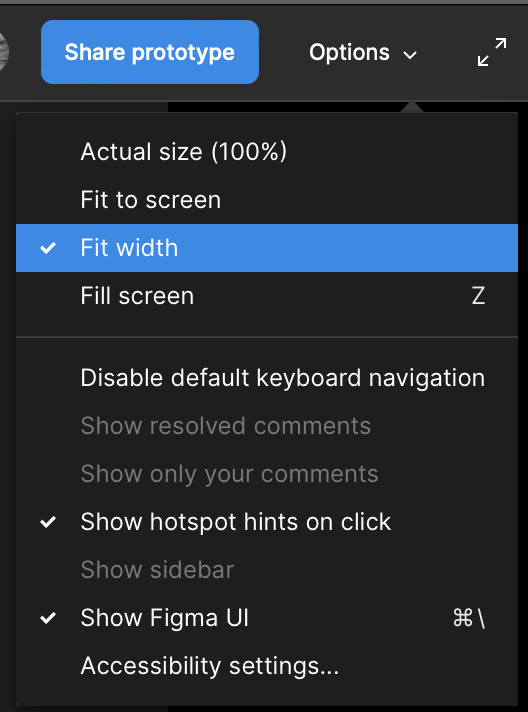
@Emmy On the prototype options panel, try setting it to “Fit width” to see if that helps. But that will not make your design fill your browser screen until you start scaling down your browser width to be the same or less than your design’s frame width in Figma.

Nate G

19 replies

Nate_G
Nate_GSolution
Power Member
Oct 5, 2023 3:30 PM UTC

@Emmy On the prototype options panel, try setting it to “Fit width” to see if that helps. But that will not make your design fill your browser screen until you start scaling down your browser width to be the same or less than your design’s frame width in Figma.

Nate G
Oct 6, 2023 7:40 AM UTC

Hello, I have the same problem; however, it’s the opposite. I created a visual, and when I export it to HTML for my developer colleague, it doesn’t fit 100%. He has a scroll bar that appears. We made sure that his browser is smaller than my design’s frame.

Also @Nate_G I can’t find “options > fit width” as you screen

Thank you in advance for your help.
Snipaste_2023-10-06_09-38-31

Nate_G
Power Member
Oct 6, 2023 4:17 PM UTC

The prototype Options panel is available when you are in “Present” mode.

Nate G
Oct 12, 2023 8:09 AM UTC

Thank you for the indication. However I don’t have the same option than you. What can I do ?

Nate_G
Power Member
Oct 13, 2023 12:04 AM UTC

Click on the Options dropdown to get access to your prototype view settings, and set it to “fit width” to see if that helps.

Nate G
Oct 16, 2023 7:09 AM UTC

Sorry I sent the wrong screenshot. As you can see, I don’t have the “fit width” option
Snipaste_2023-10-16_09-08-41

Nate_G
Power Member
Oct 16, 2023 2:58 PM UTC

@ev_tvt Ah ok, correct you can’t get access to that option if you are displaying your prototype on a device, but if you set your device to “None” then the “Fit width” option will appear during prototype mode. But not sure this will fix your original issue.

Nate G
Nov 7, 2023 10:37 AM UTC

Hello, it worked, thank you !

Bright_Baiden
Feb 8, 2024 2:03 PM UTC

I am having the same problem, I have tried fit width and everything I have come across but anytime I go to preview mode or present, it does not fill the entire screen. I have tried everything

y_toku
Figmate
Community Support
Feb 9, 2024 6:38 AM UTC

Hi there,

Thanks for the post. Could you double check the scale section in this article? If it doesn’t solve the issue, would you be able to share the screenshots you’re seeing?

Thanks,
Toku