Tal_Levin1
February 9, 2023
Question

Find and replace text not working

Hi there,

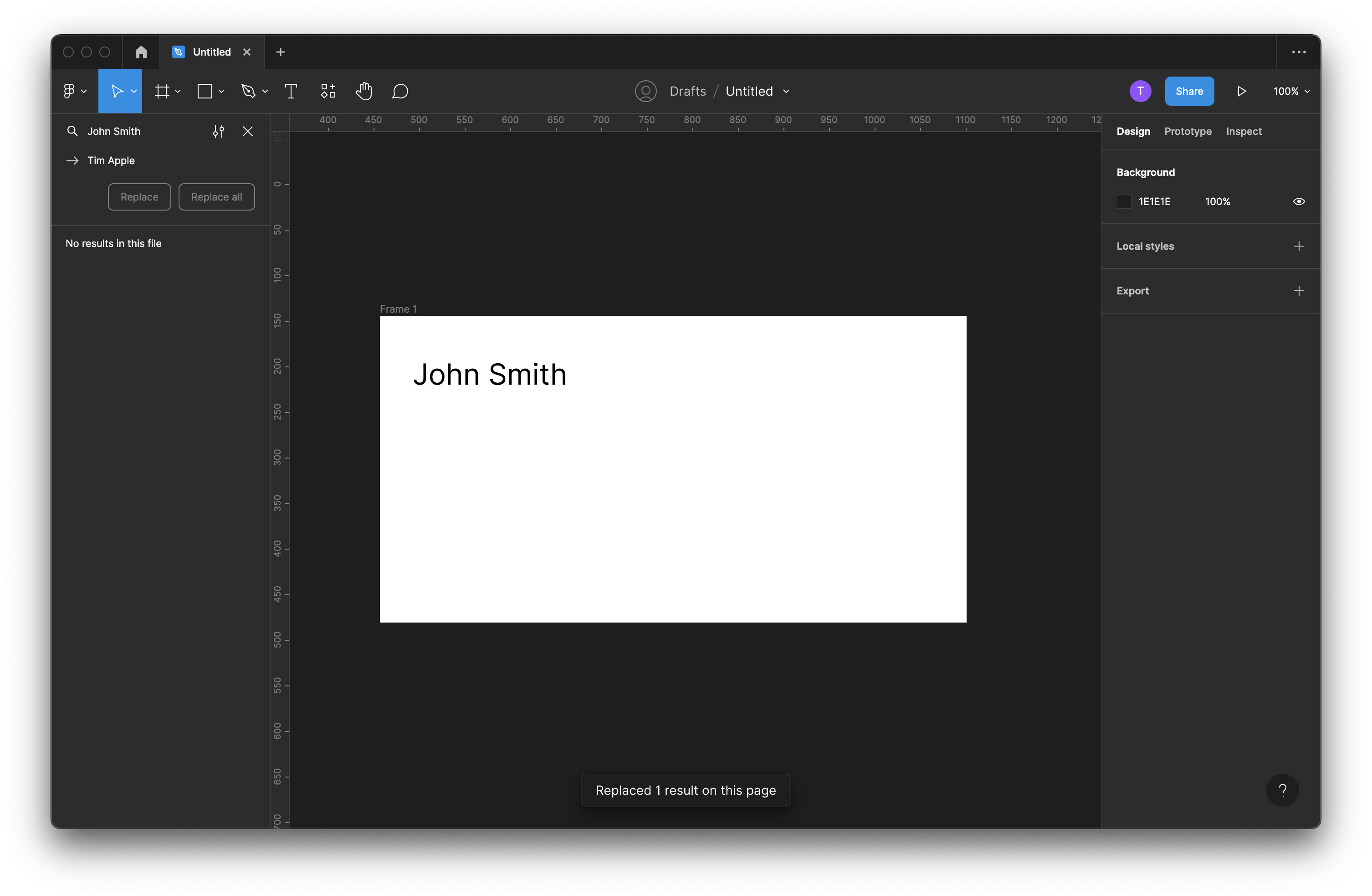
I’ve got a large document in which I need to find and replace a particular phrase. However, when I go to use to use the find and replace feature, it says the text has been replaced without updating the text.

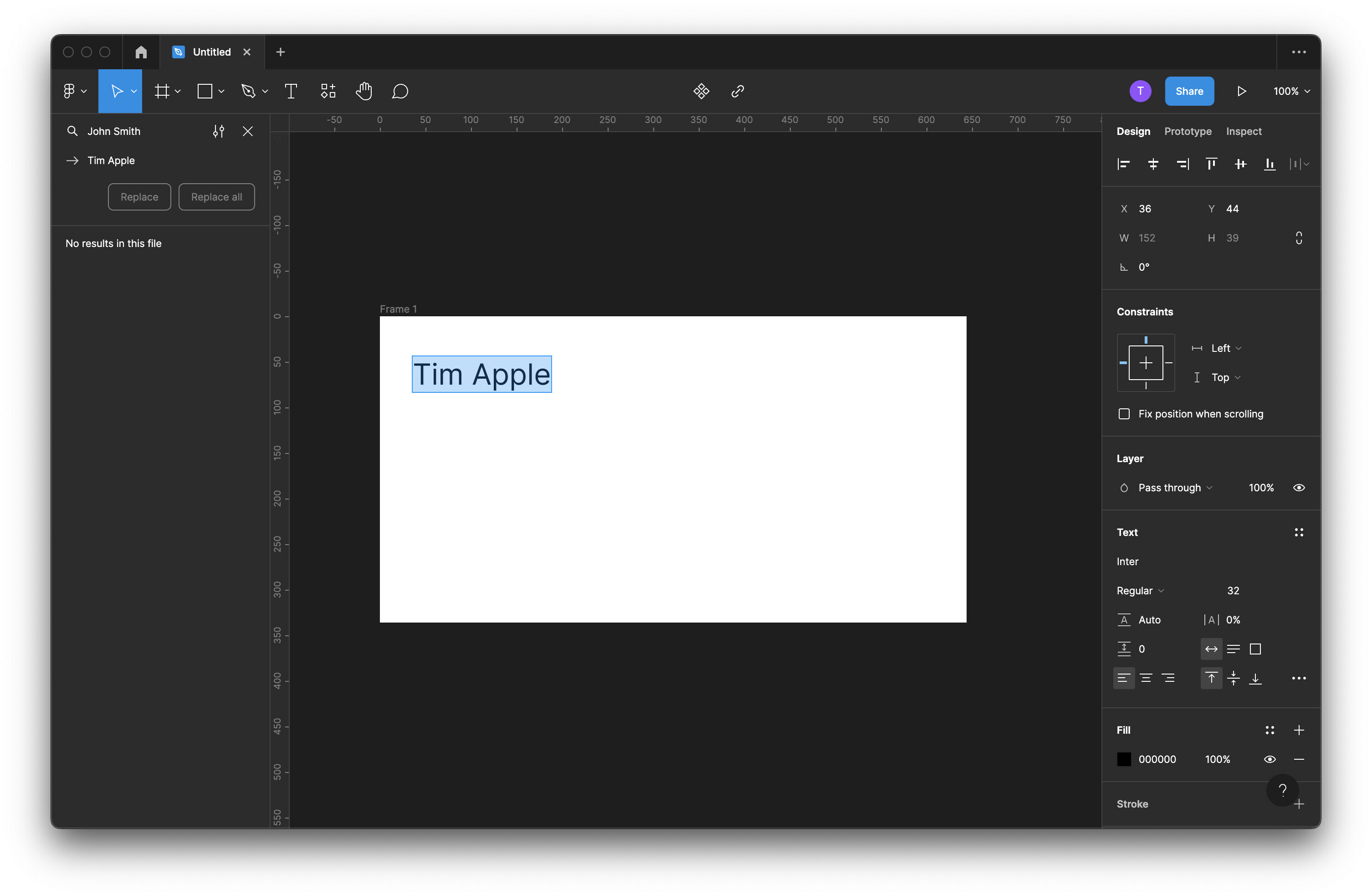
I have to double-click on the text frame again or select and hit return for it to update.

Is this a bug, or am I missing something obvious? Better hitting return, it reads the text as though it’s been updated even though it shows the previous text.

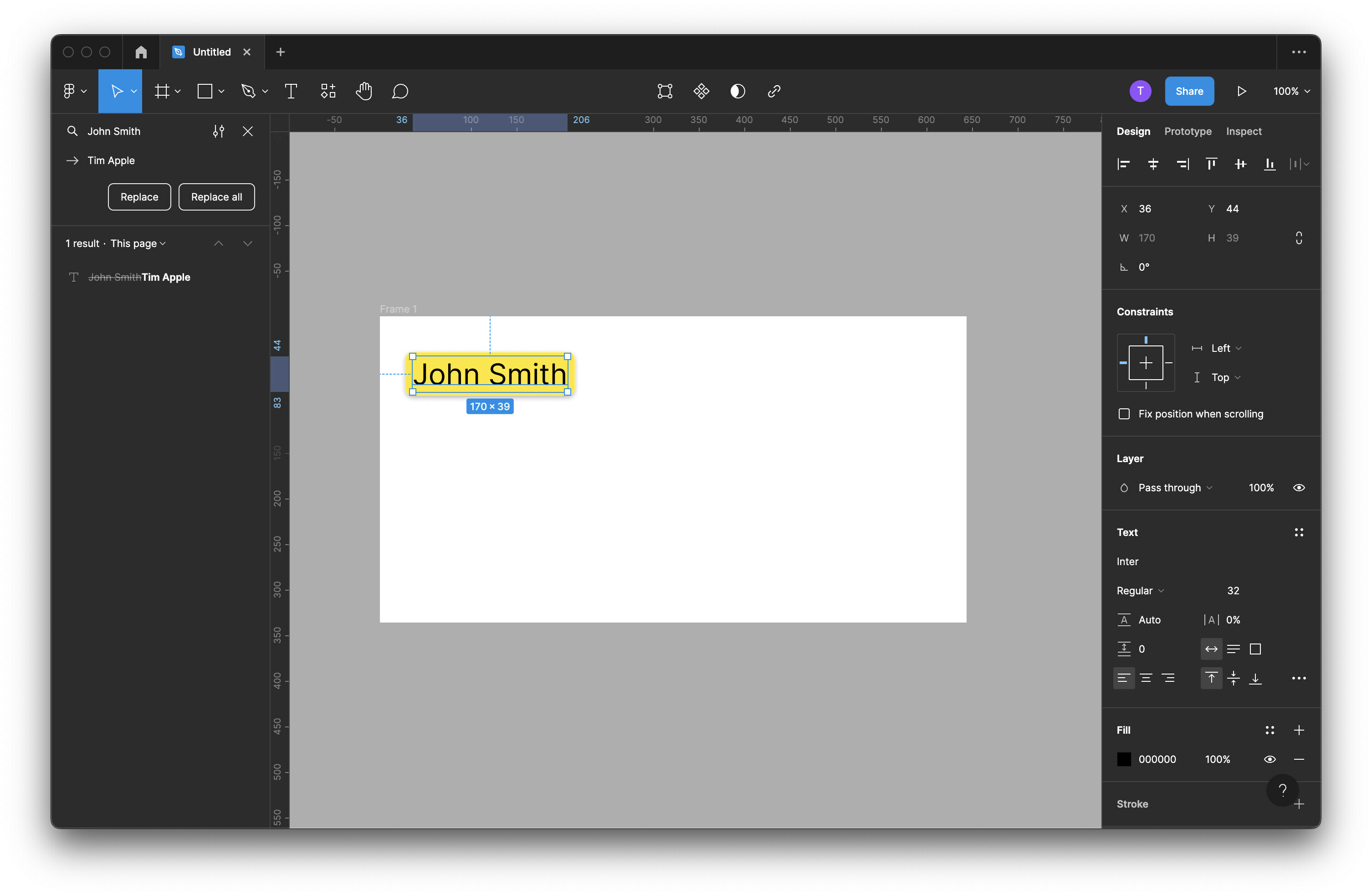
See screenshots below:

  1. Finds text to be replaced

  2. “Replaces” text (note: Figma is not seeing the initial text input)
  3. Updated after double-clicking into the box or hitting return
This topic has been closed for replies.

15 replies

bombadillo
February 15, 2023

I submitted a bug. Encourage you all to too so we can get Figma on this!

Maher
December 13, 2023

Same problem over here. I can find frame names on the same page, but as soon as I click on replace, it cannot find the current frames’s names.

The most basic feature of any design tool that does not work…

djv
Figmate
Community Support
December 13, 2023

Hey @Maher, sorry to heat you’re having issues with this!

We launched a big fix for this issue back on February 17th. Please reach out to the support team directly via this form for help: https://help.figma.com/hc/en-us/requests/new

Be sure to use your Figma account email, include a link to the file, and share it with support-share@figma.com, so we can take a closer look.

peter_fiek
March 7, 2024

Hey all, I’m having this issue again in March '24. Could it be a bug related to the multi-edit launch? Let me know, thanks–

djv
Figmate
Community Support
March 8, 2024

Hey @peter_fiek, sorry to hear you’re having issues with find and replace!

We launched a big fix for this issue back on February 17th, 2023, and we’re not aware of any new bugs associated with the multi-edit launch.

Please reach out to the support team directly via this form for help: https://help.figma.com/hc/en-us/requests/new

Be sure to use your Figma account email, include a link to the file, and share it with support-share@figma.com, so we can take a closer look.