m1n3g
New Participant
March 11, 2026
Solved

Figma Make: React Warning: “React does not recognize the %s prop on a DOM element”

  • March 11, 2026
  • 36 replies
  • 637 views


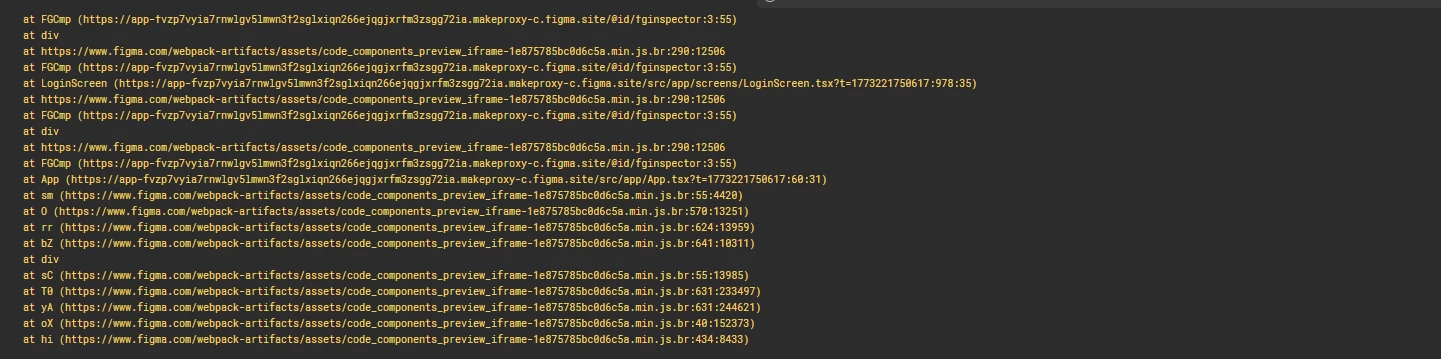
Both of my projects started showing this warning today while using Figma Make. The warning appears in the console and points to a React issue. Is anyone else experiencing the same issue?
 

Any insights or solutions would be appreciated.



This topic has been closed for replies.
Best answer by Celyn_L

Hi everyone,

Our Engineering team has pushed a fix and confirmed that the issue has been resolved. Please refresh your files and let us know if you’re still experiencing any issues.

Thanks again for reporting this and for your patience!


36 replies

Andres Prieto
New Member
March 13, 2026

I can suggest a temporary method to avoid screen freezing when pressing the dropdown:

a. Create a custom component, such as a dropdown field and list.
b. Use a Popover + Dropdown + List combination. Avoid using the Radix Select component because it causes the screen to freeze.

Hope this helps others facing the same freeze issue.

Hi!!
 
Can you help us of prompt it this solution that you found


m1n3g
m1n3gAuthor
New Participant
March 13, 2026

I have the same issue here


After Creating a dropdown menu im having issues with the figma preview.

when I click on any dropdown menu on the design the figma make crash and freeze not responding and showing a grey background after I reload

I having warning with messages for asChild and _fgT, _fgS, _fgB.  and try solve the warnings as figma suggest but noting change


Figma Make Crash
Figma make Freeze
Critial Issue

My Figma Make freezes on certain elements. I found that it starts to freeze on Dropdown Items, which makes it impossible to work on the interface. when you deploy a project to Publish , everything is fine. But when you work through the Figma Make builder when I click a dropdown menu


The warning issues _fgT, _fgS, and _fgB and the dropdown freeze issue are two separate problems. As far as I know, those warnings do not affect anything. Try the method I suggested for the dropdown and see if it helps. Let me know if it works.


New Participant
March 14, 2026

​@m1n3g  ​@Eugene87 ​@YuriiV ​@Davide Albanese 


 Guys, it looks like everything's working! 


New Participant
March 14, 2026

​@Sanjana Danait ​@Tomasz Konik ​@Exago Team try it out

m1n3g
m1n3gAuthor
New Participant
March 14, 2026

​@m1n3g  ​@Eugene87 ​@YuriiV ​@Davide Albanese 


 Guys, it looks like everything's working! 


The problem no longer occurs. Everything is working fine now.

Celyn_L
Figmate
Celyn_LAnswer
Figmate
March 16, 2026

Hi everyone,

Our Engineering team has pushed a fix and confirmed that the issue has been resolved. Please refresh your files and let us know if you’re still experiencing any issues.

Thanks again for reporting this and for your patience!