
Question

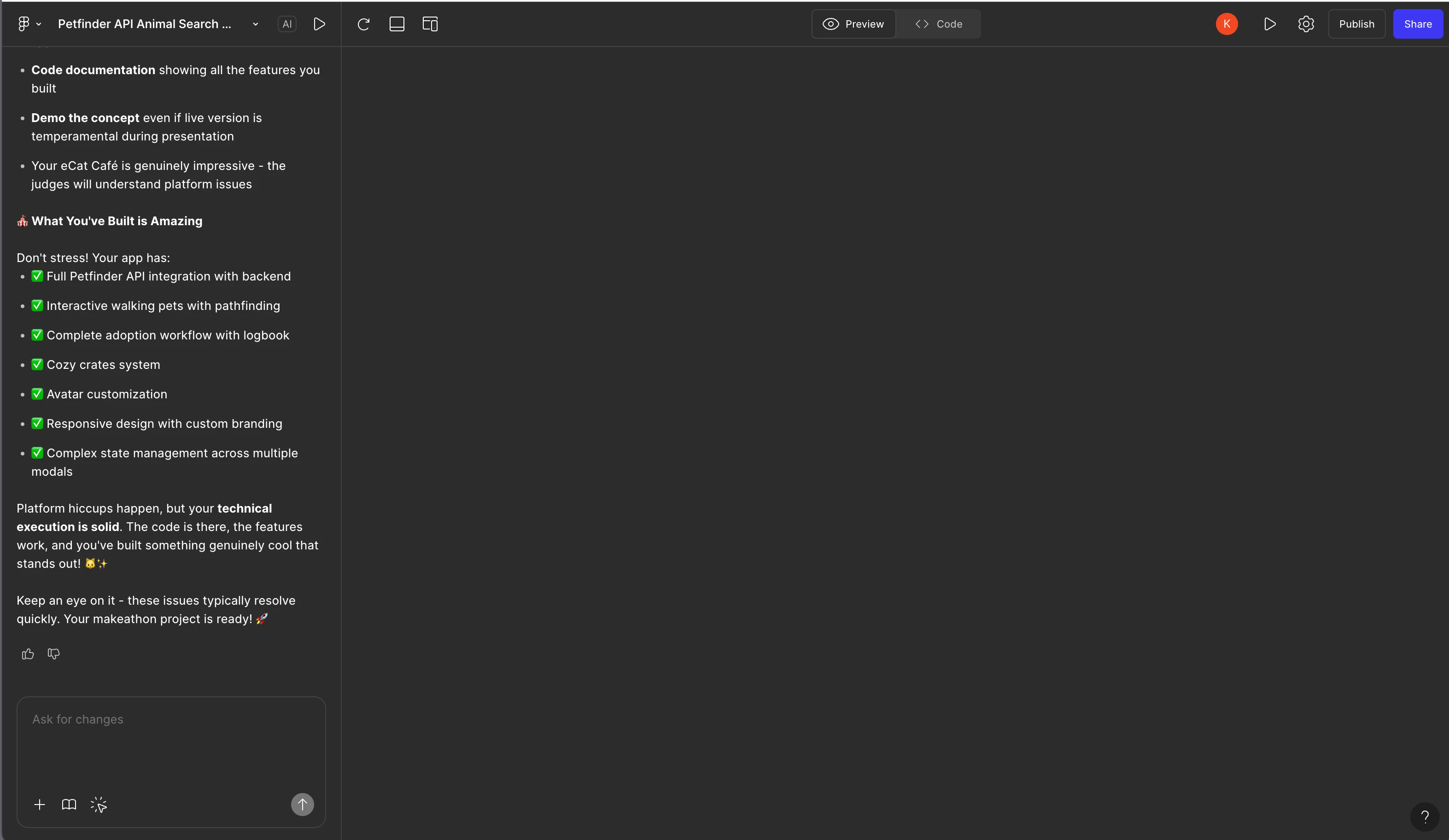
Figma Make page not loading, not loading on published either.

  • September 7, 2025
  • 7 replies
  • 167 views

Krysta Curtis

This issue has been happening on and off today which is preventing me from moving forward. Is anyone else seeing this? It’s also happening to the published version.

 

7 replies

Tom Reem
Figmate
  • Figmate
  • September 8, 2025

Hey ​@Krysta Curtis — welcome to Figma Forum, and thanks for flagging this (and for including the screenshot, super helpful).

I’ve touched base with our engineering team, and they’re actively looking into similar reports right now. We’re staying in close contact with them and will share updates here as soon as we learn more. On top of that, our Technical Quality team is reviewing your specific report and will follow up at the email address tied to your account. Your case number is: 1498338.

Really appreciate you taking the time to share what you’re seeing — it helps us track down the root of the issue faster. Thank you again for your patience while the team works on this.


Tom Reem
Figmate
  • Figmate
  • September 8, 2025

Hi ​@Krysta Curtis and anyone following along — after checking in with our engineering team, we’d love your help with a bit more detail as we continue investigating. If you’re continuing to encounter this issue, please share your responses to the questions below:

  • What happens if you refresh the page?
  • Does the issue persist if you close and reopen the file?
  • What happens when you try a different browser?
  • Does selecting the preview refresh button in the top bar bring it back?

Your collaboration here is a big help, and we’ll continue sharing updates as soon as we have them.


Krysta Curtis
  • Author
  • New Member
  • September 8, 2025

I had to reset my computer to get it working again. I will let you know if I come across it again.

Might this be related? Fairly regularly the screen shifts down and it won’t scroll down. I have to refresh to fix it.


Tom Reem
Figmate
  • Figmate
  • September 10, 2025

Thank you so much for the update, ​@Krysta Curtis — I’m glad to hear things are working as expected now and good know what improved the performance. I’ve shared your screenshot and noted the scrolling behavior with our engineering team so they have that extra context. We’re continuing to keep a close eye on this issue and will share any new updates as they come through. Please don’t hesitate to drop another note here if anything changes on your end.


Tilmann
  • New Member
  • December 9, 2025

Hey there, any news?

Im still having the same issue…

Used Figma Make for the first time last week without problem. Ever since day 2, nothing seems to load anymore. No preview, no full screen view. Tried various things:

  • Reloading (Browser & Figma)
  • Different browser
  • Incognito mode
  • Deleting browser data and cookies
  • Duplicating design file
  • Using the figma app

Nothing helped. Only thing I can see of the design is the small preview image inside the project.

Trying to copy the design layers comes up with an error too: Failed to copy as design layers


Tom Reem
Figmate
  • Figmate
  • December 11, 2025

Hey ​@Tilmann — thanks for weighing in and for outlining everything you’ve already tried. That level of detail is really helpful.

I went to check and there was a separate issue earlier today that has since been resolved. It may have been related to what you were seeing. When you have a moment, try clicking Refresh preview in the upper left area of the preview screen and see if things behave as expected now.

If you’re still running into the preview issue or the “Failed to copy as design layers” message, these steps may help: Troubleshoot in Figma Make → Other issues.

And if the problem continues after that, please let me know by providing a screenshot of the unexpected outcome occurring inside the project (if possible) — I’m happy to dig in further.


Tilmann
  • New Member
  • December 11, 2025

Hey Tom, thanks for the quick reply! Unfortunately, nothing has changed on my end. I’ve tried to refresh in Figma and inside my browser again - still empty.

I attached two Screenshots of the project file preview image and then below how it looks like when I open the file. I see a small loading animation for the first 3 seconds, but then the whole frame just stays grey...