

Abram
June 7, 2021
Solved

Figma Helper (Renderer) is using excessive memory, why?

  • June 7, 2021
  • 107 replies
  • 24590 views

Hello everyone, I’m trying to discern what the underlying issue is here. This has only been really presenting itself as a problem in the past few days, but for some reason almost any Figma project I have open winds up consuming essentially all of my system memory.

I’ve noticed that this happens regardless of how many project files I have open. While I’m not experiencing any crashing of the application, it does bring my work laptop to a grinding halt and creates an essentially unusable experience. Is there any reason Figma is utilizing so much memory? Are our working files just too large?
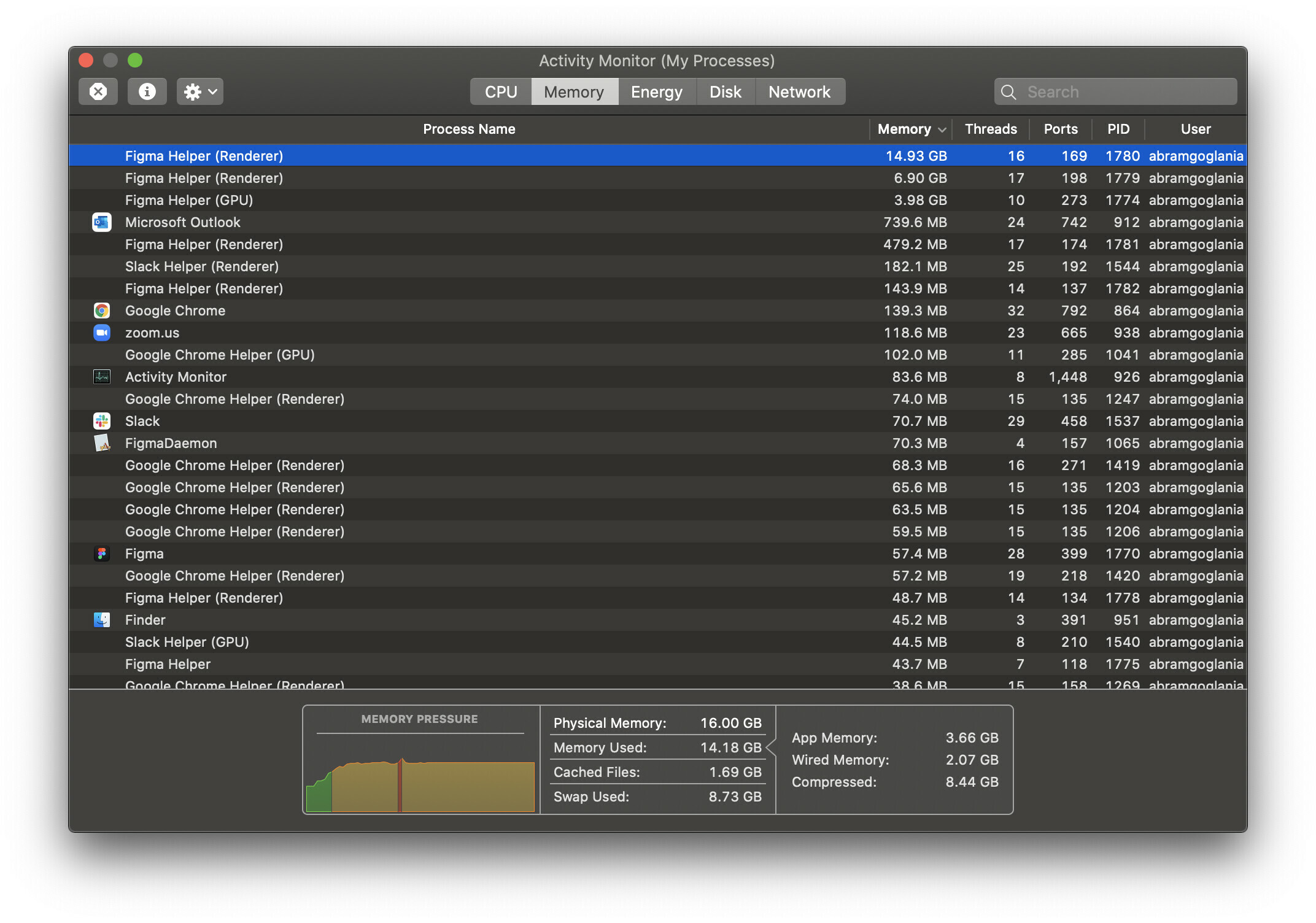
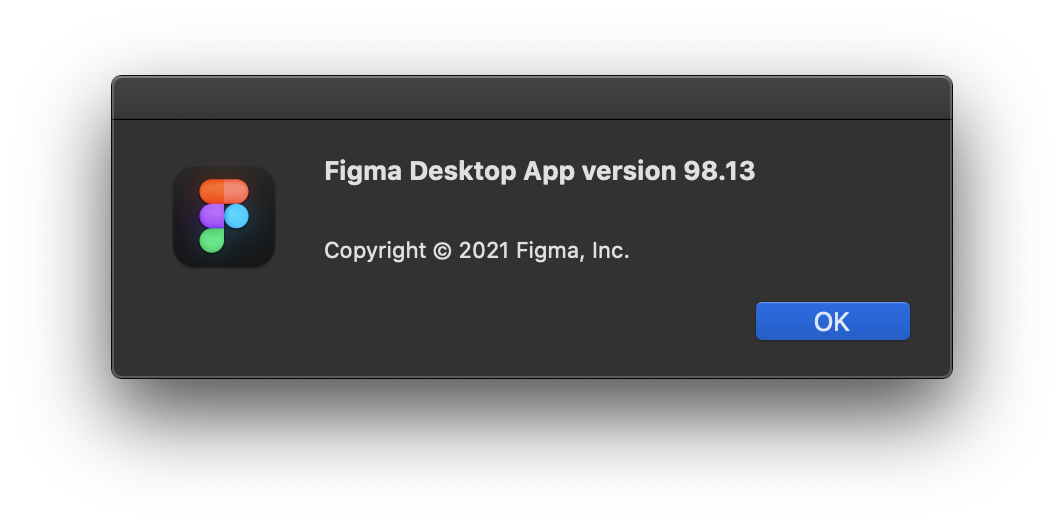
For reference, I’m using the desktop app on macOS 10.15.7 and as far as I am aware this is the latest version available.
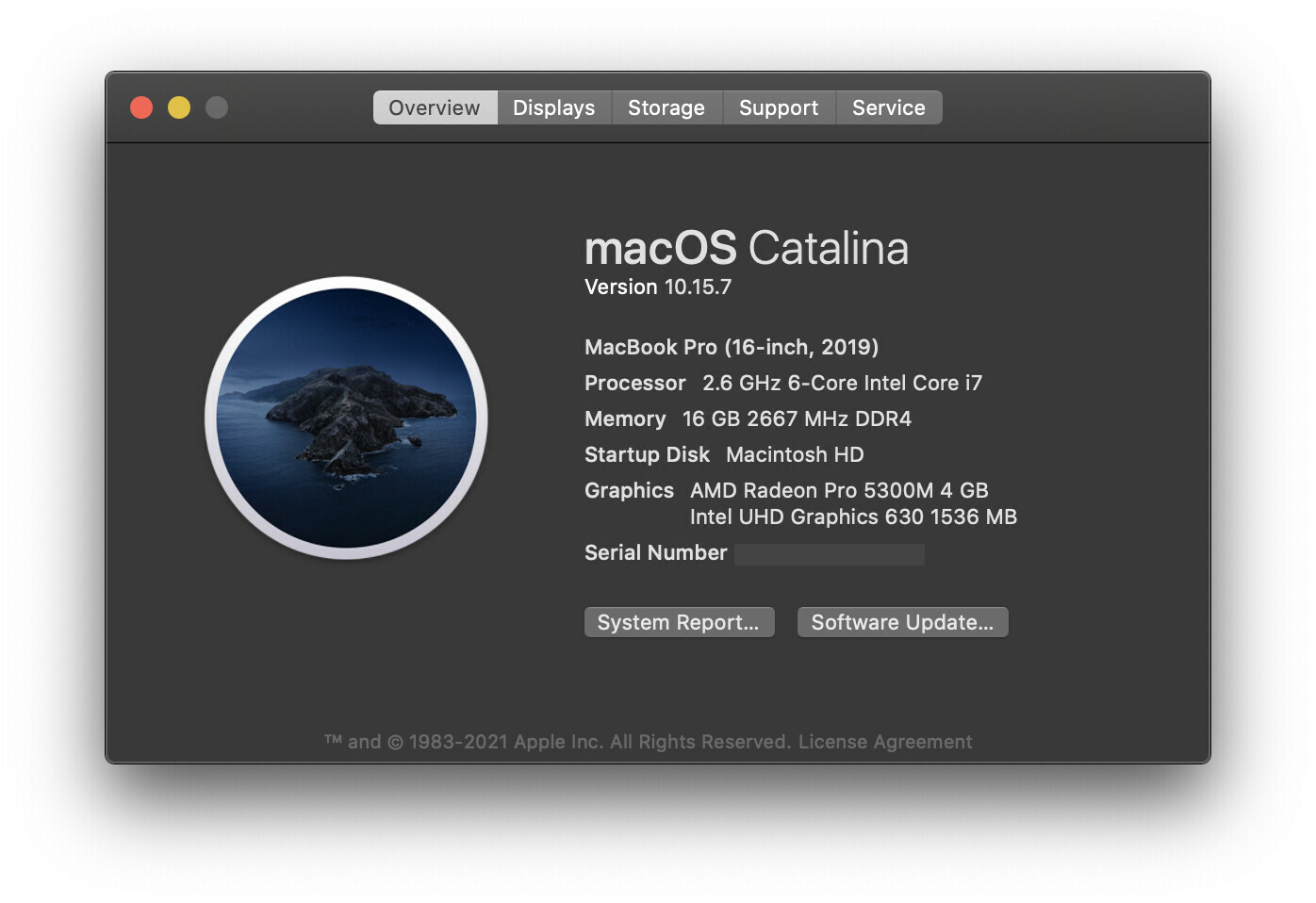
I’m really scratching my head over this one as to why it’s popped up as an issue so suddenly. Granted this Macbook Pro is just a base configuration, so it may just be a performance limitation, but I wouldn’t expect Figma to be stressing the machine out worse than Adobe’s Creative Suite. Any insight is most welcome! Please let me know if you need any specific information.

Thanks Figma Community!

This topic has been closed for replies.
Best answer by djv

Hey All, sorry for the lack of acknowledgement here!

Historically, the forum has been primarily run by the community, and I didn’t start at Figma until August 30th, 2021.

As a browser-based app, Figma uses available browser memory (~2GB per browser tab) while loading and saving, but it shouldn’t use much CPU.

Where you’re seeing the Agent or Helper using a lot of your available CPU, we suggest clearing the cache on your browser and/or desktop app. And if that doesn’t help, use an app cleaner to fully uninstall all Figma apps and then reinstall from our Downloads page.

Here’s how to clear the desktop app cache on a Mac:

  1. Quit the Figma desktop app
  2. Open Terminal.app and enter the following command:
    rm -rf "$HOME/Library/Application Support/Figma/"{Desktop,DesktopProfile}
  3. Try opening the desktop app again

And here’s how to clear the desktop app cache on Windows:

  1. Close the Figma desktop app
  2. Open the Start menu, and paste in this, followed by enter: %APPDATA%\Figma
  3. In the window that opens, delete the Desktop and DesktopProfile folders if they exist
  4. Launch the desktop app again

If this doesn’t help, can you reach out directly to our technical quality team here: https://help.figma.com/hc/en-us/requests/new

Please use your Figma account email, and let us know if this is affecting the Desktop app, browser or both, and provide a screenshot of your Activity monitor.

If this is affecting the Desktop app, please also save and send over your Desktop App debug info file. On Mac you can find this in the Help menu under Troubleshooting, and on Windows, you can find this under the toggle-arrow at the right of the top toolbar under Help > Troubleshooting.

Lastly, the community moderation team here on the forum does not own Figma_support, so please note that tagging this profile will not notify us.

107 replies

Renan_Martinelli
February 10, 2022

Same problem here! Just 1 file and 7gb of RAM used and Figma team keeps in silence. It’s so frustrating!

Apple
February 10, 2022

@poiru @raquino ? any updates?

Justin_D
March 1, 2022

Chiming in. MBPro 14", M1 Pro, 16GB RAM. Crushes everything I throw at it, but a few files open in Figma (desktop application) slowly grows and grows until memory pressure grinds the machine to a halt.

To be very clear, Figma is 100% the culprit per memory usage analysis. In my anecdotal experience, this is a big change from a few months ago, where I feel like I could have a ton of files open, mix of vector and bitmap data, and didn’t run into this situation even once. -_-

Abram
AbramAuthor
March 2, 2022

Interesting Justin! So in your experience you did not previously experience memory constraints just a few months ago? Did you upgrade to the M1 Pro in that time? I haven’t had a ton of opportunity to test figma on my own M1 Pro mac, but as you can see from this thread it has been a long term issue for many of us on previous gen machines.

Molham_Bakir
March 3, 2022

My figma app is only crashing when viewing only one frame!

I’m running a library with two languages, the English frames in all pages works smoothly, however, and likewise for all Arabic pages, however only one frame is causing the crash!

I also tried to copy only one frame (without viewing it) to a new Figma file and I still get a memory full error.

(https://www.dropbox.com/s/e7agqh8zrycz7de/figma%20memory%20full.mov?dl=0)
Chris48
New Member
March 3, 2022

Having the same problem with Monterey (OS X 12.1) When I check in Activity Monitor it’s just dominated by several instances of Figma Helper (Renderer). Apparently I can’t upload a screengrab here (I get an error message saying I can’t include media), so here’s what’s happening right now (all at the same time)

  • Figma Helper (Renderer) 1,74 GB
  • Figma Helper (GPU) 1,23 GB
  • Figma Helper (Renderer) 269 MB
  • Figma Helper (Renderer) 183 MB
  • Figma 140 MB
  • Figma Helper (Renderer) 75 MB
  • Figma Helper 63 MB
  • Figma Agent 12 MB

Is all this, you know, really necessary? 🙂 It’s getting hard to do basic things like have video calls at the same time (important for me because often I’m using video to share my screen and talk about the work in Figma).

Justin_D
March 3, 2022

Hey Abram! Actually I was using an M1 Mac Mini since they launched, and there I really don’t recall a single instance of Figma crushing my RAM like it is currently. So yes, I can say that this has been happening only while I’ve been using the newer M1 Pro 14" MBPro, but I can’t say for sure whether the hardware is a factor here. -__-

Abram
AbramAuthor
March 3, 2022

I’m unable to watch the video clip you shared, but are you getting a “Memory Full” notification in Figma itself or is macOS notifying you that you’ve run out of application memory.

If it’s the former, it’s possible that particular file has run into the 2GB file size limitation within Figma.

Abram
AbramAuthor
March 3, 2022

Each instance of Figma Helper (Renderer) is a project file that you have open currently, this is a similar process to having several tabs open in Google Chrome.

Samuel_Baker
March 3, 2022

Not the case for me - in the example I posted a little way upthread (Figma Helper (Renderer) is using excessive memory, why? - #45 by Samuel_Baker), I had four documents open but seven instances of Figma Helper (Renderer) showing in activity monitor.

Also the memory they are taking is completely disproportionate to the file size - the largest document I had open in that example was 0.1 GB, and the processes were taking 1.43 GB, 653.6 MB, etc.

In my case the memory errors I was getting were OS errors, not from Figma. The machine was also struggling to wake from sleep, etc.