Asher2
New Member
May 4, 2024
Solved

Delete the contents inside the curated libraries

  • May 4, 2024
  • 23 replies
  • 1052 views

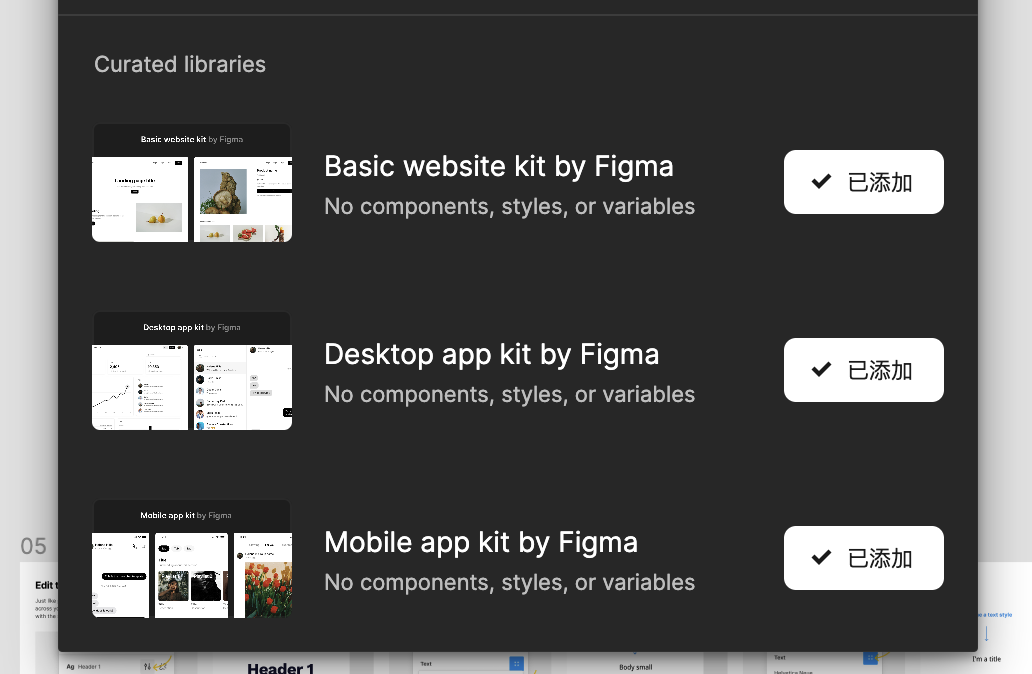
In all the design files, there are three default libraries in curated libraries. I don’t need them, but I can’t find anywhere to completely delete them. Does anyone know?

This topic has been closed for replies.
Best answer by ksn

Hi everyone - sending an update to address your questions/comments/concerns:

First: What are these libraries, and why are they showing up?

Curated Libraries are libraries made by Figma that contain basic building blocks and layouts. We’ve made these available by default in design files so that everyone has resources that enable them to get started faster.

And, just like other libraries, they can be removed or added back to files or at the team level if you’d like! You can even use these as a starting point to create your own custom library for your team.

You can remove these libraries on an individual file level by going into the libraries modal and clicking the button next to each library. For more information, please see this Help Center article.

If you are on a Pro plan, you can remove these libraries in your team’s settings, the same way you enable or disable libraries for your team. For more information, please see this Help Center article.

This is a new feature we’re testing and have only rolled out to a portion of people, so we really appreciate your feedback – feel free to drop additional comments here.

I hope this helps clarify – also want to take a moment to say thank you for your patience with me while I worked to get the correct info gathered.

23 replies

ksn
Figmate
Community Support
May 6, 2024

Hey @Asher2 - it’s a bit difficult for me to tell specifically, but I see you have a support ticket open, and someone will be able to take a closer look on that end.

Ty for your patience 🙏🏼

pompa
May 15, 2024

hi. I have the same issue. Are there any guidelines on how to hide or remove this library?

Asher2
Asher2Author
New Member
May 15, 2024

I sent an email to the official contact but have not yet received a reply.

ksn
Figmate
Community Support
May 15, 2024

Oh no - I’m so sorry @Asher2. I have someone trying to figure out what happened. I’ll update you when I know more.

Verne_Lindner1
New Member
May 16, 2024

Same issue. Would really love to remove these as they are showing up right below our design system and could cause confusion for the team.

Leif1
May 17, 2024

Same issue here. Just started to show up. Is this a bug or a unwanted feature?

Leif1
May 17, 2024

This is my worry too. Will cause confusion, clutter to a space. I under stand the desire to have these put there should be an option to not have these show up on every new file.

Leif1
May 17, 2024

@ksn Any word on the fix or update?

John_Healy
May 17, 2024

I’ve got the same issue, these 3 curated libraries just showed up on all my files and we don’t need them. Also, in my admin library settings, I am unable to turn them off.

ksn
Figmate
Community Support
May 20, 2024

Hey all - I do not have an update yet, unfortunately. I am awaiting further guidance, and will do my best to get answers here when I can.

Also – please do file a ticket if you haven’t yet here.

If you have, please post the case number you are assigned and I can add it to the cases we’re looking into about this.

