
Mads_Maarup
June 3, 2021
Question

Conflicting property values

  • June 3, 2021
  • 20 replies
  • 17341 views

I have an issue with my library, I cant push updates on buttons because I have a Conflicting property value but I got no idea where this “conflict” is.
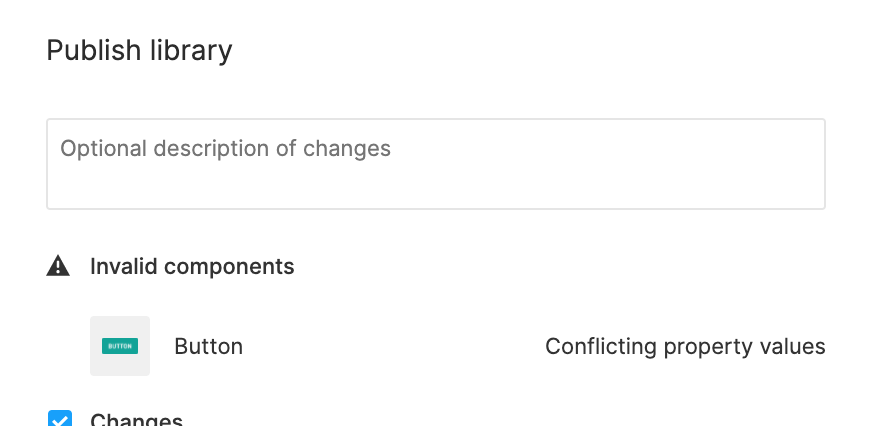
Can somebody help me?

This topic has been closed for replies.

20 replies

Thalane
May 31, 2022

Hello peoples, I still have this problem, I have variants that are certainly different, but the problem persists from Desktop to Mobile and from Large to Medium, there is always a conflict that I cannot resolve

Enrique2
July 8, 2022

I have similar issue with current Variants while working on Icons. See SS attached
3. Advance Input System (Part 2)-Error_2022-07-08.

Advise Needed!

Katharina_Clasen
New Member
July 25, 2022

Wow, why didn’t I check for this? Thank you so much! This was EXACTLY my problem. And I was like: “Conflicting Variants? Everything is correct!” But if you don’t check for a duplicate stacked on top of it, you will never find the error 😊

July 1, 2023

Thanks a lot!
I had the same issue. I checked my property names and they were all the same. I had to give them different names.

Nicole_Coleman
July 1, 2024

I’m having the same issue, but none of the solutions seem to be working. Here is copy of the file. Can anyone see what I am overlooking?

Figma – 1 Jul 24
Gayani_S
Figmate
Community Support
July 1, 2024

Hey @Nicole_Coleman, thank you for reaching out!

The following article explains this error: Add properties and values

All variants within the component set will use the same properties and values, but each variant needs to be a unique combination of them.

If any variants have the exact same combination of values, Figma will let you know that there is a conflict. You’ll see this error even if the variants themselves are visually different.

To resolve this issue, you’ll need to add or update the values of the affected variants, so they have a unique combination of values.

Please let me know me know if there is still any issues after trying the above.

Thanks in advance!

Nicole_Coleman
July 1, 2024

Thank you. As far as I can tell and have repeatedly checked, each variant is a unique combination, which is why I can’t figure out the issue.

tank666
July 1, 2024

But the error says the opposite. I also checked your file and immediately found conflicting variants (with non-unique property values).

In the screenshot below, all conflicting variants are selected:

UX/UI designer. Figma expert. Creator and developer of plugins and widgets for Figma and FigJam. Check out my resources in Figma Community: figma.com/@tank
Nicole_Coleman
July 1, 2024

Okay, I did overlook a couple. But not all of them were conflicts. The others I was able to drag out of the component set and back in and that seemed to fix the error. Thanks for taking a look.

August 12, 2024

In my case I forgot I hid original variants via the visibility action (eye icon) instead of deleting them.

capture-2024-08-12-NmLaO2Wz