
Mads_Maarup
June 3, 2021
Question

Conflicting property values

  • June 3, 2021
  • 20 replies
  • 17341 views

I have an issue with my library, I cant push updates on buttons because I have a Conflicting property value but I got no idea where this “conflict” is.
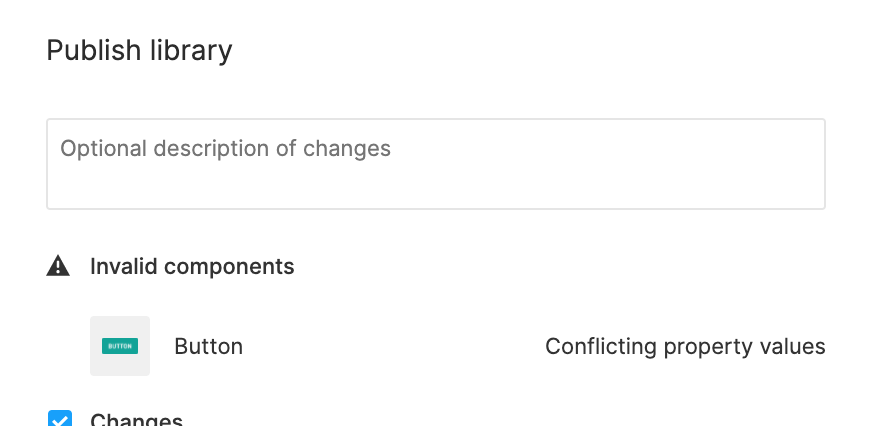
Can somebody help me?

This topic has been closed for replies.

20 replies

Phil_Larsen
Active Member
June 3, 2021

When you have a component with variants, this error will show up when trying to publish because there is more than one variant with the same property name.
image

ThireachReth
July 30, 2021

How do I fix this?

Phil_Larsen
Active Member
August 2, 2021

I was told to uninstall local copies of the font, and anyone who is accessing the file who uses the same font to also remove local copies. Not sure if enterprise solves this with the font syncing, but for other plans you’ll want to ensure they’re all using the same font files to avoid issues.

Paula_Mourad
New Participant
November 17, 2021

Hi there! I’m having the same issue and when I look at the conflicting variables, I see no issues. I’m having conflicts between two input fields, one made for desktop and one made for mobile (the only difference is the input’s height):

Notice how the first property is different from each other:
Screen Shot 2021-11-17 at 16.47.40

ksn
Figmate
Community Support
January 25, 2022

Hey @Mads_Maarup! Just wanted to give you (and everyone else here) a heads up that this has been addressed in our recent update.

https://twitter.com/figmadesign/status/1486022648152739841

Benji_Greig
February 16, 2022

Hey I know that this was apparently fixed in Nov 21, but I’m still having the issue right now in a component that has no conflicts. The issue only reared its head when I removed a duplicate property and cleaned everything up.

Figma complains that there are conflicts on every variant of the component but there are zero conflicts. I’ve manually gone through each variation and verified this. Quite infuriating.

Tristan_Schaaf
March 28, 2022

Might be a bit to late for the party but had a similar issue. Resolved it by changing the titel of the component with the variables to the correct values, then copies appeared with the old value. No clue if they were already there or not but they weren’t selected with the initial “Select conflicting variables” so I think those were ghost components.

Just deleted those, readjusted the values in the title of the component and now it works. If I had to guess this is an issue related to saving to the cloud.

Vipin2
March 28, 2022

This was helpful.
Check the Error Notification on the Variant panel > Click on

“Select Conflicting Variant”

and kaboom it took me to the variant which had conflicting properties.

Note: it selected 3 Variant, but the error was only on 1 of them, so please check all the variants which are selected.

Al_Avery
New Participant
April 26, 2022

I was having the same issue and went through each layer and noticed that I had somehow duplicated a variant and they were stacked one on top of another. Just another thing to look out for.

Alex_Wright
May 18, 2022

In case anyone is having this issue even after removing duplicates and ensuring that there are no actual conflicting property values (as I was), reload the tab by right clicking on the tab name and selecting “Reload Tab”.