
January 22, 2024
Question

Card component not resizing correctly on hover mode
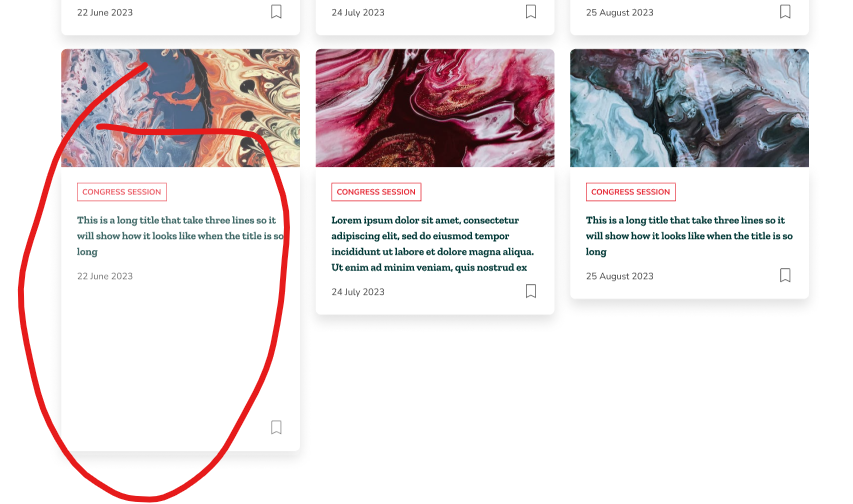
Hello!

I created a card component with various items. The problem is that when I have a longer title, I can set the card height of the others two to match the longer one but once hovered, the card goes back to it’s initial size which is way too large because of the elements that I’ve added but hid them with boolen.

Does anyone know how to make a card component that resizes automatically when in default and hover mode?

This topic has been closed for replies.

14 replies

January 25, 2024

Hey Raphael! Thank you for your help!

The rectangle I used for the card seems to be stuck on fixed and Left and Top constraints. Both are greyed out 😕

Raphael_M
Power Member
January 25, 2024

Yes. You will have to edit it on the main component directly. 😀

January 25, 2024

Still cant figure it out xD I want to set a fixed height in Default mode but then when I Hover over it goes back to the large size as if all elements are there and not hidden by boolean (and also not respecting the fixed height I set for the Default mode)

Raphael_M
Power Member
January 26, 2024

Hi, Bogdan.

Because you’ve been using instances you will have to get your height fixed directly on the main component. You won’t be able to modify the subsequent layers of your instance.

What you do is set the fixed height you want on the Desktop card text layer. After fixing the height, set all the subsequent layers’ heights to fill.

> Note: Do this directly on the main component. Do it on both default and hover mode