
July 13, 2023
Solved

Cannot fill any text/shapes?

Hello everyone,

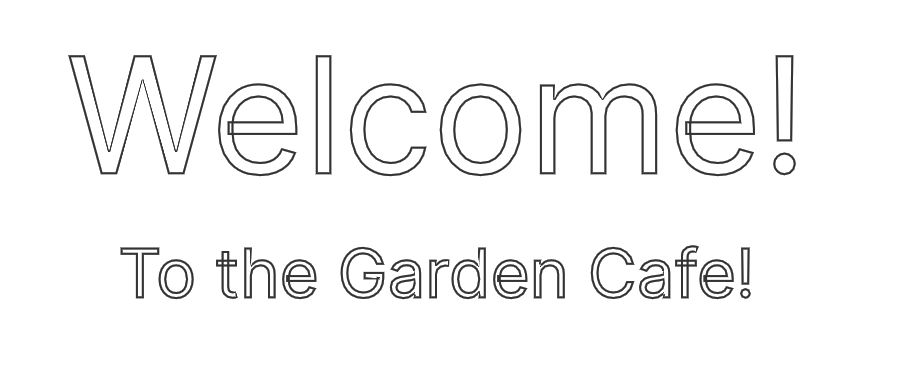
I was working on a prototype for a class and, while using the Cmd-C shortcut to copy, I accidentally hit a button. I tried to undo it but it didn’t work. Now all of my text is outlined and cannot be filled, and my shapes cannot have any fill color. I can physically click fill and select a color, but even when I pick black, it doesn’t fill with any color.

I’m not sure what I did, but I just want everything to look normal again. Can someone help me? I’ll attach what the text looks like now.

This topic has been closed for replies.
tank666
tank666Solution
July 13, 2023
UX/UI designer. Figma expert. Creator and developer of plugins and widgets for Figma and FigJam. Check out my resources in Figma Community: figma.com/@tank

3 replies

Grace15Author
July 13, 2023

Just for context, I am not sure what button I hit, and I have done everything I can to try to change the way the text looks: bold, thin, change the font, change the stroke weight, fill the text, everything I can think of

tank666
tank666Solution
July 13, 2023
UX/UI designer. Figma expert. Creator and developer of plugins and widgets for Figma and FigJam. Check out my resources in Figma Community: figma.com/@tank
Grace15Author
July 13, 2023

I owe you my first born child now. thank you so much