Solved
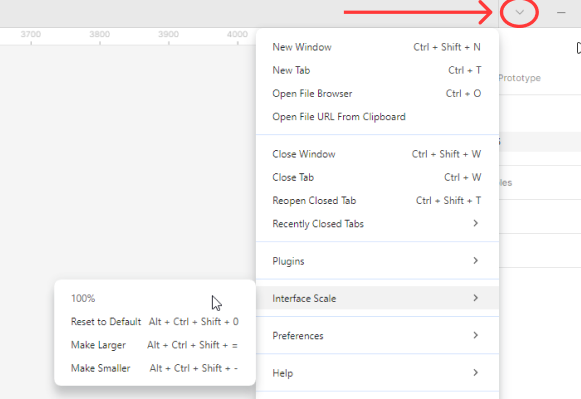
Cannot adjust the scale of the Figma UI (Desktop app)
Working on the desktop app, I have resized the UI and made it smaller by mistake.
In the online documentation there are the following shortcuts that do not work because I have an Italian keyboard, where 0 and = are on the same key. I cannot change them, since Figma does not support personalising shortcuts.
- Reset to Default: CtrlShiftAlt0
- Make Larger: CtrlShiftAlt=
Also the documentation states that in the View panel there should be a function to resize the UI, but there isn’t as you can see in this screenshot.
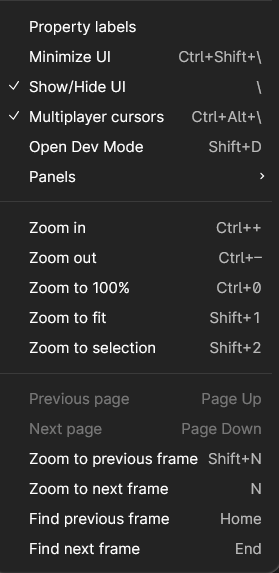
So, how do I reset the size of the UI?
Thank you for your help