
April 10, 2021
Solved

Borders are not included in the size of frames

  • April 10, 2021
  • 22 replies
  • 14472 views

Adding, for example, 1px borders does not increase the size of the frame.
It makes designing websites where “box-sizing: border-box” just not accurate with how browser compute the width and height.
How do you go around this behavior ?
for me, I add extra 1px padding around the frame (I also have to be using auto-layout).

This topic has been closed for replies.
Best answer by Daniel_Cullinan

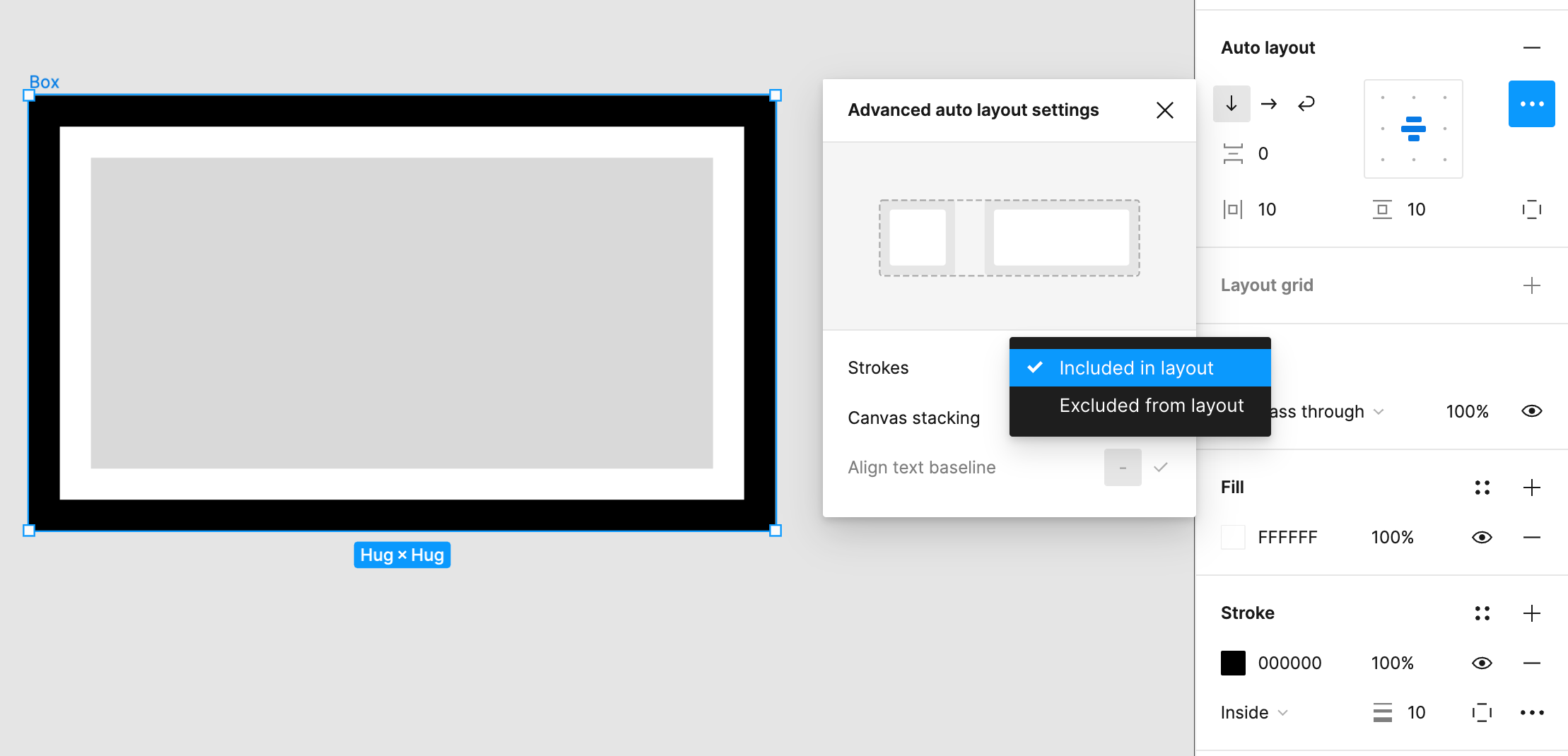
It works in Figma, you just need to choose 'Strokes: Included in layout" from the Auto layout options:

22 replies

hainena
New Member
June 24, 2024


This is my current understanding of the problem. I imagine that I’m missing something, but this is becoming confusing. Anyone have any updates or advice on this? (The “Intended/Not Intended” part was for the developers I share with. I NEVER change assets to use “Included in layout”, so I don’t know what to do and just wanted to express that)

hainena
New Member
June 28, 2024


Video of the problem/confusion I’m running into. Any advice greatly appreciated.