
July 16, 2024
Solved

A file disappeared from my account

  • July 16, 2024
  • 55 replies
  • 2701 views

Hi,

I have lost an important file on Figma and I can’t find the file in any of my projects section or in the deleted section. It just disappeared completely and when I tried to access it through a past link, I am getting the following message:

You can’t access this resource Contact the owner, an admin, or support for assistance. (Screenshot attached).
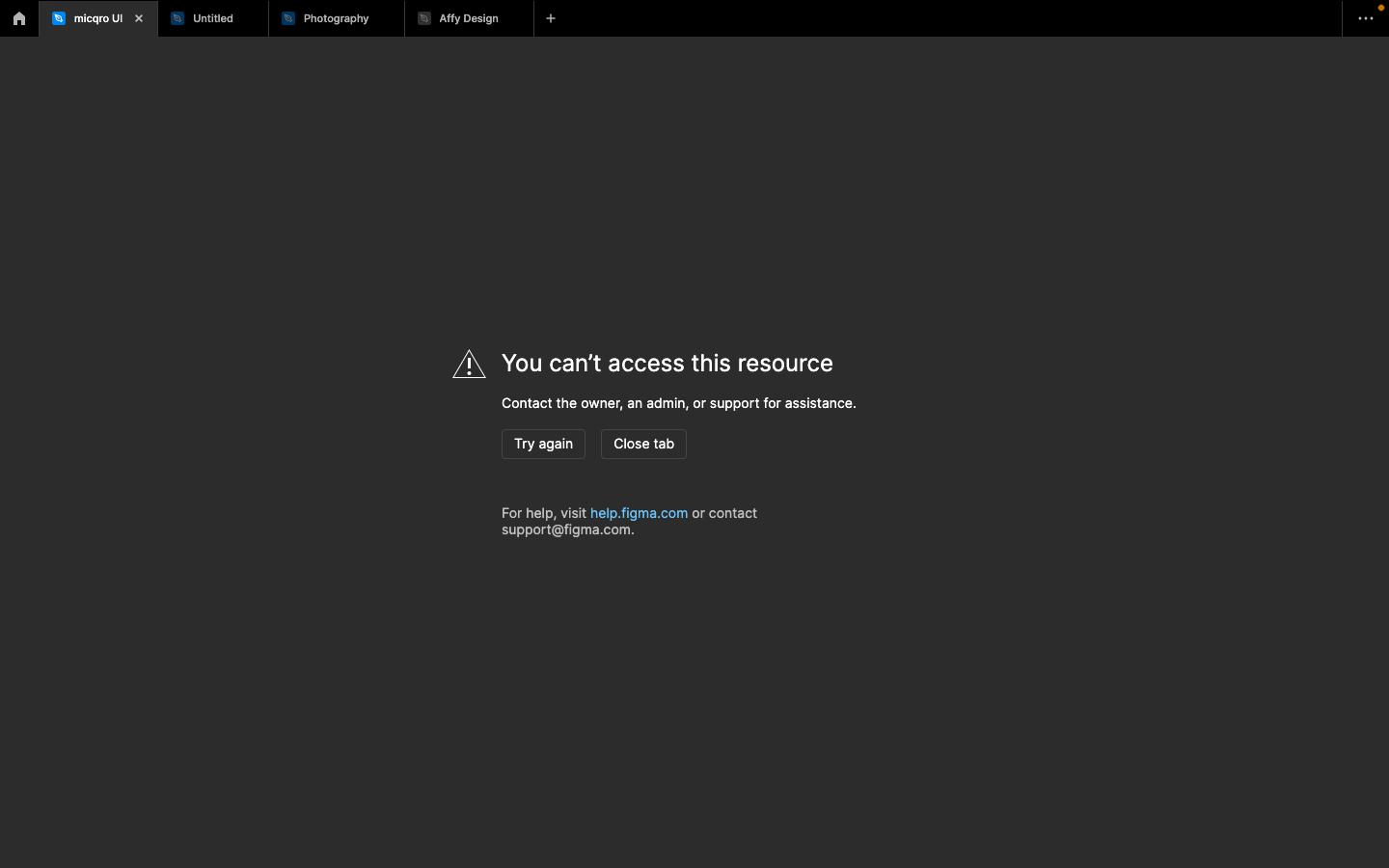
I have a ton of my work in it and the file is very important to my work. I hope you could help me retrieve it.

Thank you in advance,

This topic has been closed for replies.
Best answer by Celine_

Hey, Marcus, thanks for reaching out to the community! Glad to see from the backend that you were able to find a solution to the issue.

For anyone else experiencing trouble accessing their file: as mentioned, feel free to share the file URL so our team can help locate it. You can contact our support team directly through this form. 

I’ve gone ahead and closed this topic. Thanks again!

55 replies

Manasa Dokka
New Member
April 11, 2025

Hi, I have lost many of my draft files who were just accessible by me. And I could see the same message “not found (404)”. Please help me out as this was my 5 months hardworking.

JohnWoker
New Member
June 23, 2025

​@djv can you help me with this file ATOM HUB.  Here is link. 
It disappear when my team move file to another team. Please help me.


Celine_
Figmate
Community Support
June 23, 2025

Hey ​@JohnWoker , I am working closely with ​@djv , happy to help!
I saw that you’ve already reached out to the support team, and I’ve gone ahead and escalated your ticket internally for further investigation. If you have any additional details to share, feel free to add them directly to support ticket #1399417. The team will follow up with you shortly to assist further. Thanks again!

Minie
New Member
July 18, 2025

​@Celine_ ​@djv 

Hey team, I got the same issue yesterday, when I clicked on the tab, it loads for 5 seconds and then disappeared.

First it showed “we couldn’t find that one” then “404” when I try to access from a link. There’s not result when searching the name, nor in my draft, trash (created by anyone).  My admin also helped checked, there is no “moved to trash” log or deletion in the activity, or in her trash can.

I’m on enterprise plan, and it belongs to a team project. I have the name and the link of the file.

PLEASE HELP!!!! This file is very very important to me, as I’ve worked on this for the last 2 years. Appreciated your help hugely.

Minie
New Member
July 18, 2025

The above matter is resolved, to help others: The team where the file was got deleted by an admin. She needs to find the deletion email and restore from there. 

dalalal
New Member
July 22, 2025

Very frustrating….I did nothing and a warning sudden pop up. The file tab automatically disappear. It’s not in trash either.  
What should I do now?
I lost access to: https://www.figma.com/file/rL3TA1oinJin6i5R3MbWYr?fuid=565700342330813971

Celine_
Figmate
Community Support
July 22, 2025

Hi dalalal, thanks for reporting it! I’ve checked in the backend your file. It seems that the file is located in the Drafts folder within an Organization space. If you’ve lost access, it likely means you’ve been removed from the Organization plan. We recommend reaching out to your Organization admin to restore your access. Hope this helps!

dalalal
New Member
July 22, 2025

​@Celine_ Which org? My personal account is not part of any Organization though. That’s so weird. 

Celine_
Figmate
Community Support
July 22, 2025

Hmm, that does sound odd. I check it again and can confirm the file is indeed under an Organization space, which might explain the access issue.

Since I can’t share account-specific details here publicly, I’ve created a support ticket on your behalf so our team can take a closer look. Your ticket number is #1441686.
Someone from the team will follow up with you shortly. Thanks again for your patience!

Update: I see in the backend that the support team is working on your issue. Please continue directly the conversation with them for further assistance. 

Shai Yitzchak
New Member
July 23, 2025

Hi, i have the same issue i open my computer and all my recent files from the last two months disappeared i i am the sole owner of all of them and i tried to get into one of them by a URL i sent a friend and it showed me this massage. please help me i’ve searched for the files in every way i could find. please help me