

Nested properties do not show up when selecting multiple instances of components

  • May 26, 2025
  • 3 replies
  • 90 views

wolfr

Nested properties do not show up when selecting multiple instances of components


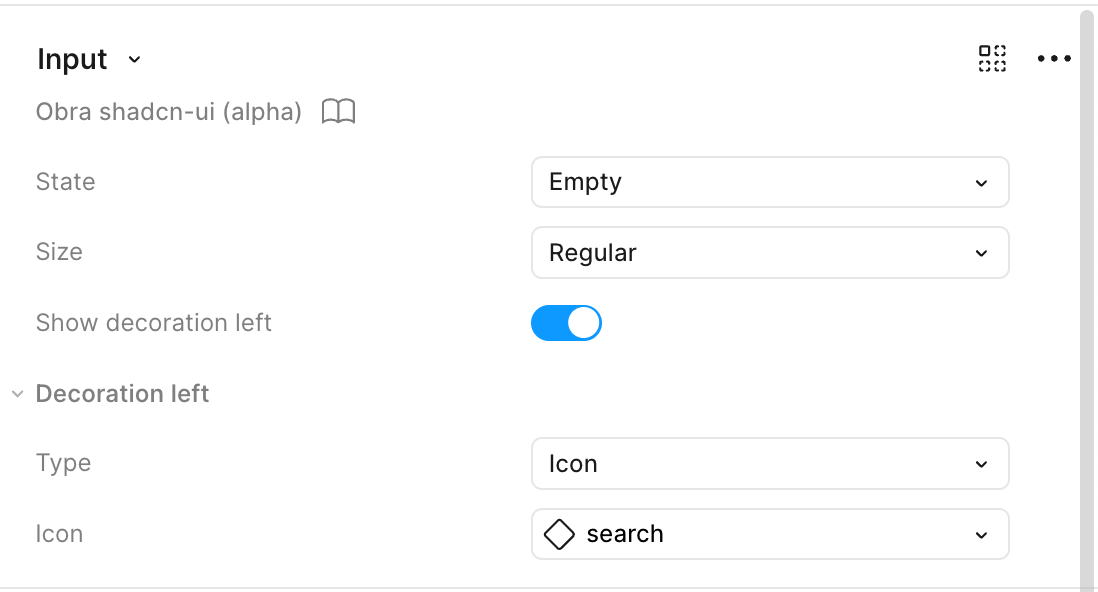
Example when selecting 1:
 

Example when selecting multiple:
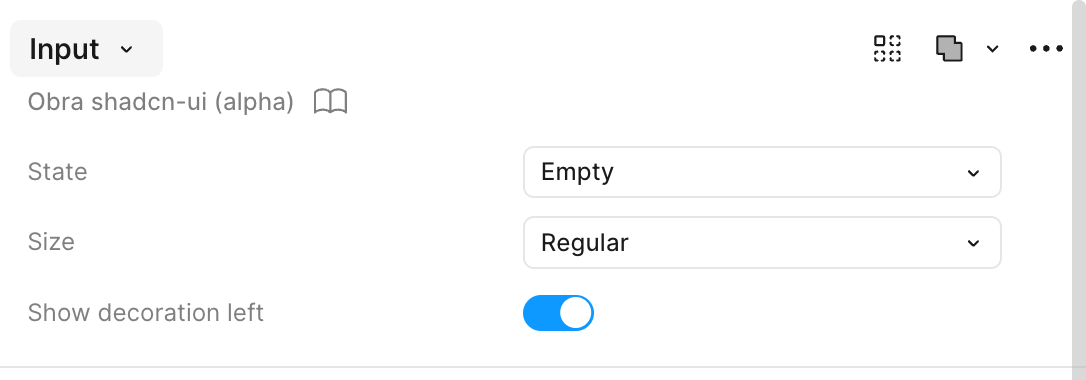
 

My expectation would be to also be able to set up the decoration left icon when I'm selecting both layers. 

3 replies

Santiago Barragán

I feel like this wasn’t an issue in the past, but it’s driving me crazy!!!


Ilya Kret
  • New Member
  • June 10, 2025

It's a cool feature that can save a lot of time, but now it takes more time than it saves, it's sad.😓


Wilhelm_Krohmer

This was discussed here as well, but closed: https://forum.figma.com/topic/show?tid=41112&fid=26

I’m reopening this, since it hasn’t been solved and when I’m managing my company’s design system it’s a real hassle to manage a bulk of components, that have nested instances. 

I want to be able to select multiple instances of the same component, then change their nested instances. Right now this doesn’t work and I have to individually select every component instance to override their nested components.

Single component selected: All nested instances are visible Multiple components selected