

Irish_Revenue
July 6, 2023
Solved

How do I remove the black bar and nav menu form embedded files

  • July 6, 2023
  • 5 replies
  • 2494 views

I’m using the embed feature to show Figma frames of the anatomy of a component in our documentation site, but as of today I’m now seeing a black bar at the top of the iframe along with the navigation for the file that embed is coming from. Does anyone know how to remove this. We dont want users to be able navigate the anatomy files from within the iFrame.
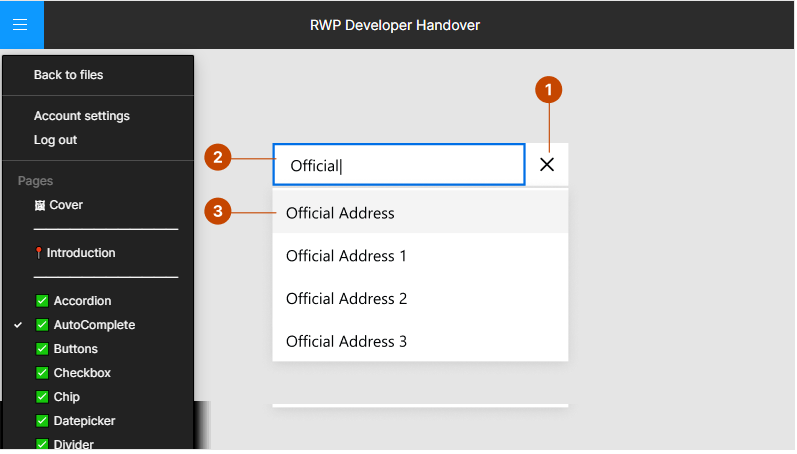

This topic has been closed for replies.
Best answer by tank666

To hide the UI for an embedded file, you need to edit the value of the src attribute by adding the &hide_ui=1 parameter.

For example:

<iframe src="https://www.figma.com/embed?embed_host=share&hide_ui=1&url=…></iframe>

5 replies

tank666
tank666Answer
July 6, 2023

To hide the UI for an embedded file, you need to edit the value of the src attribute by adding the &hide_ui=1 parameter.

For example:

<iframe src="https://www.figma.com/embed?embed_host=share&hide_ui=1&url=…></iframe>
UX/UI designer. Figma expert. Creator and developer of plugins and widgets for Figma and FigJam. Check out my resources in Figma Community: figma.com/@tank
July 6, 2023

We have exactly the same issue. We also have many embeds on the same page and now the most eye-catching things on our document pages are all the black bars of the Figma embeds.

I’ve seen “&hide_ui=1” suggested for embedded Figma prototypes but we haven’t been able to get it working for embedded Figma frames. Does anyone know anything that would work for them?

tank666
July 6, 2023

Please check your embed code with the example in the post above.

UX/UI designer. Figma expert. Creator and developer of plugins and widgets for Figma and FigJam. Check out my resources in Figma Community: figma.com/@tank
Irish_Revenue
July 6, 2023

Thats super, thanks for that worked perfectly, had seen this solution in 2 other posts but was unclear where to place it in the URL string. Should really be part of Figma page explaining how to embed…Thanks again 👍

July 6, 2023

Yes! Now we got it working, too. Probably we tried to insert the parameter to a wrong part of the URL previously. Thanks a lot!