

Feedlike
January 27, 2021

Categories in plugins!
  • January 27, 2021
  • 24 replies
  • 2401 views

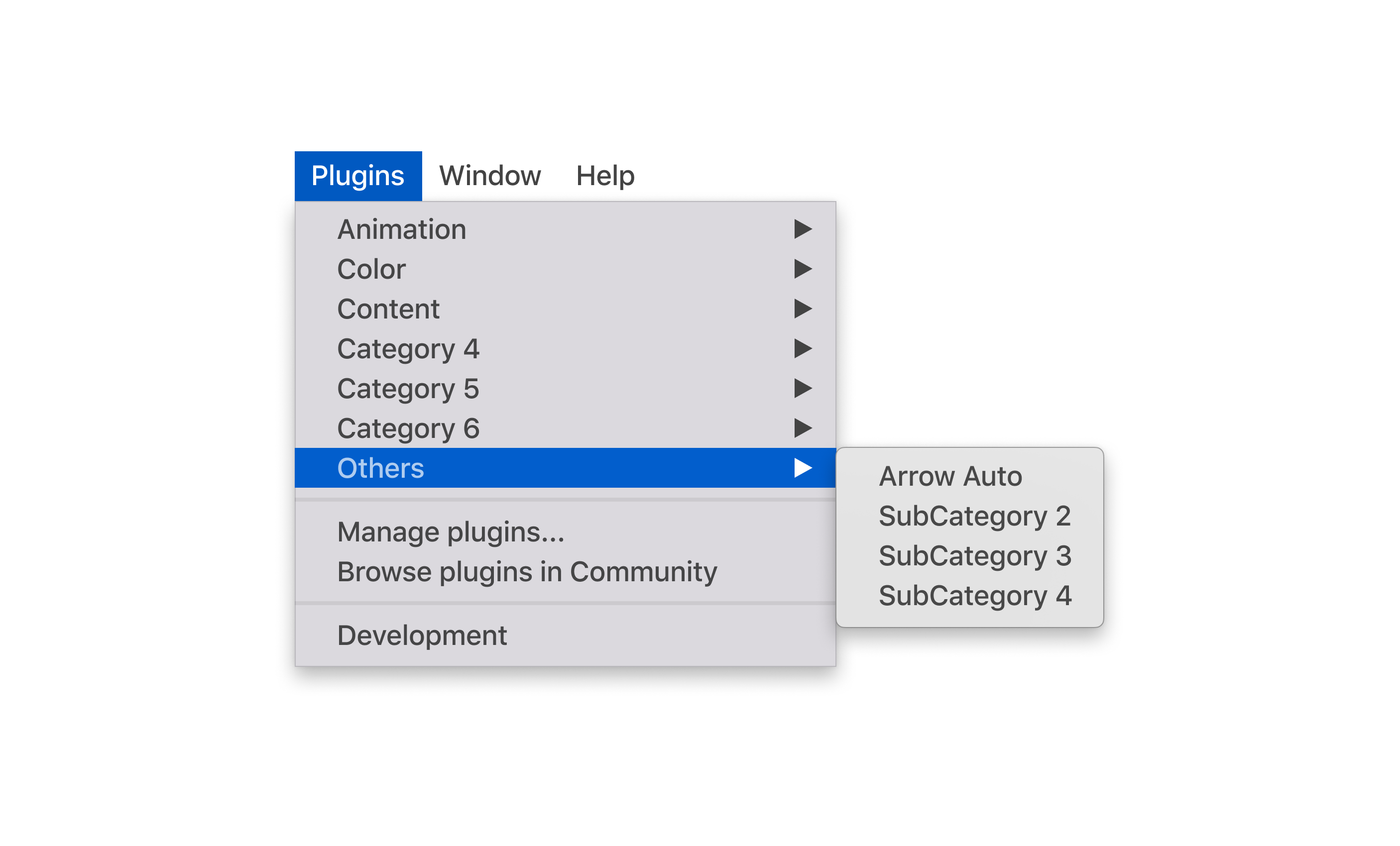
Hello! Perhaps it will be convenient for many to create categories in the plugins section. And in the community, plugins are also divided into categories. When posting a plugin in a community, be sure to select one of the categories.

24 replies

Josh
Former Community Manager
February 5, 2021

Hey @Feedlike, thanks for sharing this idea! I agree we could definitely make plugin management/usage better. 🙂

Feedlike
FeedlikeAuthor
February 5, 2021

👌

I_StM_I
April 21, 2021
  1. Figma has tons of useful plugins. But they get displayed as a list. If you have too many it becomes a mess.
    It should be possible to create groups of plugins (maybe even subgroups) to declutter the list. For instance: Color > Accessiility Checkers, Palette Makers…
Mykola_Zhurenko
May 2, 2021

I have a lot of plugins. Some of them I use all the time. I want to create folders and put plugins which I seldom use into it. It will organize my plugins more)

Toni
June 29, 2021

This would be a great addition – some plugins have a descpription but a few only use their product name. After a while I don’t know what said plugin does for me.

peterstnsz
July 12, 2021

Upvoting and replying for visibility.

Craig2
July 12, 2021

Amen to this suggestion. It’s a pain as it is.

Lasse_van_den_Bosch_Christense
July 13, 2021

@Josh any news on this feature 🙂 🕺

Josh
Former Community Manager
July 13, 2021

Nothing to report back with at the moment. Discovery, categorization, etc. for plugins and community files are all things the team is thinking through though. 🙂

Tiago1
December 23, 2021

The way Figma works and organizes the plugin list is terrible. Looks there are no criteria.

Also, a simple dropdown/list is way too basic to manage dozen of plugins.


Huge list, no icons, no way to fast identify each plugin.

The same for the plugin store.

Most plugins don’t have a screenshot to demonstrate (at least) the interface.

You have to install it, find it on a list of plugins and if you don’t like it, you have to go again on that list, click to manage the plugin, and find it again on another list. So finally you can uninstall it.


There is no way to sort the list, the order is not by date, by name, or by use.

I believe this could be solved using a sidebar/window with a button to open/activate/close/deactivate each one ofthe plugins.

Does anyone else experience this? Is anyone using a plugin or workaround to help solve this?