Solved
Can't see the interactive "+" icon
Hello,
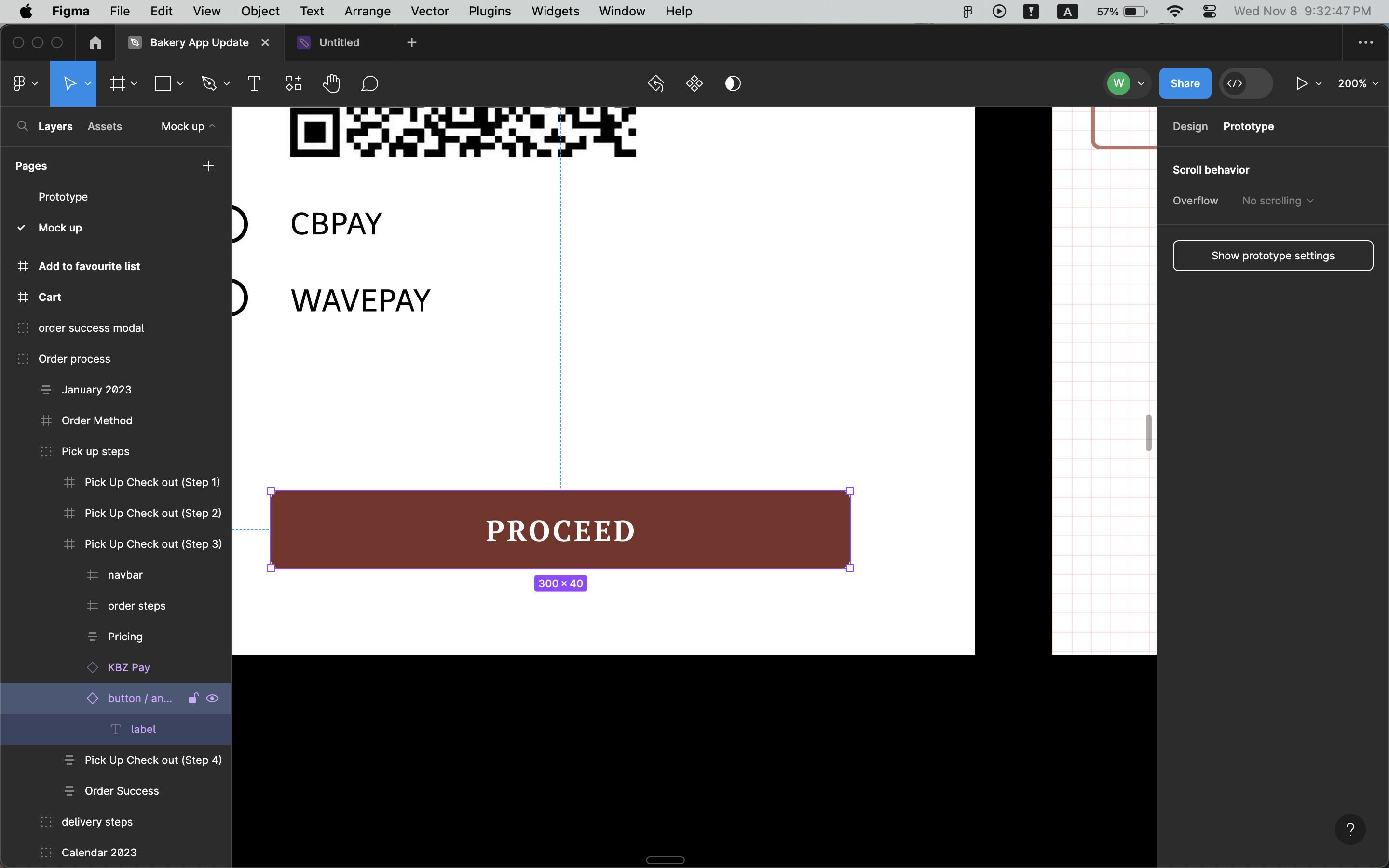
I’m trying to add interaction between pages but the interaction icon doesn’t appear even though it’s inside the frame. Is there any way to make it appear?
Please refer to the image below.

Hello,
I’m trying to add interaction between pages but the interaction icon doesn’t appear even though it’s inside the frame. Is there any way to make it appear?
Please refer to the image below.
The top-level object must be a frame. Select the “Order process” group and convert it to a frame.
Enter your E-mail address. We'll send you an e-mail with instructions to reset your password.