
Ben_Greenberg
April 30, 2021

Vertical alignment of text in objects

  • April 30, 2021
  • 56 replies
  • 9126 views

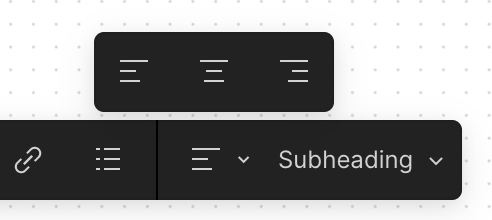
For items such as text box, shapes, and stickies, it would be great to be able to control vertical alignment in addition to the (pictured) existing horizontal alignment of text!

image

56 replies

October 4, 2024

Oh, yes and how, Figmii.

(workaround is to insert a bunch of linebreaks after what you want top-aligned, or before you want bottom-aligned.)

Mirek
October 24, 2024

I am tutoring english or programming and we work with texts/words in collored boxes. There are two ways how to put text in collored box: sticker note and square object. Square object by default center text horizonally and vertically. And it is possible to align the text by clicing popup panel to the left or right.
But sticky notes does not have this option. Why is not possible to align text to the left/right or ceter it horizonally/vertially using popup tool panel?

scottreynolds
New Member
August 19, 2025

For items such as text box, shapes, and stickies, it would be great to be able to control vertical alignment in addition to the (pictured) existing horizontal alignment of text!

image

Please please please allow us to align top down or bottom up. Plus left center and right. This is so silly to keep ignoring such a simple feature request.

Jermold Compton
New Member
December 10, 2025

+1000 this is absolutely necessary!

Artur Izoita
New Member
January 18, 2026

+1

I assume FigJam want to keep the amount of buttons/options to a minimum, but there are ways to solve this:

  • Just make one button to align with TOP+LEFT (we don’t care about all the other positions)
  • Put an option somewhere in the settings to make vertical-align available for users who want it
  • Make a setting to default all notes to TOP+LEFT (there’s two kinds of people in this world, top-left people and “centered” people)
Patrick_Mao
New Member
February 6, 2026

I’m using Figma on the Chrome browser on my iPad. Very shocked that this has not been resolved yet in 2026. Please resolve and don’t fall behind other competitors. This is such an obvious feature that has been ignored and overlooked.