

Dave2
April 15, 2021

Variable cursor in prototypes

  • April 15, 2021
  • 71 replies
  • 39604 views

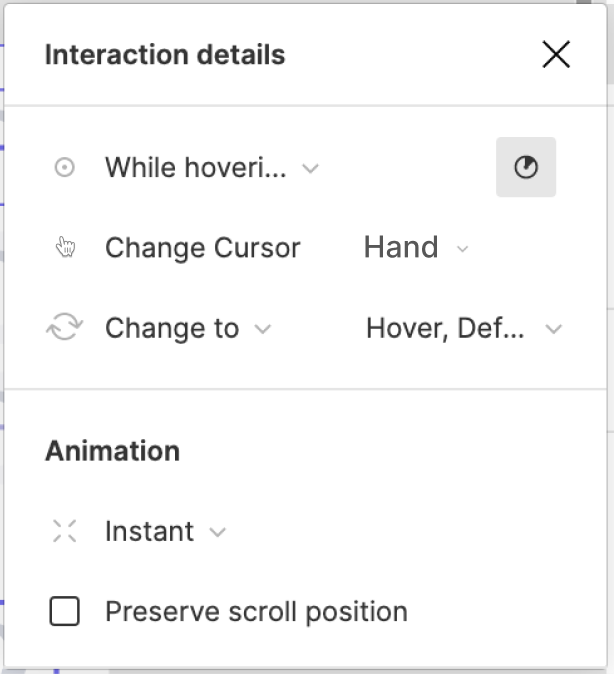
Currently, in prototype the cursor appears to be either ‘pointer’ (for everything) or ‘hand’ (if a click interaction set up on an element). I would like to be able to change this to a text cursor, when hovering over an input field in my proto. Affordance is a very important part of UI so surprised theres no way to do this? Of course can hack it by adding an image of a cursor, but then you end up having that plus the actual cursor on screen & it makes things worse. Should be an easy feature to add and would be very much appreciated!
71 replies

Margot_Gabel
Active Member
July 12, 2024

Still needing this feature!

Using Figma since 2018.
Laura_Linares
New Participant
September 5, 2024

This will be super helpful! Please add it! +100 ✅
I was looking today for a solution…

cassie.cheng
September 16, 2024

Do we still have the “Change Cursor” option in the prototype? I need this so much…

djv
Figmate
Community Support
September 16, 2024

Hey @cassie.cheng, are you referring to the custom cursors from April Fun Day?

They were only available for a week last April.

Phu_Nguyen
Active Member
October 2, 2024

I hope it would look like this


Nicci Hurwitz
New Member
March 5, 2025

+1!

layzy
New Member
May 23, 2025

I need this too. +1

Larry_Azevedo
New Member
May 30, 2025

Love it ​@Phu_Nguyen ! I think that’s a great start. I would vote to add to this list; using the CSS cursor property and it’s possible values. The full list can be found on mdn web docs but here are the ones I would recommend making available in Figma (in this order):

  1. Pointer (selected by default)
  2. Default
  3. Text
  4. Not allowed
  5. E-W resize
  6. N-S resize
  7. NE-SW resize
  8. NW-SE resize
  9. Col resize
  10. Row resize
  11. Move
  12. Grab
  13. Grabbing
  14. Help
  15. Cell
  16. Wait
  17. Zoom in
  18. Zoom out
Wimberly_Chad
New Member
July 7, 2025

A few use cases for this feature:

  • Indicate that an element is able to be grabbed or dragged
  • Indicate a user can drag-to-navigate around a large canvas
  • Indicate the user can zoom in/out on a non-editable canvas, especially after switching tools
Julia Greip
New Member
August 13, 2025

Yet another +1 on this! It would bring a lot of value (especially since being able to show interactions is so useful sometimes), and doesn’t seem like it would be a very difficult thing to create?