Henrik_Hedegaard
April 17, 2024
Solved

Typography variables - weight is not displayed as variable in inspect mode

  • April 17, 2024
  • 30 replies
  • 1820 views

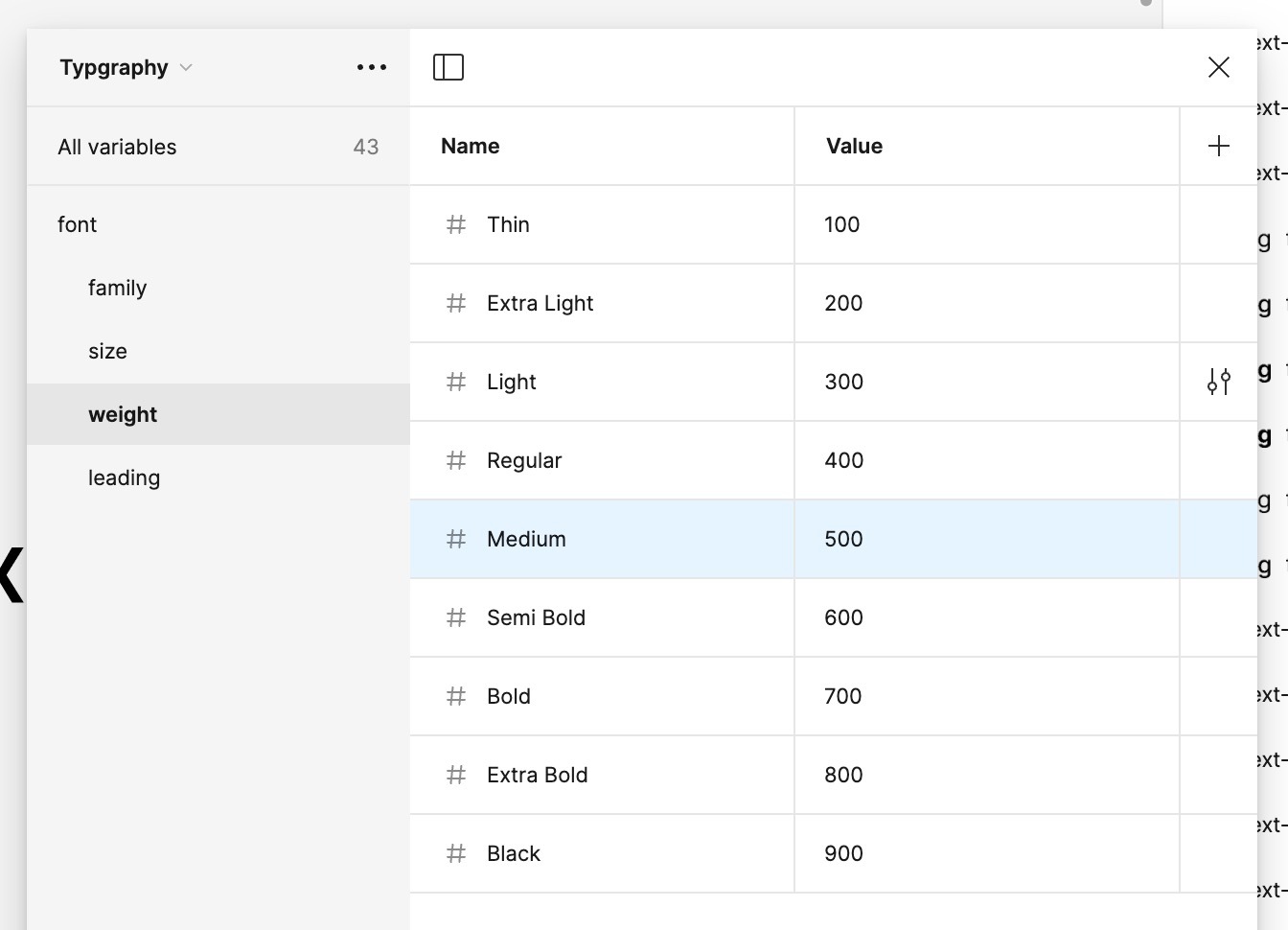
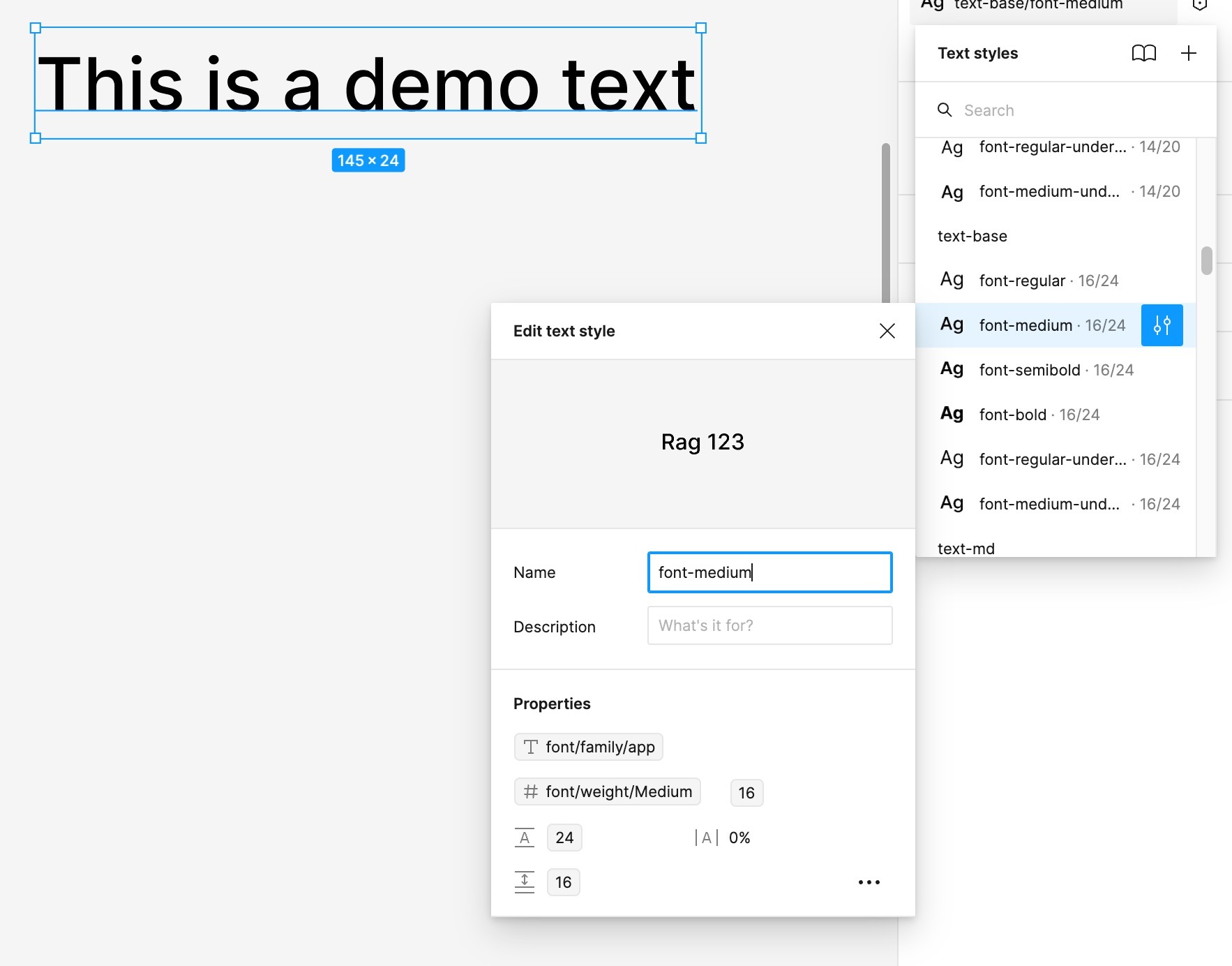
I’ve just applied variables to all our project’s text styles.
It all works as expected.

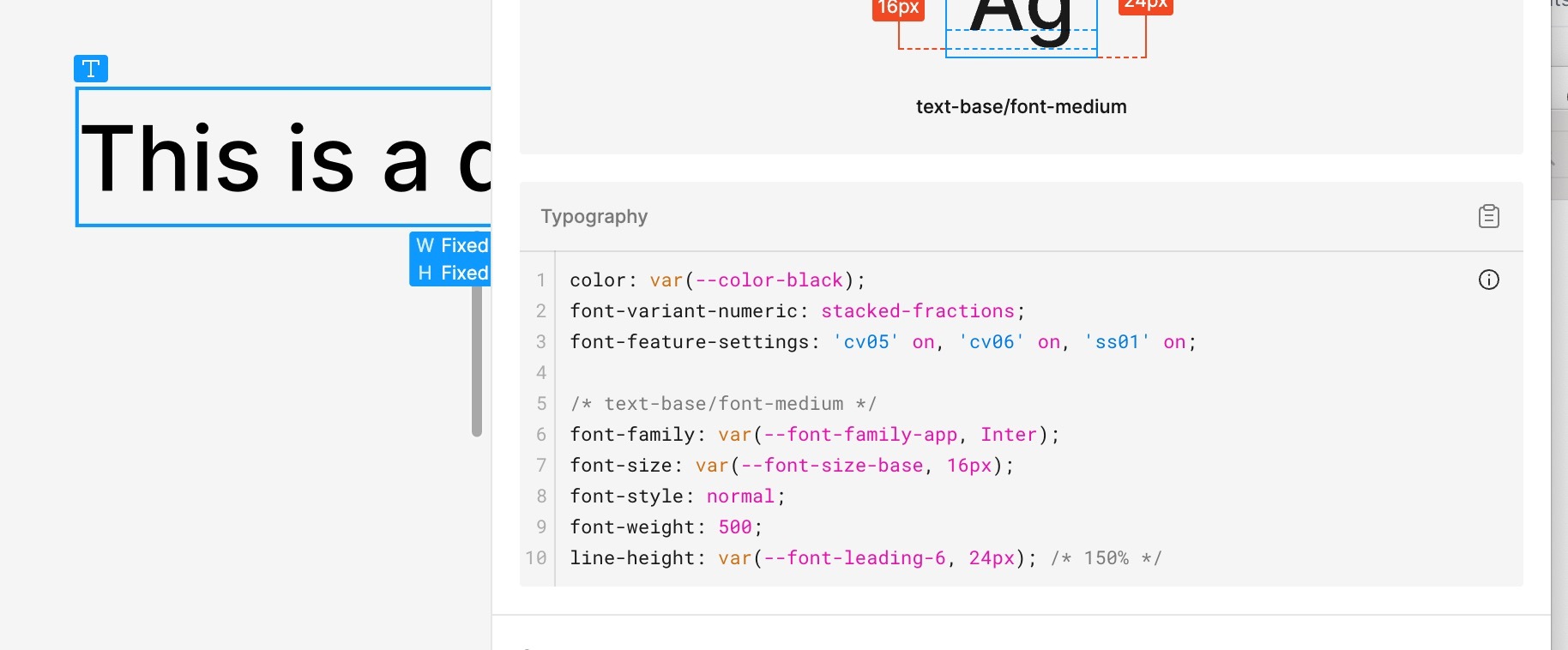
However, in inspect mode, font weight it still displayed as normal css value and not with css-variable.

See screenshots.

Is this a bug or me messing up things?


Best answer by djv

Hey All, sorry for the trouble!

I reached out to our engineering team for further insight, and they confirmed that this is expected behavior when using String variables for font weight and size.

We will display Number variable bindings in Dev Mode for these values, but not String variables, as often many of the string representations don’t have CSS equivalent values in code.

30 replies

djv
Figmate
djvAnswer
Community Support
December 13, 2024

Hey All, sorry for the trouble!

I reached out to our engineering team for further insight, and they confirmed that this is expected behavior when using String variables for font weight and size.

We will display Number variable bindings in Dev Mode for these values, but not String variables, as often many of the string representations don’t have CSS equivalent values in code.

Andrea_Monfrini
New Participant
February 27, 2025

Hi ​@dvaliao are you sure this is fixed? I use Poppins font from google, setting a numeric weight in my variable but still didn’t see it if i inspect the element with dev mode.

Can you help me?


djv
Figmate
Community Support
February 28, 2025

Hi ​@Andrea_Monfrini, thanks for following up! 

No fix was implemented; this is currently the expected behavior. As mentioned above, string variables (variables applied to the text content of any text layer) will not be displayed as a variable in inspect mode. String representations don’t have CSS equivalent values in code.

Sean_Cooley
New Participant
April 11, 2025

Hi ​@Andrea_Monfrini, thanks for following up! 

No fix was implemented; this is currently the expected behavior. As mentioned above, string variables (variables applied to the text content of any text layer) will not be displayed as a variable in inspect mode. String representations don’t have CSS equivalent values in code.

@dvaliao This just isn’t true. In CSS can you define a font-weight as a string that represents the weight name defined in the font. You aren’t restricted to using 100-900. But also, when in dev mode, why wouldn’t we want return the variable name also?

Devs need to know what token to use, otherwise they may hard-code the value which may not be the same between modes. How do we request this be fixed?

djv
Figmate
Community Support
April 11, 2025

Sorry for the confusion, ​@Sean_Cooley

To clarify, the team built this to only show bound numerical font weights in Dev mode, because many of the string representations don't have CSS equivalent values in code, not that they cannot necessarily be defined in CSS. 

The team is already monitoring this topic for community sentiment and future improvement, but this isn’t on their immediate timeline.

Gabe Kelley
New Member
May 28, 2025

Devs need to know what token to use, otherwise they may hard-code the value which may not be the same between modes. How do we request this be fixed?

This is the main concern I have when working with variables, and it goes against proposed specs for design tokens in the industry. This is Figma making an implementation judgment on behalf of an organization rather than allowing for an organization to define the Tokens/Variables that work for them. 

Additionally, focusing only on CSS implementation here leaves out other platforms that are represented elsewhere in Dev Mode.

gimaf
New Participant
November 5, 2025

I just found out this problem, as our devs are starting to implement our design system.

It’s a really big problem: figma already displays the wrong font-weights (600 when I selected 700, 400 when i select 300), and now this? How can it be possible? If I select a variable as font-weight, it’s supposed to show that variable. Who cares if it’s a number, a string or a boolean?
 

There are fonts that have “solid” as font-weight and other that use “300 italic” for their italic. How am I supposed to represent it as number?

It’s really concerning: Figma is focusing mostly on the shiny features, rather than core important features like this.

Andrea_Monfrini
New Participant
November 5, 2025

I agree... for my design system, I had to abandon variables and revert to using styles, and subsequently use an external plugin to generate a JSON file with the text styles, otherwise the developers would have had a lot of difficulty

St3ven
New Participant
May 14, 2026

I’m still experiencing this issue. It is particularly frustrating because I need to use strings for my font weights since my design system supports multiple white labeled brands. Each brand has a different font with different weight names, and numeric values are not recognised.

But in dev mode, the devs can’t see the correct corresponding variable name. 😵

gimaf
New Participant
September 1, 2026

Man, I forgot about it. No news with this absurd thing?