

Tina_Kim
April 27, 2021

Show all emojis

  • April 27, 2021
  • 26 replies
  • 18095 views
  1. Describe the problem your experiencing and how your idea helps solve this
    Can’t use certain emojis (🫀🪴🧡) as they do not show up in the Figma design file. But the emojis are displayed appropriately in the Layers sidebar.

  2. Add as much context as possible (screenshots, Figma files, mockups, etc.)
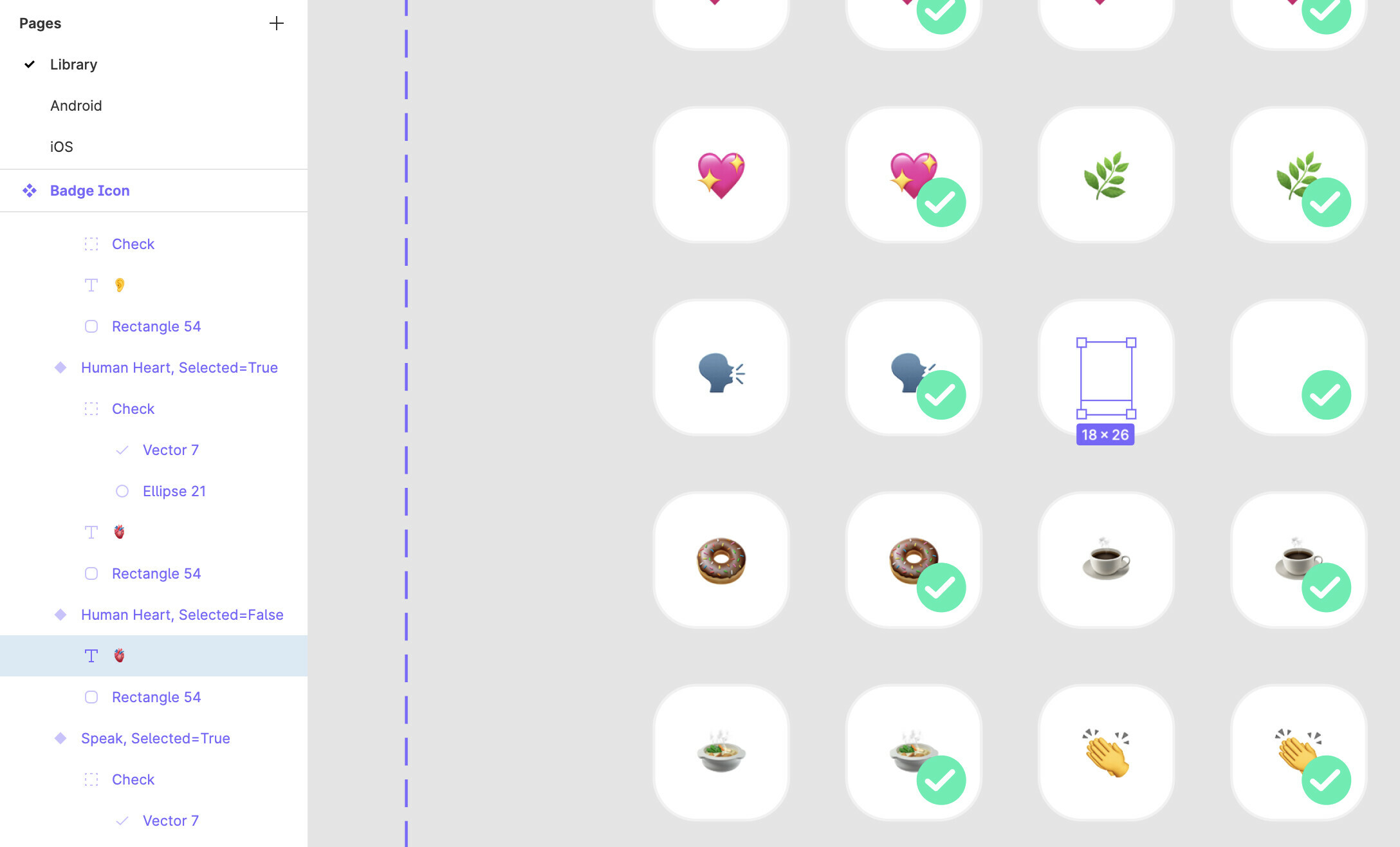
  3. Ask questions to bring the community into the conversation
    Anybody else having the same problem?

26 replies

alafritz
October 25, 2023

Hello this is still happening for me. How do I fix this?

alafritz
October 25, 2023

To clarify - emojis show up in one file but when I paste the same text box into another file a bunch are missing.

tyler.richardson
May 2, 2024

I was having the same issue with the 🌈 emoji. If I open the emoji menu while typing out text it will fail to render the emoji however if I copy and paste the emoji into my string of text it renders just fine.

djv
Figmate
Community Support
May 2, 2024

Hey @alafritz and @tyler.richardson, thanks for flagging this!

Emojis seems to be appearing as expected when typing text or using copy + paste in the desktop app and browser for macOS.

Is this happening both in browser and using the desktop app? What OS are you using? We’ll pass this onto the team to try to reproduce.

tyler.richardson
May 2, 2024

Hi @dvaliao 👋 I first noticed the issue in the desktop app. I’m running macOS 14.4.1 on a MacBook Pro with a M1 chip. I was also able to recreate the issue in the browser with Chrome version 124.0.6367.119 on the same machine.

djv
Figmate
Community Support
May 2, 2024

Thanks, @tyler.richardson!

I’ll pass this onto our team to try and reproduce.