

fernandolins_cs
November 7, 2023

Select multiple (but not all) Library items to update

  • November 7, 2023
  • 2 replies
  • 293 views

Hello,
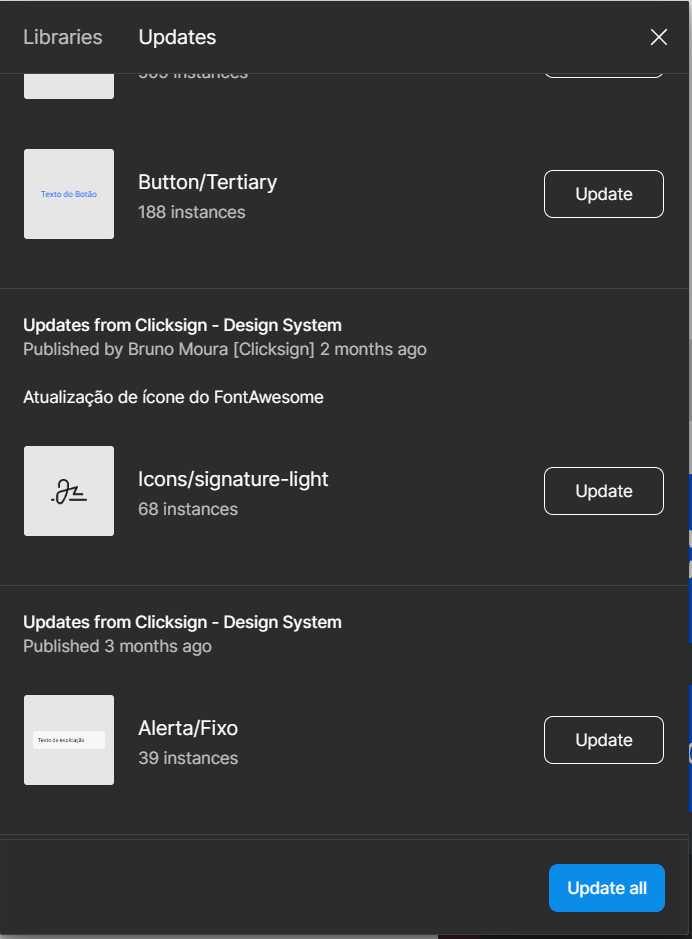
Please provide a way to select which of the Library updates I want to accept, instead of having to click the Update button on each of them if I don’t want to update all. Allowing multiple selection would be great. Sometimes I need to update only the icons or only the styles in an old file and none of the components at all, and doing that by hand having to click each of the Update buttons repeatedly is terrible.
2 replies

Gayani_S
Figmate
Community Support
November 9, 2023

Hey Fernando, thank you for posting this feature request, please don’t forget to upvote this.

r_sh
Active Member
September 16, 2025

I have a similar request.

We have several libraries connected to a product file. The product file needs to accept ALL updates from our icon library (Library #1), but will not accept updates from Library #2 and Library #3.

Right now, there is a way to accept All Updates (Libraries 1, 2, and 3).

However, there is not way to “Accept all updates from Library 1”.

The only option is to manually click each individual item from Library #1. We had a huge push to our icon library, resulting in designers having to open each product file and manually select “update” on 40+ updated icons from Library #1…. just to avoid accepting updating from Libraries #2 and #3.