

Plugin API: let plugins set connector waypoints / elbow positions in FigJam
We generate FigJam flow diagrams (breadboards: screens with stacked actions, arrows between them) from a plugin via the Figma MCP. The Plugin API lets us set a connector's two endpoints (node + magnet or position), but not where an elbowed connector bends — FigJam always puts the vertical leg at the midpoint between the ends.
On any non-trivial flow (several places stacked in a column, links skipping a column or looping back), that means several connectors share the same channel or cut through boxes, and the only workarounds are hidden dummy nodes or replacing arrows with text labels.
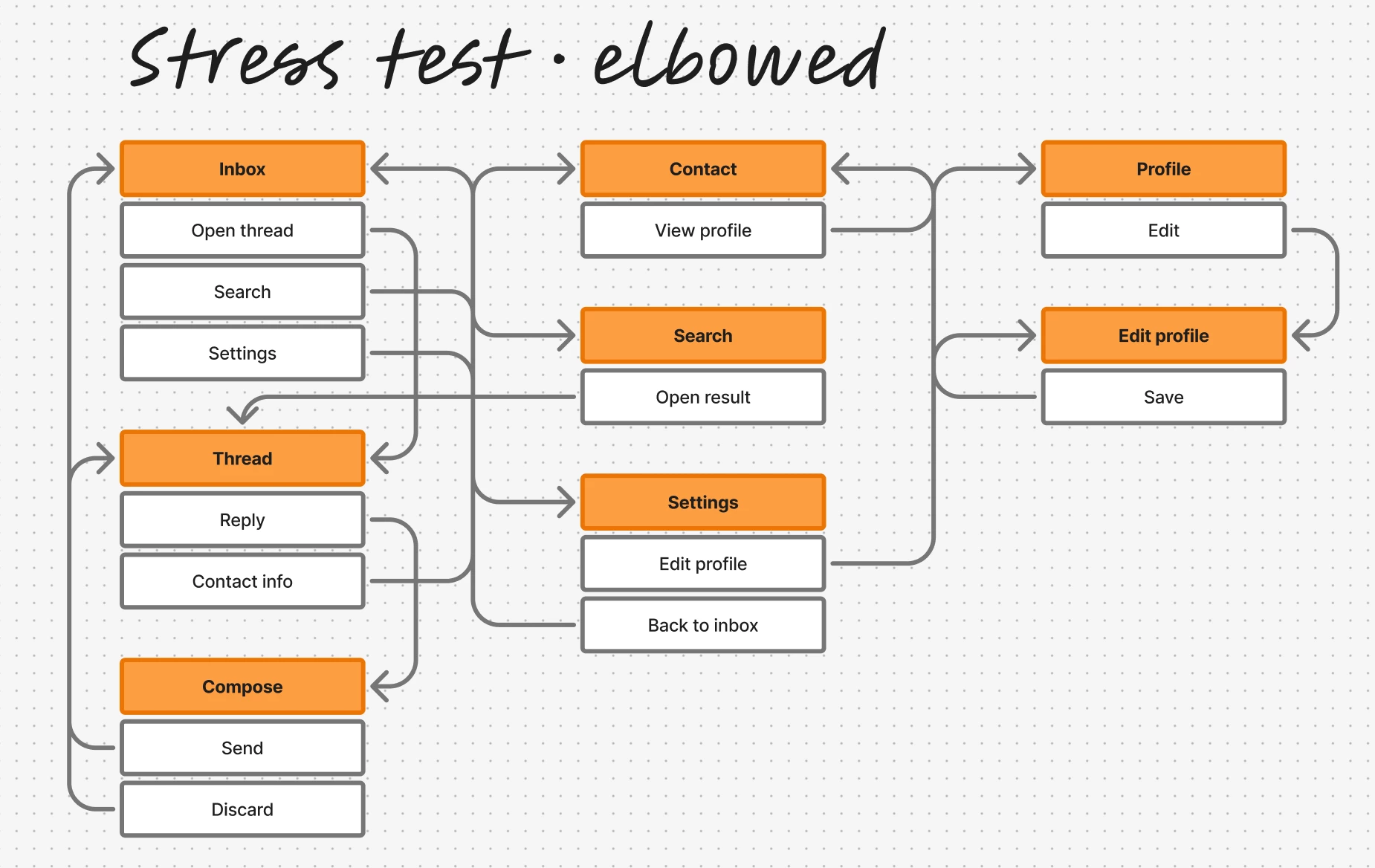
What would fix it:
- Read/write access to a connector's waypoints (or the elbow offset that the UI lets you drag), e.g.
connector.waypoints = [{x, y}, …]for ELBOWED/STRAIGHT lines - Or at least an "avoid overlapping other connectors/nodes" routing option
Users can already drag elbows by hand in the UI; we'd just like the same control from a plugin, so generated diagrams look like hand-drawn ones.