

Ash.Sharifi
May 6, 2021

Override auto layout direction on the instances

  • May 6, 2021
  • 59 replies
  • 5795 views

Hello Figma!

I can not change the direction of the Autolayout on the instances of a component. I can not understand why such a great feature is disabled on the instances and why not allow us to overwrite it?

There are so many incidents that I would have wished to be able to change the direction of the Autolayout in the instances of the component but right now I have to create multiple variants. 😦
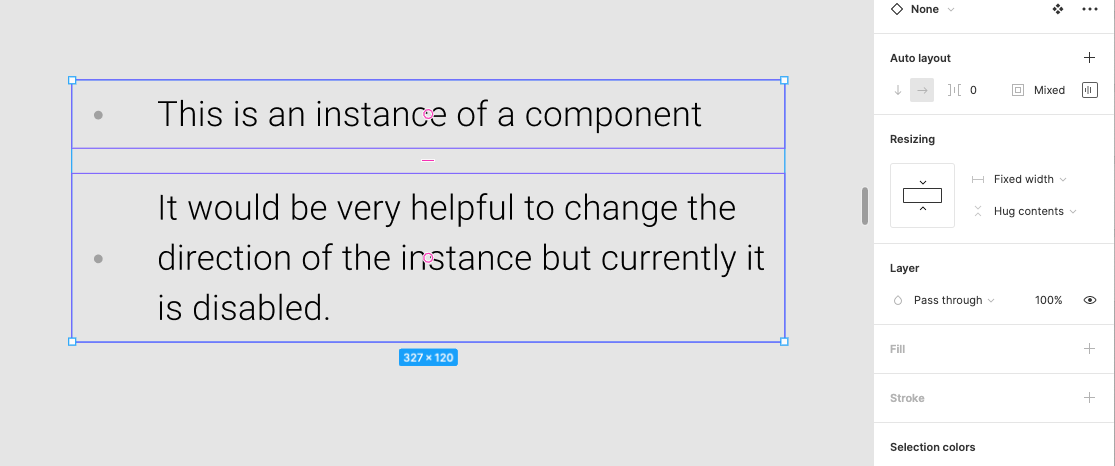
Pinned Reply By djv

Hey All, thank you for your continued feedback! 

Right now, you cannot directly override an auto layout direction on a component instance in Figma because the layout direction (horizontal or vertical) is locked to the Main Component. But there are temporary solutions to allow you to change the auto layout direction:


  • Use Component Variants: Create separate horizontal and vertical variants inside your main component, then switch between them using a variant property dropdown in the right sidebar on your instance.
  • Detach the Instance: Right-click the instance and choose Detach instance to break the link, enabling you to freely change the auto layout direction on the resulting frame.

Hope this helps clarify and gives you a couple of new options to try! If there are any promising updates from the team on when or if this can be implemented, we’ll be sure to provide an update. 

59 replies

Nikki3
New Participant
December 4, 2024

100% add this. This would also mean when content is chosen at the end design point, that changes would carry through if you then changed the layout choice

Rob_Nagel
December 17, 2024

No news about this yet? only focus on pricing or what?

Doug_Scott
New Member
January 14, 2025

👍 +1, must have feature. 👍

Shelby_Tessier
New Member
March 4, 2025

would love to have this feature please so we don’t need to have multiple different designs for different breakpoints! 

nicnac147
New Member
March 12, 2025

Hey all,

I too would love this feature, BUT in the meantime I have found some sort of workaround : I work with child elements instead of the parent component.

So if you have FRAME 1 with 3 blocs (frame 2,3 & 4) (left to right) in desktop, you cannot copy FRAME 1 in your mobile view and change the layout. So instead create the components at the second level : FRAME 2,3 & 4 become components, and it is those frames that you copy in your mobile view.

At least you will be able to edit the content itself and have it replicated accross your breakpoints.

George_Konig1
New Member
March 31, 2025

Still waiting for this feature in 2025.

Paul_Nattress
New Member
July 18, 2025

Would also like to see this feature implemented. I have create variants for this which is cluttering my design system.

Stanislav_Krofta
New Member
July 30, 2025

This is absolute MUST! It would enable us to anyone to setup fully responsive designs using variables!! Please!!!

Damian_Summersall
New Participant
October 10, 2025

Same here, would make our design system so much easier to manage.

Ana_Gancheva
New Member
October 30, 2025

It’s crazy that this ticket has been open for 3 years and there has been no movement.

Having auto-layout direction control on a child instance is one of the main reason we continue reattaching components! An override option will have a very positive effect on design consistency and workflow efficiency.