

Open prototype in new tab

  • April 8, 2021
  • 9 replies
  • 3559 views

Vanessa1

Recently, there is no option anymore to open the prototype in a new tab. Since I’m always switching between those two views, I have to open the prototype, copy the link, open a new tab, insert the link, move back to the previous tab and go back to the file. It’s also not possible to STRG+click it to open in a new tab or open it with a right-click in a new tab.
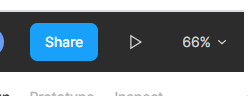
image → opens in same tab

Does anybody experience this as well? Is there a setting where I can configure the behaviour of the play button?

9 replies

Sreeni_vasan

Did you get the answer I also want to know


Osman
  • November 1, 2021

Also want to know if there is a solution for this.


djv
Figmate
  • Community Support
  • November 1, 2021

Hey All,

Selecting the Present icon should automatically open your prototype in a new tab. Is this happening both in-browser and using the desktop app?


delia_tee
  • December 22, 2021

I have the same behaviour in Chrome now and it is really frustrating. I cannot CMD + click even. No matter what i do the present tab just goes redirects me to the prototype in current tab


Cayte_Burdick

Same here. Was working fine before, and now it no longer opens in a new tab.


Kim13
  • April 6, 2022

Sam here. It’s been working fine but now suddenly it doesn’t play my prototype in a new tab. Did anyone figured it out?


djv
Figmate
  • Community Support
  • April 7, 2022

Hey All, to follow up on my previous message, is this happening when you’re using Figma in-browser, Full Screen? Is anyone using the desktop app?


  • September 22, 2023

Sme here, I had the same issue in Browser in Chrome but I re-started my browser and it went back to opening in a new tab.


Restart Chrome > command+shift+T to reinstate old tabs > try presenting again. Worked for me