

New UI: Height/Width Settings Keep Moving Around with Component Variables
If it’s not broken, don’t fix it.
The recent change that places component variables above X/Y and H/W settings, though well-intentioned, creates friction for users dealing with complex components and multiple variants. This shift results in vital inputs being moved around, and their location becomes inconsistent based on the number of variants.
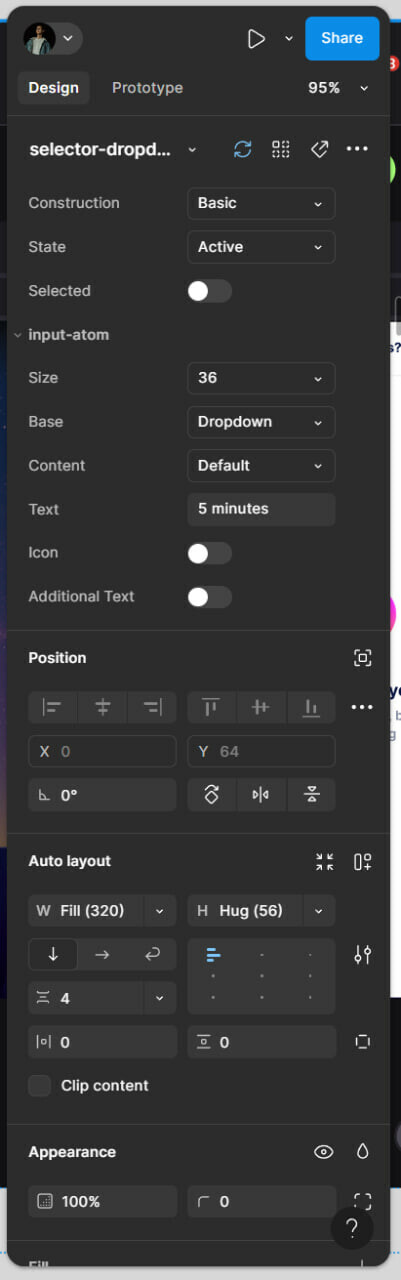
As someone who frequently optimizes design systems, I often manage components with up to 12 settings, including both the component and its children. I use X/Y and H/W inputs 3-5 times more frequently than I touch variants, making this new arrangement inefficient for my workflow.
Returning to the previous, consistent logic would greatly improve usability. After all, consistency is key in design, and it’s especially important in a tool meant to empower designers.