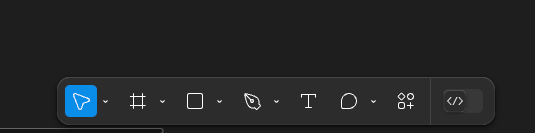
Move the Tools panel to the upper left
The “Tool bar” should be in the upper left of the screen. Personally, I’d expect to find a “Tools” menu near the Min menu, or where I’d see the File/Edit/View/Object… menus. In the bottom center, it overlaps design elements, so designing and walking through designs via screenshare is clunky and awkward.
The “floating panel” aspect looks neat, but it’s still a visual obstruction in the center of the workspace. In my opinion, it just renders the bottom 50ish pixels of the workspace useless.
Also, Mac users will keep accidentally triggering the bottom drawer.